


On this page
- What a difficulty score can and cannot tell you
- Organic difficulty and advertising competition are different
- There is no universal good difficulty score
- Review the search task before the score
- Build an opportunity worksheet
- Use BrandWell to move research into a reviewed brief
- Measure whether the decision worked
- Frequently asked questions
Keyword difficulty is a tool’s estimate of how challenging it may be to earn organic visibility for a search query. It is not a Google score, a probability of ranking, or a universal measure that means the same thing across tools. Use it as a research prompt alongside intent, business fit, existing performance, and the evidence your page can offer.
The practical question is not simply whether a number looks low. It is whether your business can create a useful page for the task, with a realistic investment and a relevant next step for readers.
What a difficulty score can and cannot tell you
Many research tools summarize difficulty using a numerical scale, but the inputs and weighting depend on the provider. A score may emphasize links, the pages already ranking, or other modeled signals. Read the metric definition and update date before making comparisons. Do not assume that two tools calculate a score of 30 in the same way.
A difficulty estimate does not establish how long ranking will take, which position a page will reach, or how much revenue a query will generate. A low score can accompany a query that is irrelevant to your customers. A higher score can accompany an important topic where a narrow, well-supported page is still worth developing.
Organic difficulty and advertising competition are different
Google Keyword Planner serves advertising research. Its competition metric reflects advertisers showing for a keyword relative to other keywords. It does not measure the difficulty of ranking an unpaid article.
| Metric | Question it helps answer | What it does not establish |
|---|---|---|
| Organic difficulty estimate | How does this provider assess the competitive search results? | Your ranking odds or a deadline |
| Advertising competition | How much advertiser participation does this metric describe? | Organic ranking difficulty |
| Estimated search volume | How much search demand is estimated for the selected market and period? | Traffic your page will receive |
| Search Console impressions | How often did your site’s results appear under the report’s conditions? | Total market demand |
| Business outcomes | Did visitors take relevant actions and become suitable customers? | Whether a keyword score caused those outcomes |
Swipe the table to see all columns.
If your workspace displays a column named Competition, inspect its definition. Do not relabel it organic difficulty just because both metrics describe competition in everyday language.
There is no universal good difficulty score
A rule such as “new sites should target scores below 30” leaves out the provider’s method, the query’s purpose, and your own capabilities. Domain age alone does not make a keyword suitable. Third-party authority scores are also not Google-issued ratings.
Choose thresholds only as internal filters after understanding the metric. Test whether the filter selects topics that fit your audience, then revise it based on actual performance. Keep the same provider and settings when comparing a series; even then, treat the estimate as one input.
Review the search task before the score
- Define the audience. Specify who needs the answer and what decision they are making.
- Inspect the current result types. Look for guides, product pages, local results, videos, or tools. This is evidence about the task, not a template to copy.
- Identify required evidence. A software comparison needs current product details. An implementation guide needs practical steps and relevant examples.
- Assess your contribution. Can your business provide original experience, a usable example, or a clearer explanation?
- Check the next step. Decide what a suitable reader can do after getting the answer, without forcing a sales pitch into an unrelated topic.
Google’s helpful-content guidance is a better basis for the page than copying a result’s word count. A longer article or repeated keyword is not automatically a better answer.
Build an opportunity worksheet
Use one row per audience task. Keep the original metric names, source, date, location, and language. Add a qualitative decision that a colleague can understand.
| Field | Illustrative entry |
|---|---|
| Audience and task | A small employer comparing payroll migration requirements |
| Query group | Payroll migration checklist and related implementation questions |
| Existing page | An onboarding guide that currently misses import and validation steps |
| Available evidence | Approved migration process, example checklist, current product screenshots |
| Effort and owner | Product specialist reviews the process; editor revises the guide |
| Decision | Improve the existing page rather than publish several overlapping articles |
| Measurement | Relevant queries, clicks, completed inquiries, and lead suitability |
Swipe the table to see all columns.
This is a planning example, not a reported customer result. It makes the editorial choice explicit without pretending that a formula can predict ranking.
Use BrandWell to move research into a reviewed brief
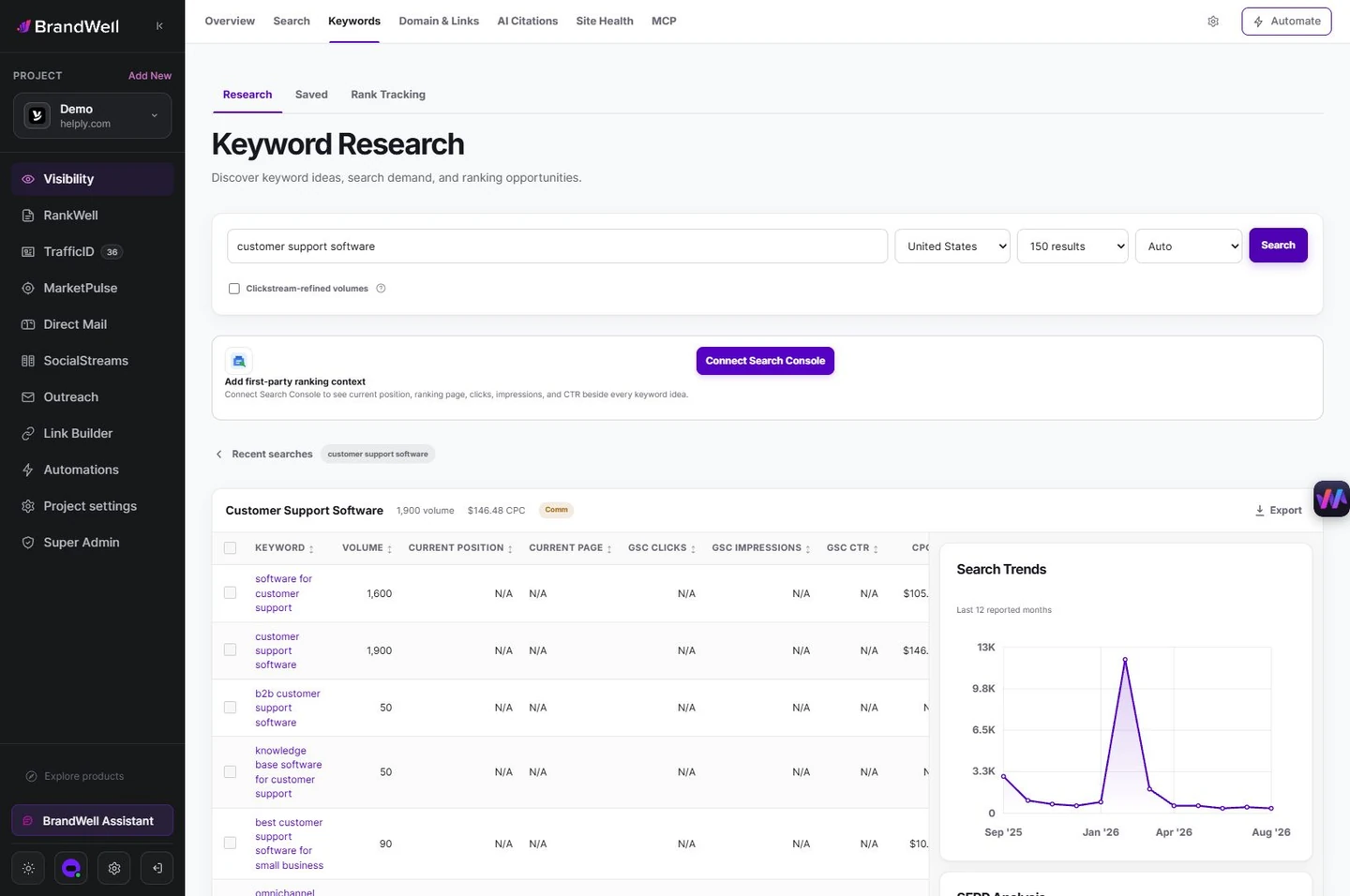
In the current BrandWell workspace, use the available Keyword Research tools to explore terms for the relevant market. Check what each displayed metric means. Where a Search Console connection is available, compare research ideas with the pages and queries already earning impressions.
Turn the chosen audience task into a RankWell brief. Specify the question, useful sections, product facts, primary sources, and next step. Review the editor’s draft and recommendations, add your own evidence, and approve the final page before publishing. RankWell supports the content workflow; a recommendation or score does not guarantee a search outcome.
Measure whether the decision worked
Save a baseline before editing. In Search Console, compare the page and its relevant queries over comparable periods. Separate clicks, impressions, CTR, and average position. Segment by device or country when that changes the interpretation.
Also examine the next business action. A page that earns more visits from an unsuitable audience may not be a better investment. Record what changed and allow for seasonality, search-result changes, and measurement limitations. Do not attribute an improvement to one difficulty score without evidence.
Frequently asked questions
Does zero keyword difficulty mean nobody competes?
No. It is a provider’s estimate under its own method and data. Inspect the search results and the task before assuming a query is easy.
Is a high advertising-competition keyword hard to rank for?
That metric describes advertisers, not organic difficulty. The same query still needs a separate review of organic results.
Should I always choose the lowest score?
No. Prioritize business relevance, useful evidence, and an achievable content plan alongside any properly understood score.
Can BrandWell guarantee ranking for the terms I choose?
No. Use its research and content workflow to make and review decisions, then measure actual outcomes.
Reviewed and updated October 2, 2026.

Written by
Julia McCoy has contributed articles to BrandWell on content marketing, writing, and search engine optimization. This archive retains her original bylines; individual articles may be updated by the BrandWell editorial team.

