


On this page
- 1. Choose a goal and audience
- 2. Build a short source brief
- 3. Match the format to the message
- 4. Prepare the draft in the current BrandWell workflow
- 5. Check media quality and accessibility
- 6. Use customer stories honestly
- 7. Schedule work and plan the response
- 8. Measure the action the post was meant to support
- 9. Repurpose only material that is still current
- Frequently asked questions
Create social-media content by choosing a specific audience question, preparing a useful message and adapting it to the channel. Define the next action, check the facts and media, publish through the available workflow and measure the response against your goal.
You do not need every post to be a video or to become viral. A clear answer that reaches the right people can be more useful than broad engagement that has little connection to your business.
1. Choose a goal and audience
Decide whether the post should explain a product, answer a recurring question, help an existing customer or introduce a resource. Specify whom it serves and what that person should understand afterward.
Original hypothetical example: an IT provider wants to help office managers prepare for an office move. The useful audience question is what information the provider needs before planning the network handoff. The next step is reviewing a preparation checklist, rather than commenting on a generic technology trend.
Review customer questions, support conversations and previous post results. Do not infer what every member of an age group wants solely from a platform demographic claim.
2. Build a short source brief
Write down the main point, supporting evidence, verified product or service details and the intended next step. Keep any important limitation with the claim.
- Who is the post for?
- What question does it answer?
- What can the business actually provide?
- Which statement needs a source or product check?
- What image or demonstration would help?
- Who approves the finished version?
For the IT example, confirm the preparation details with the service owner. Do not promise zero downtime or a fixed implementation time unless the business can support that specific claim.
3. Match the format to the message
A short text post can answer a narrow question. A diagram can explain a handoff. A reviewed video can demonstrate a sequence. Choose the format that makes the point understandable, then check the current channel’s requirements before publishing.
For the office-move topic, an original content set might include:
- A short post explaining why the provider needs the move date early.
- A visual showing the information needed for planning.
- A link to the fuller preparation checklist.
These are illustrative ideas, not measured high-performing posts. Avoid selecting a format solely because an old statistic says it always receives more engagement.
4. Prepare the draft in the current BrandWell workflow
Use SocialStreams for configured social-content work available to the workspace. Start with the approved brief and review the message, media and destination before release.
When the post draws on a longer article, use RankWell to prepare and review the source content. The Content Hub supports article, strategy, queue and calendar work. Reuse the approved explanation without stripping away conditions that make it accurate.
AIMEE works through configured tools, access and permissions. Give it a concrete assignment and define whether it should prepare material for review or carry out an approved step. Confirm the channels and connections available to the workspace.
5. Check media quality and accessibility
Use current screenshots, understandable diagrams and appropriately authorized photographs. Do not present an illustration as a real customer result or use private customer information without the required approval.
Check the image on a phone-sized view. Small labels, cropped screenshots and low-contrast captions can make a useful message unreadable. Review alternative text and keep essential instructions available in the post or linked resource.
The W3C guidance on captions explains that captions convey speech and important non-speech audio. It also warns that automatically generated captions need accuracy review. Check terminology and timing against the actual recording.
For the IT checklist video, ensure that the captions preserve dates, equipment names and conditions accurately. An omitted word can change the instruction. Avoid placing important labels where interface controls obscure them.
6. Use customer stories honestly
Keep a record of the approved quote, context and media permission. Do not invent a customer, rewrite a quote into a stronger outcome or present an exceptional result as what every buyer should expect.
Review what the customer actually said and what the example demonstrates. If the post includes a material relationship or incentive, have the responsible reviewer check the required disclosure before publication.
An original hypothetical story must be labeled as hypothetical. It should not be styled as a testimonial from a named real customer.
7. Schedule work and plan the response
Use a calendar with the message, destination, owner, review status and proposed date. Select a manageable publishing cadence and test timing against your audience rather than assuming there is one universal best hour.
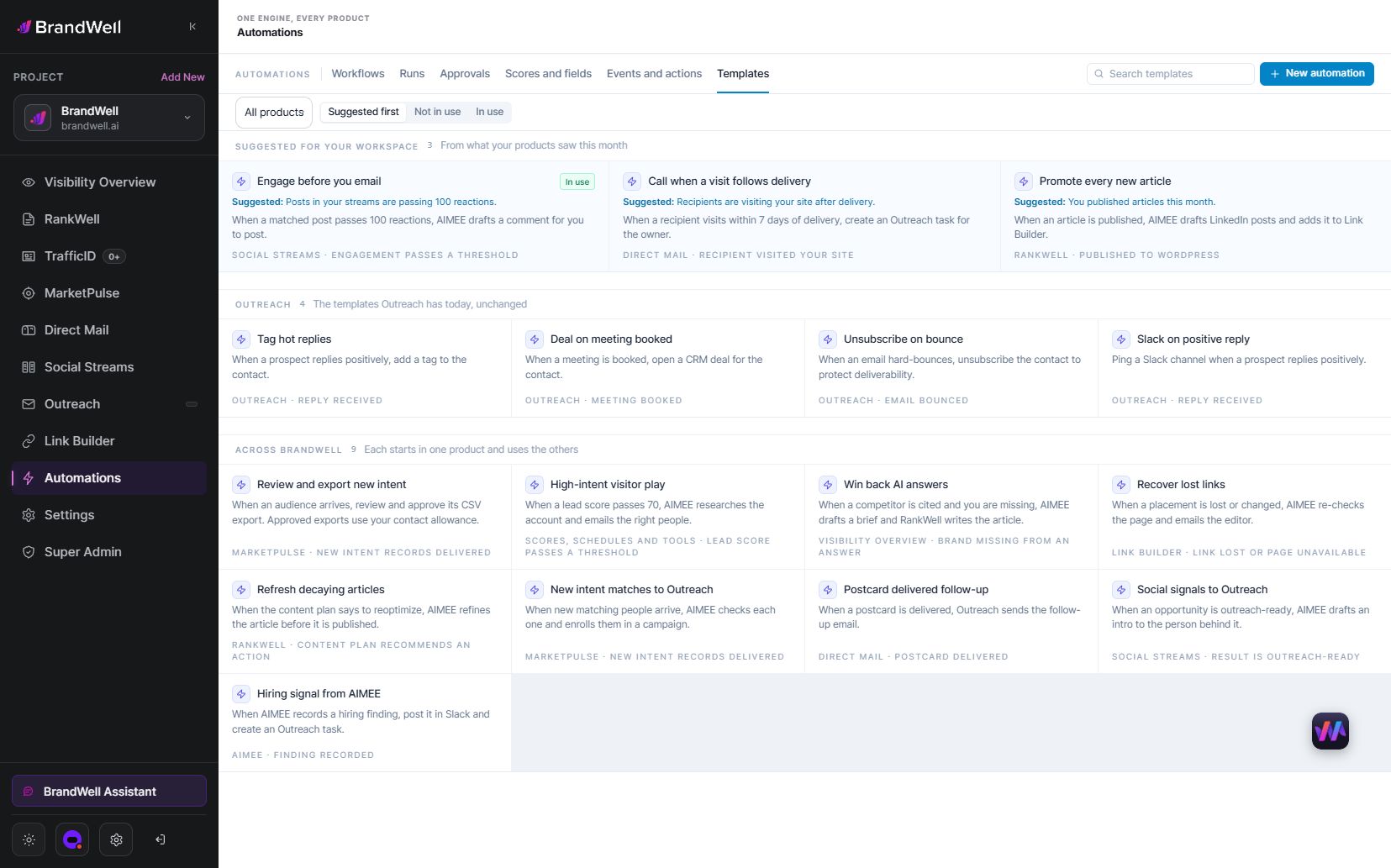
Use configured Automations where the relevant triggers and schedules are available. Define what happens when required information is missing, a destination fails or an approval remains outstanding.
Assign someone to answer genuine questions after publication. If a question requires customer-specific or private information, move it through an appropriate approved channel rather than exposing it in a public reply.
8. Measure the action the post was meant to support
Review reach or impressions, relevant interaction, tracked clicks and the configured downstream outcome. Confirm each platform’s metric definitions and keep the denominator visible.
Original hypothetical calculation: a checklist post receives 2,000 impressions and 40 tracked clicks, giving a click rate of 2%. Eight visitors complete a qualified inquiry, or 20% of those 40 clicks. These are illustrative calculations, not SocialStreams results.
Do not treat every later inquiry as caused by the post. Campaigns, repeat visitors, other channels and the landing-page experience may also contribute. Compare similar periods and document the limitations.
9. Repurpose only material that is still current
Before adapting an old article, verify its facts, product references and destination. An “evergreen” label does not mean its prices, statistics or process never need review.
Turn one approved point into a concise post while preserving the meaning. If a graphic contains a statistic, include enough source and context for the reader to understand it. Recheck the landing page so the post’s promise matches what happens after the click.
Keep a record of what was reused and who approved it. That makes later corrections easier when the source content changes.
Frequently asked questions
How do I start creating social content?
Choose one audience question, a useful answer and a clear next step. Prepare verified inputs before drafting.
Does every post need video?
No. Use the format that explains the message well and that the team can review and maintain.
How should AI help with a social post?
Use approved source material to prepare a draft or variation, then review facts, context, media and the destination before release.
How can I tell whether a post worked?
Measure the action defined in the brief and inspect relevant downstream outcomes. Engagement alone may not reflect the business goal.
Reviewed and updated October 3, 2026.

Written by
Julia McCoy has contributed articles to BrandWell on content marketing, writing, and search engine optimization. This archive retains her original bylines; individual articles may be updated by the BrandWell editorial team.

