


On this page
To improve newsletter engagement, send relevant messages to willing subscribers, use a recognizable sender and test a clear subject line against a defined outcome. Check delivery and measurement before treating a low reported open rate as a writing problem. An open is a tracking signal, not proof that someone read the email.
There is no universal good open rate or best send time for every newsletter. Compare your own equivalent audiences and campaigns, and include clicks, replies and qualified actions in the review.
What does newsletter open rate measure?
A reporting system commonly estimates unique opens from a tracking image request and divides them by delivered messages. Confirm your provider’s definition: unique recipients and total open events are different measures, and sent messages are not the same denominator as delivered messages.
Apple Mail Privacy Protection prevents senders from determining whether a recipient opened a message. Consequently, recorded opens should not be treated as verified reading.
Other measurement limitations include blocked images and automated activity. Ask how your reporting system classifies that activity before comparing campaigns. Do not assume that everyone recorded as a non-opener is uninterested.
Ten checks before your next newsletter
1. Confirm subscriber eligibility
Send the newsletter to people who subscribed to that program. Preserve their preferences, suppress unsubscribed addresses and handle hard bounces. A purchased contact list is not a newsletter subscription list. Do not remove someone solely because an open-tracking image did not load.
2. Inspect delivery before rewriting
Review bounce reasons, complaints and authentication results. A subject-line change cannot fix a broken sending setup. Gmail’s sender guidelines distinguish requirements for all senders from bulk senders, including authentication and unsubscribe requirements. Check the applicable category rather than relying on a banned-word list.
3. Make the sender recognizable
Use a stable name that subscribers can connect to the signup experience, such as “BrandWell” or “Justin at BrandWell” when that accurately identifies the sender. Ensure the reply destination works and someone owns responses. Changing identities repeatedly can make a familiar newsletter look unfamiliar.
4. Write a subject line that describes the value
State the useful question or information inside. For a hypothetical operations newsletter, “Five onboarding handoffs to check before kickoff” is more specific than “You need to see this.” Do not invent a deadline, imply an existing conversation or promise a result the message cannot support.
5. Use preview text as additional context
Preview text can explain what the subject leaves out. For the example above, try “A short checklist for owners, intake details and the next customer update.” Test the actual inbox display so it does not show navigation labels, image filenames or an unsubscribe notice as its opening text.
6. Segment around a relevant need
Use information subscribers provided or appropriately permitted signals. A customer onboarding issue may interest operations managers more than people subscribed only to product announcements. Define which people qualify, and verify that each segment receives the correct content. Segmentation is a hypothesis to test, not a guaranteed revenue multiplier.
7. Personalize with a safe fallback
A person’s name is useful only when it is correct. Test missing names and company fields before sending. More meaningful personalization may be a relevant use case or a section selected for the subscriber’s stated interests. Avoid inferring sensitive details or making the email imply a relationship that does not exist.
8. Test timing and frequency separately
Use the subscriber’s expectations and time zone where known. Compare similar sends before changing the schedule. Do not change audience, subject, offer and time simultaneously and attribute the result to timing. Give readers a way to change preferences or leave the program.
9. Check the complete mobile experience
Preview a real received email on a phone, including when images are blocked. Check readable text, descriptive links, usable buttons and the destination page. Avoid putting essential information only inside an image. A mobile-friendly message that leads to a broken form still creates a poor experience.
10. Match the email to the destination
Use one clear primary next step. A checklist invitation should open the promised checklist; a product offer should reveal current pricing and conditions. Additional useful links are not automatically spam. Review their purpose and destinations rather than imposing an arbitrary three-link maximum.
An original subject-line testing plan
This hypothetical experiment illustrates planning, not a promised improvement:
- Choose one issue and one eligible subscriber group.
- Randomly assign comparable groups to two subject lines. Keep sender, content, offer and send time the same.
- Choose a primary outcome before sending, such as unique checklist clicks per delivered message.
- Record the observation window, counts, complaints and unsubscribes.
- Review whether the difference is large and reliable enough to guide another test. Do not declare a winner from a few events.
Suppose version A has 500 delivered messages, 200 recorded opens and 20 unique clicks. Version B has 500 delivered, 250 recorded opens and 15 unique clicks. The reported open rates are 40% and 50%, but click rates are 4% and 3%. A higher reported open rate did not produce more clicks in this invented example. These counts alone do not establish statistical significance or sales impact.
Prepare the newsletter in BrandWell
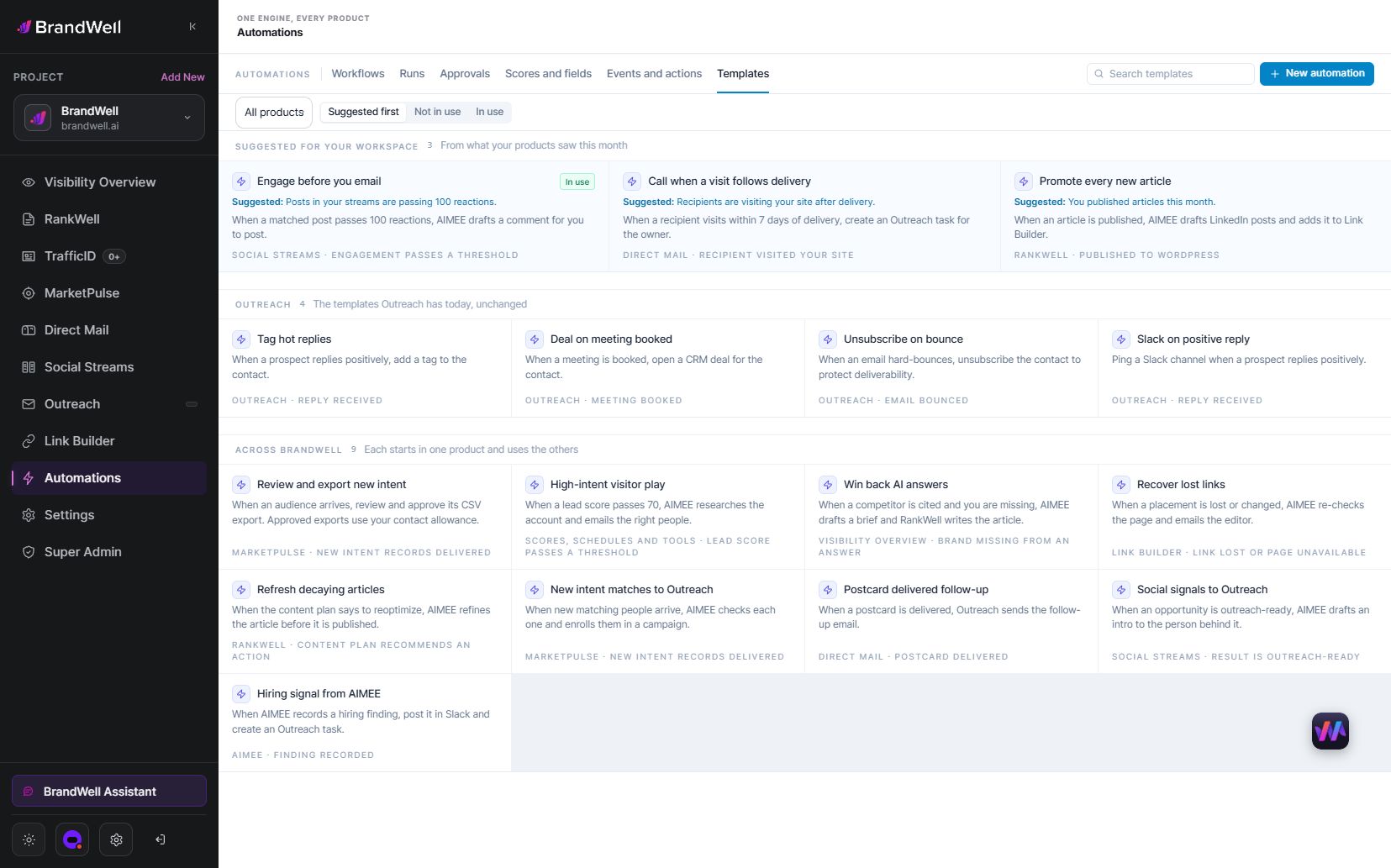
Use RankWell to prepare and review the article or newsletter source material. Provide the audience, approved facts, current product details and intended next action. Review the message after personal fields and links have been inserted.
For BrandWell Automations, configure the trigger, permitted recipients, waiting conditions and approval owner. Verify the sending connection and suppression behavior. Drafting an email does not automatically make it ready for delivery.
What should you report alongside opens?
- Delivered messages: use the same denominator consistently.
- Unique clicks: distinguish recipient activity from repeat clicks and classified automated activity.
- Replies: review actual questions and the response process.
- Qualified outcomes: track the defined inquiry, appointment or purchase with an explicit attribution window.
- Complaints and unsubscribes: assess whether the program still meets subscriber expectations.
Common questions
Should I resend to everyone who did not open?
Not automatically. Open tracking can miss reading or record activity without reading. Consider the program’s frequency, subscriber expectations and other permitted engagement signals before planning a resend.
Do words such as “free” always cause spam filtering?
No universal single-word rule establishes inbox placement. Describe the offer honestly and investigate sending configuration, recipient expectations and reported delivery problems.
Can better subject lines guarantee higher revenue?
No. Subject lines are one part of the journey. Check the offer, audience fit, destination and follow-up, and evaluate qualified outcomes rather than treating opens as revenue.
Reviewed and updated October 3, 2026.

Written by
Julia McCoy has contributed articles to BrandWell on content marketing, writing, and search engine optimization. This archive retains her original bylines; individual articles may be updated by the BrandWell editorial team.

