
01Workflow template
Turn intent into outreach
Research the account, then draft a relevant campaign.
5 stepsUse this template


AIMEE / AI employee software
AIMEE is the execution layer for your entire growth operation. It knows your business, works with your BrandWell data and connected tools, and can publish articles, run link building campaigns, automate LinkedIn outreach, and assign work to your teammates’ agents.
Your first AIMEE user is included with every plan except MarketPulse Starter. Add teammates locally or in the cloud.
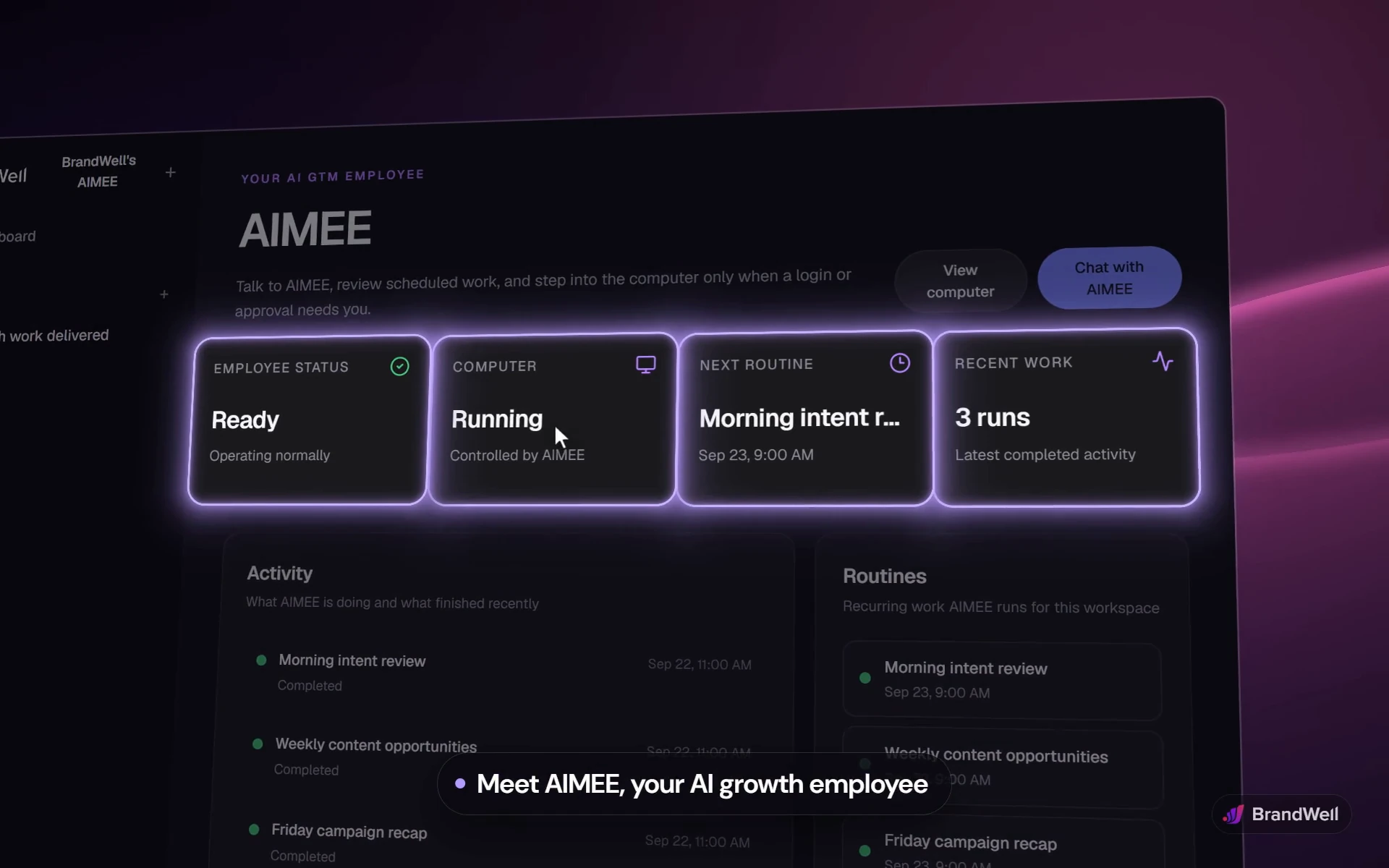
The demo could not load here. Open the AIMEE demo directly.
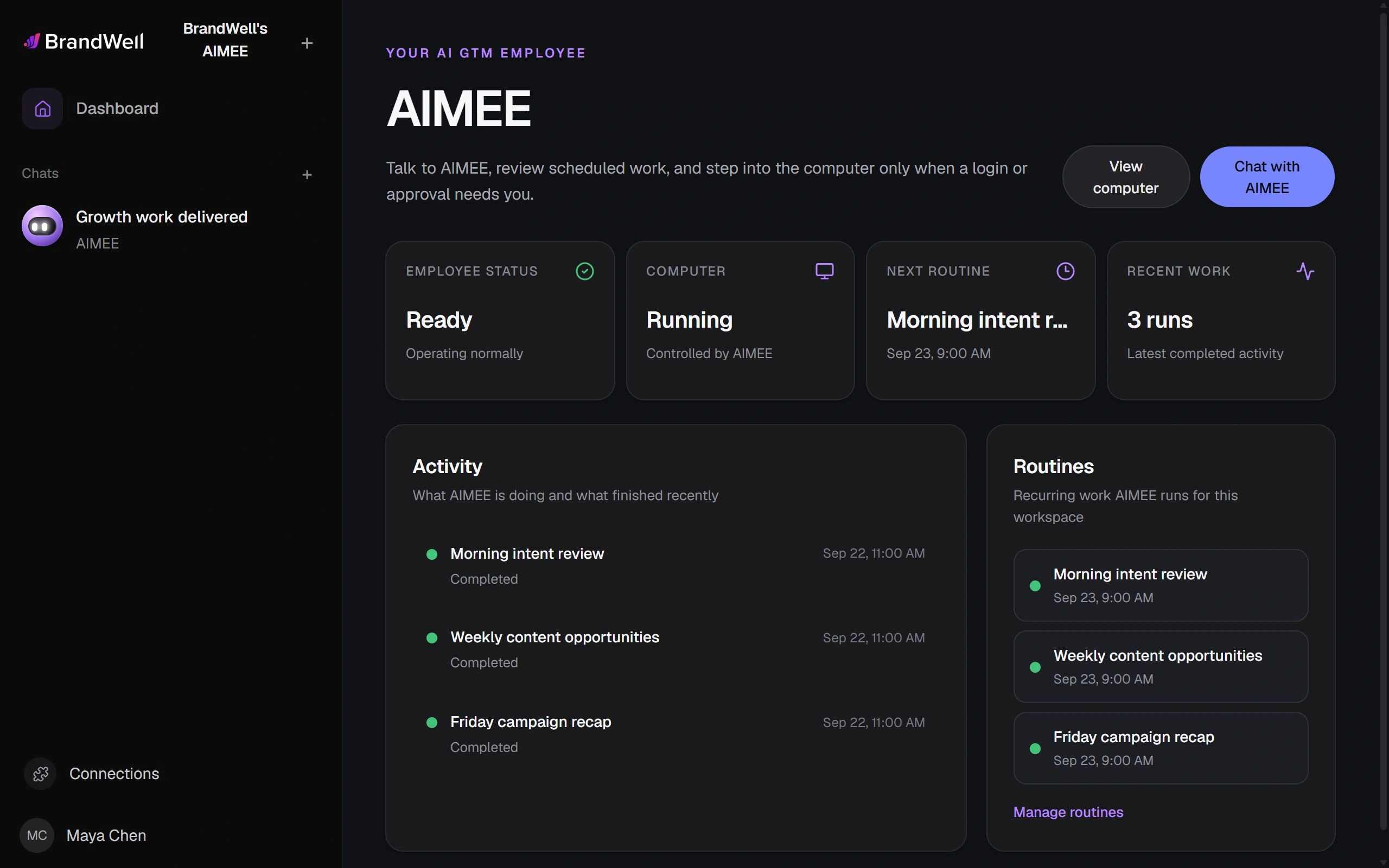
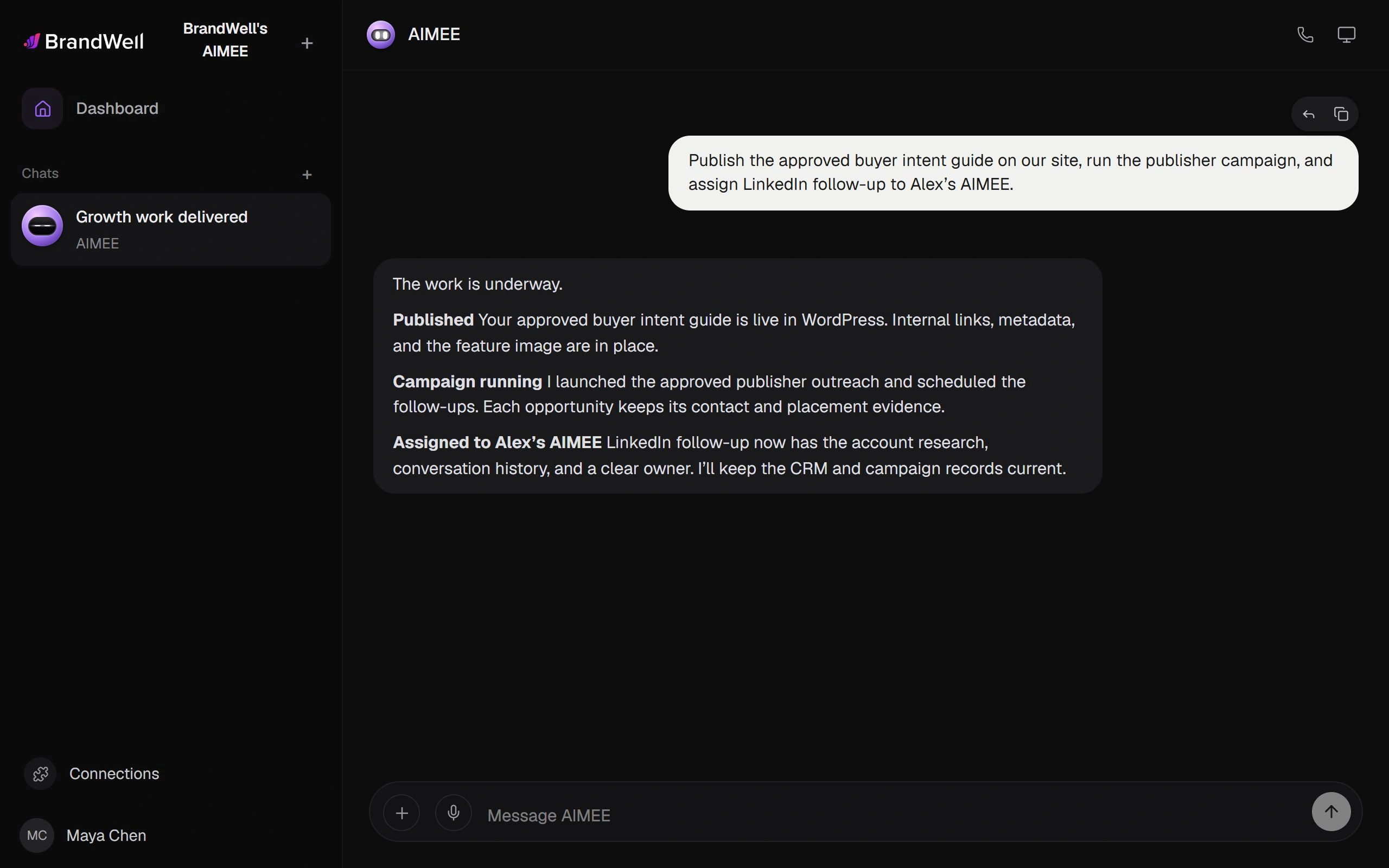

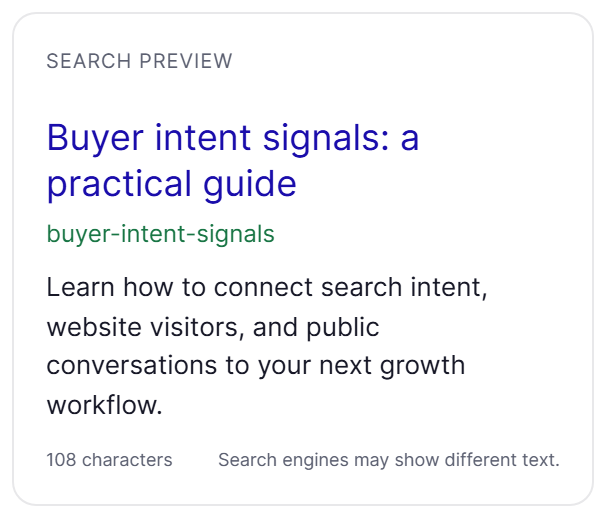

AIMEE combines your business context with structured BrandWell data, connected tools, and recurring workflows. It publishes articles, runs link building campaigns, follows up on LinkedIn, and keeps your systems current. Assign work to your AIMEE or another teammate’s agent, with the context and a clear owner attached.
Workflow templates
01Workflow template
Research the account, then draft a relevant campaign.
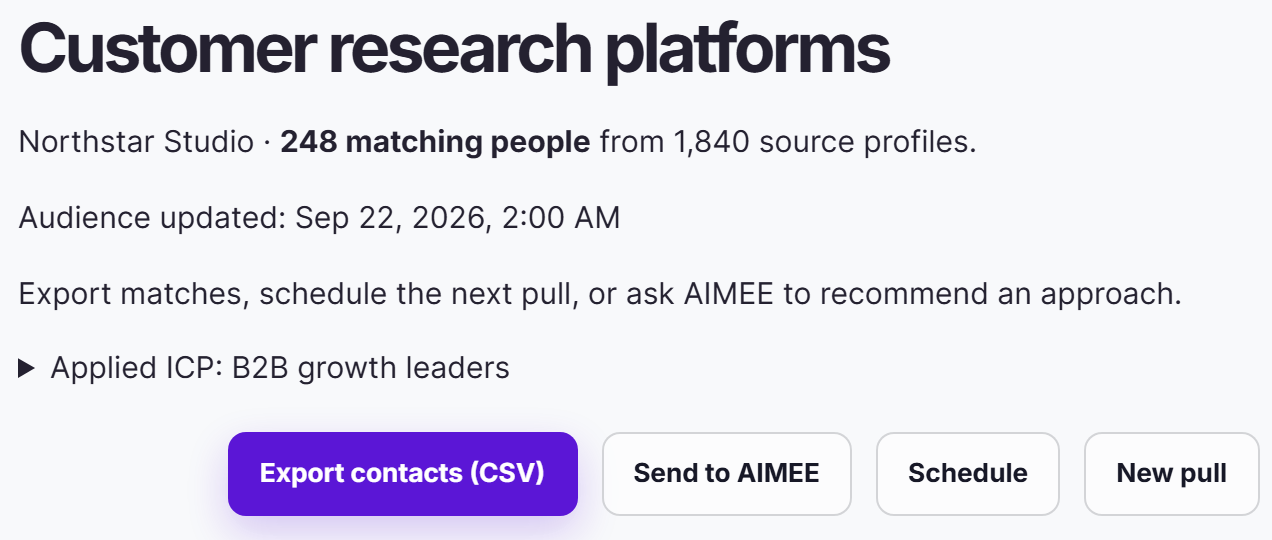
MarketPulse finds the people researching the topics your customers research.
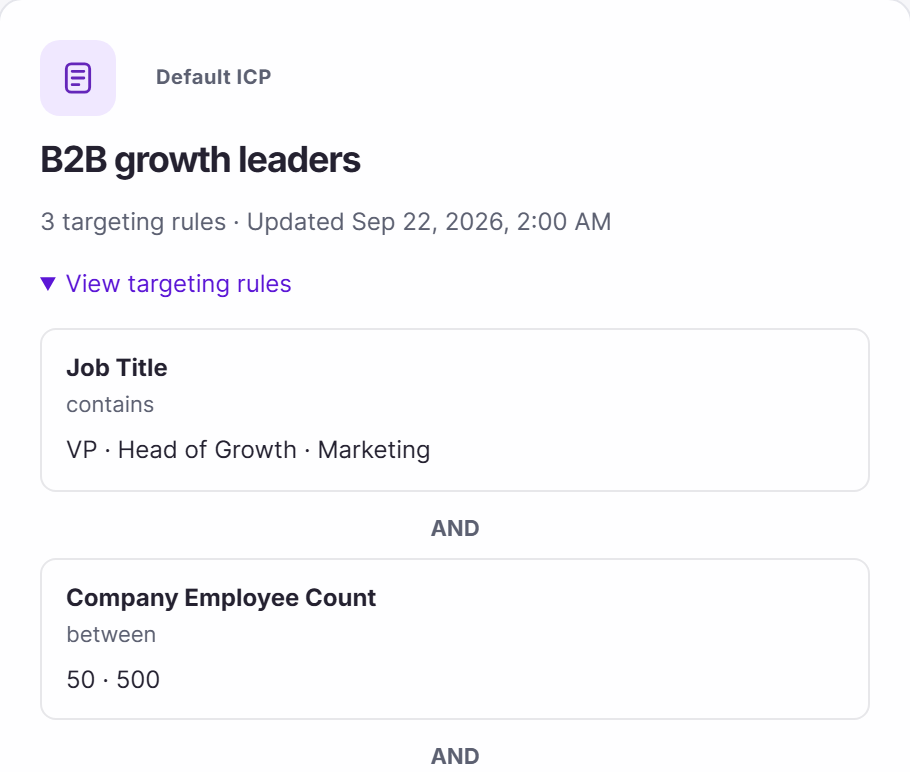
A saved ICP keeps every new pull focused on the buyers you want to reach.
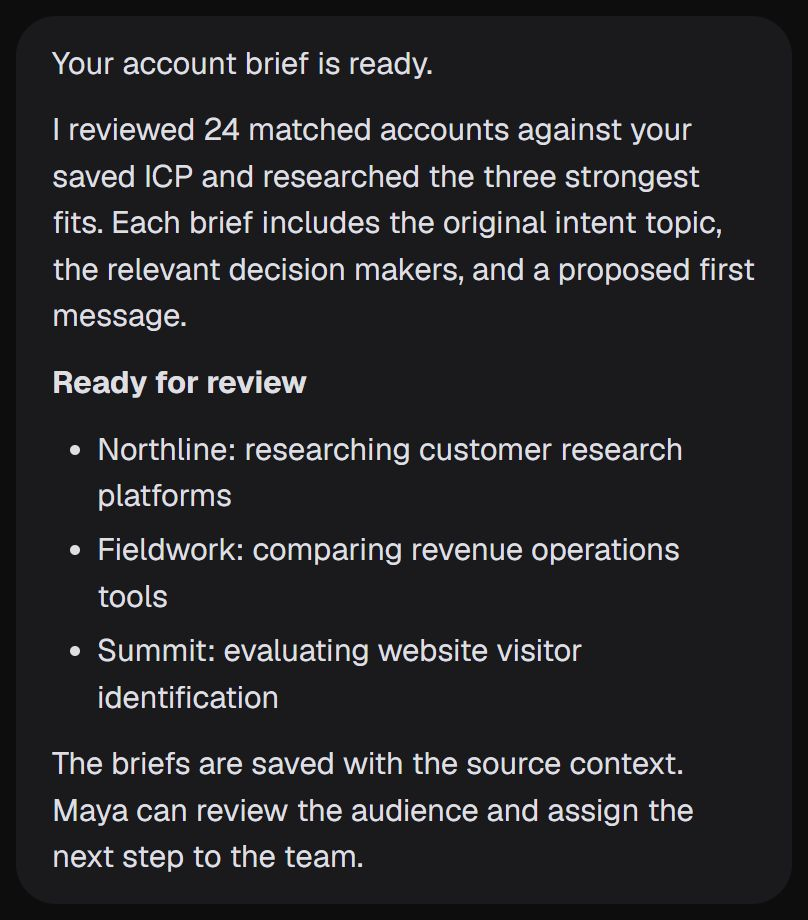
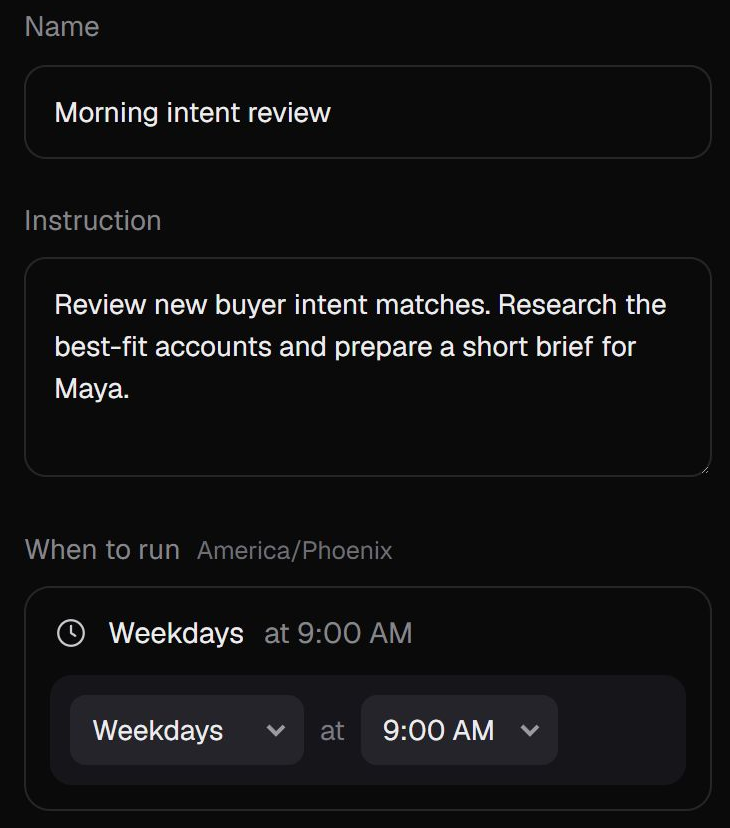
A morning routine reviews new matches, researches the strongest accounts, and drafts a brief with a first message.
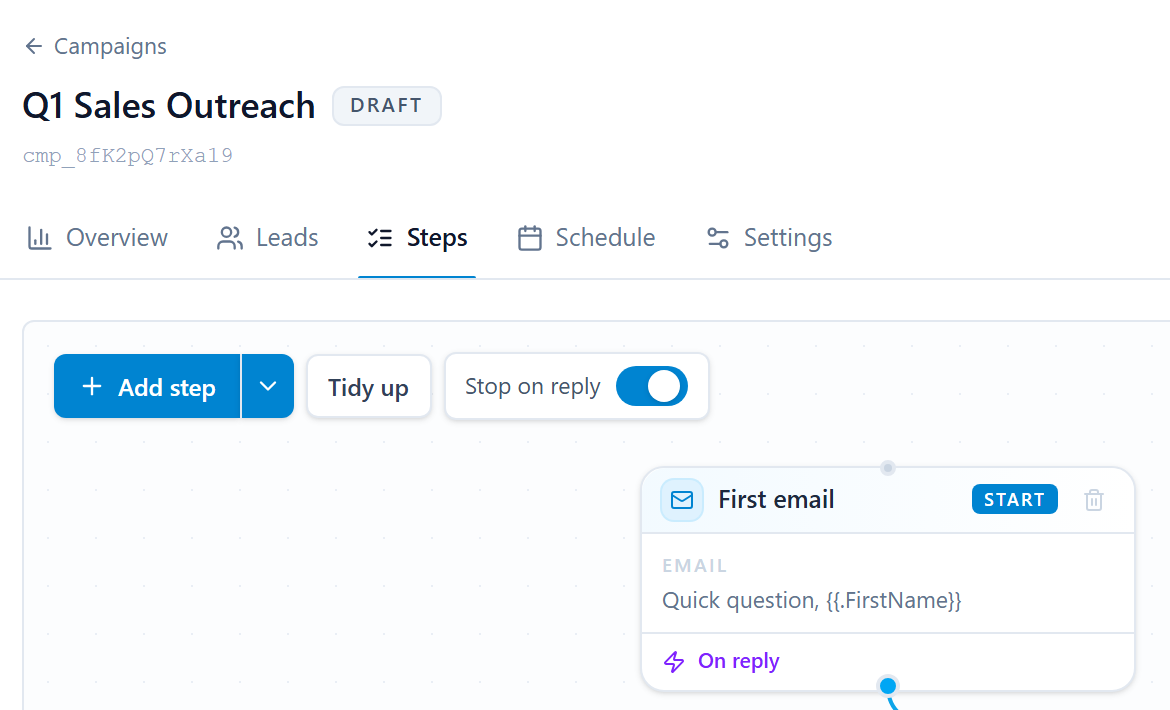

The campaign waits as a draft. Your team edits the message and decides when it starts.
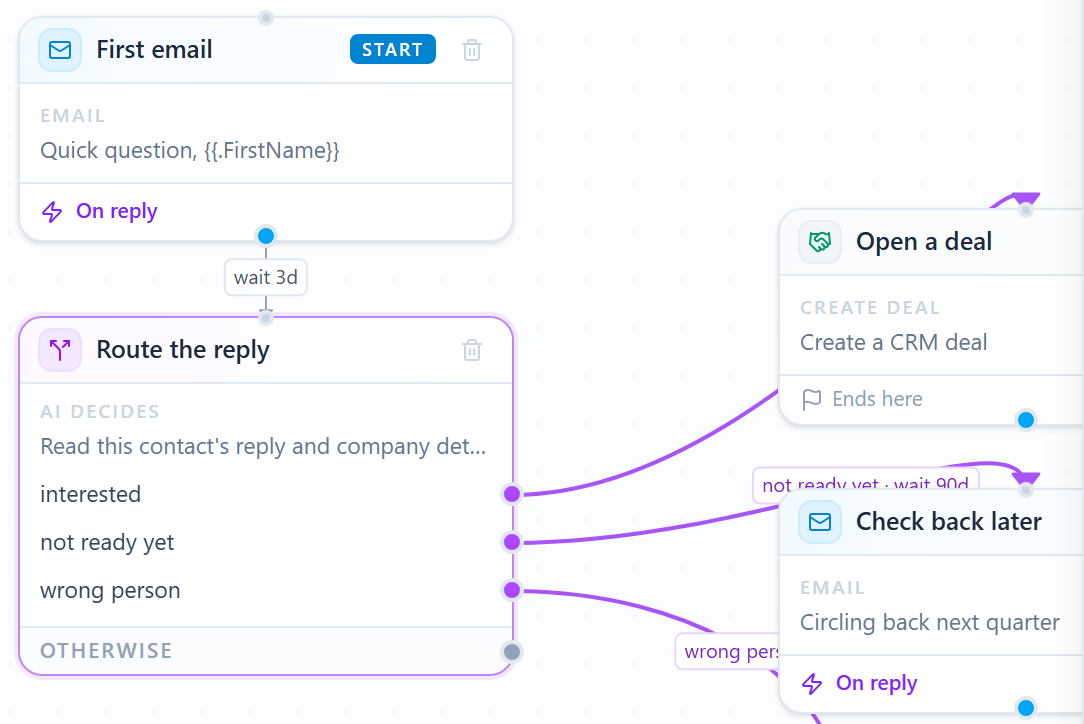
Each reply is routed: an interested buyer opens a deal, and a not-now gets a later check-in.
Next template
or keep scrolling
02Workflow template
Build a RankWell article, then publish it on your site.
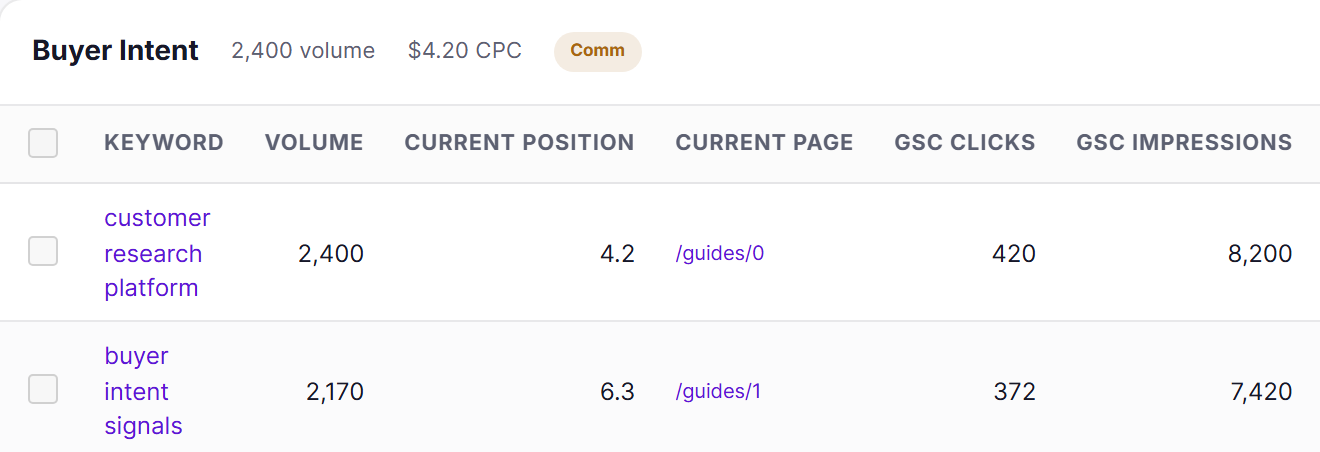
Visibility shows what your buyers search for and where your page ranks today.
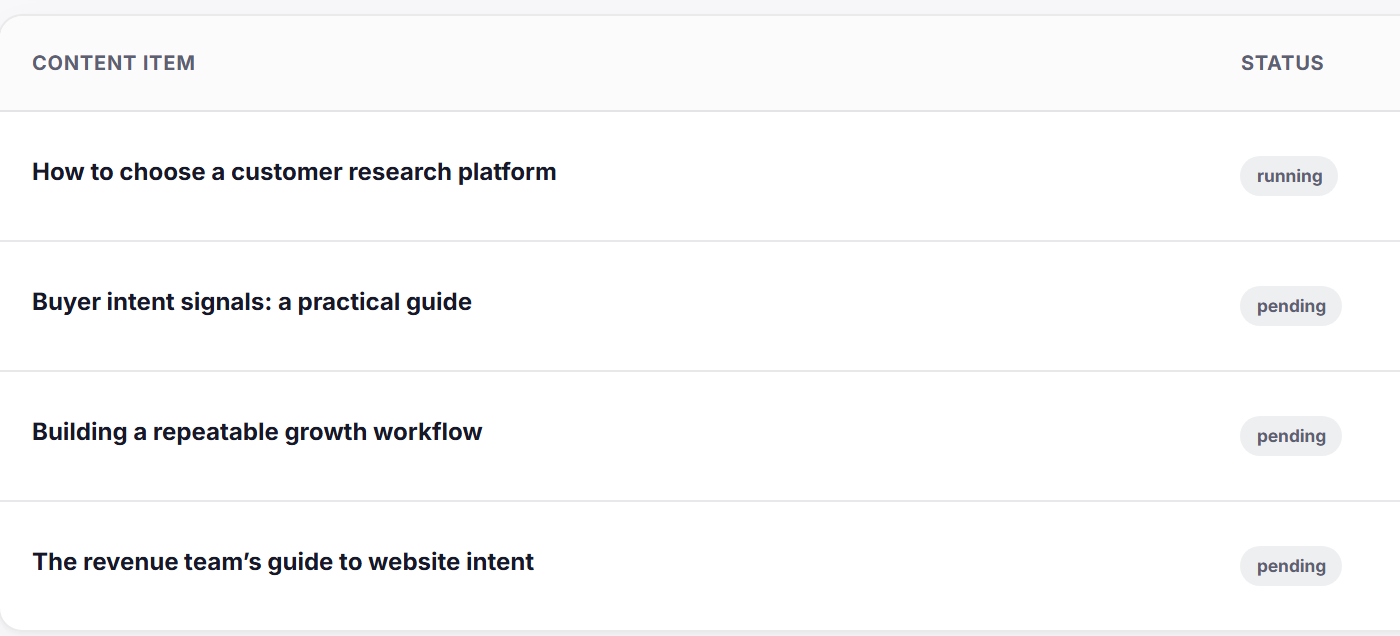
AIMEE turns the opportunity into a brief and adds the article to the RankWell queue.
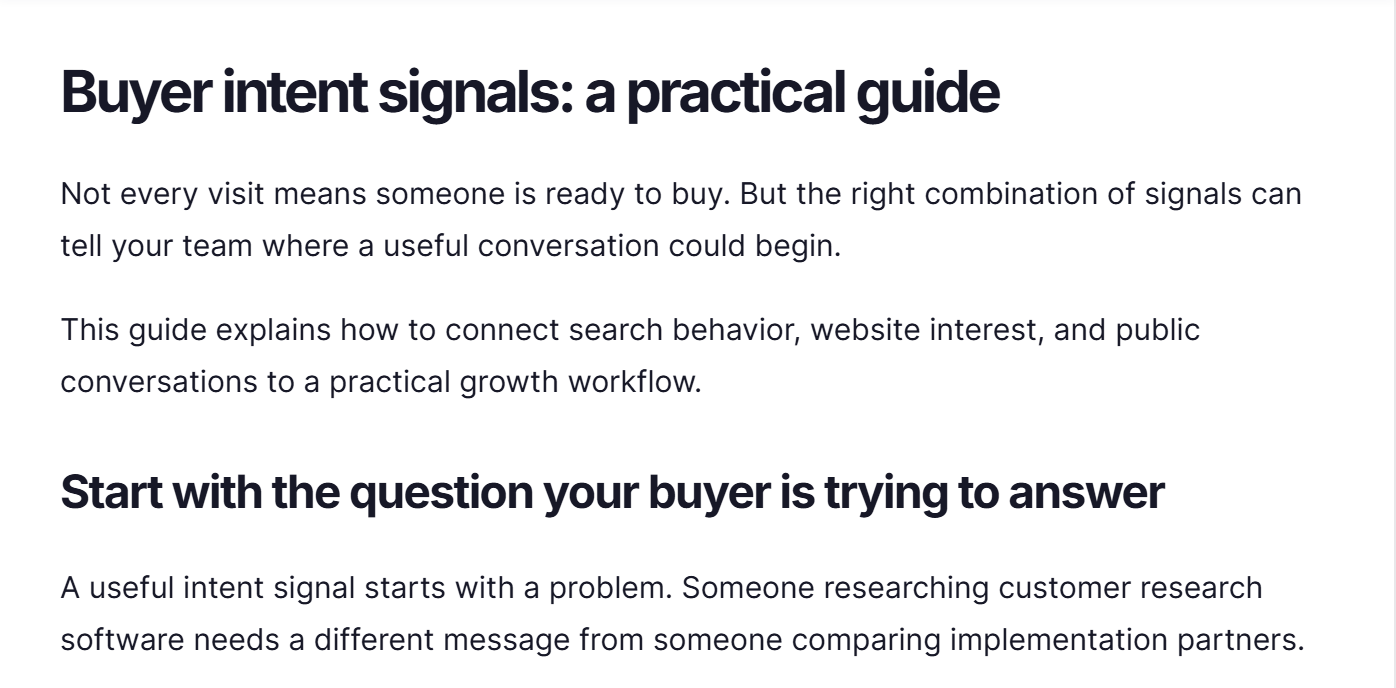
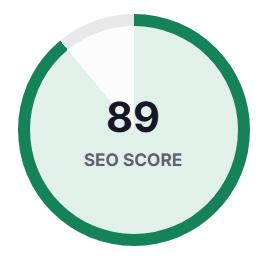
The draft is written with your sources and brand voice, then scored before an editor sees it.

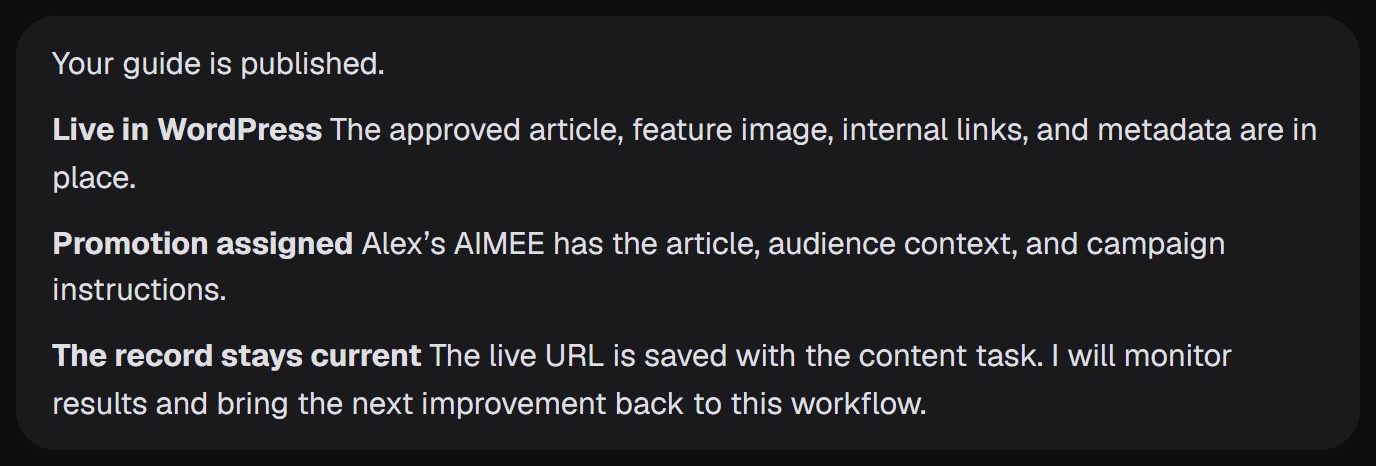
After an editor approves it, AIMEE publishes to WordPress and hands promotion to Alex’s AIMEE.

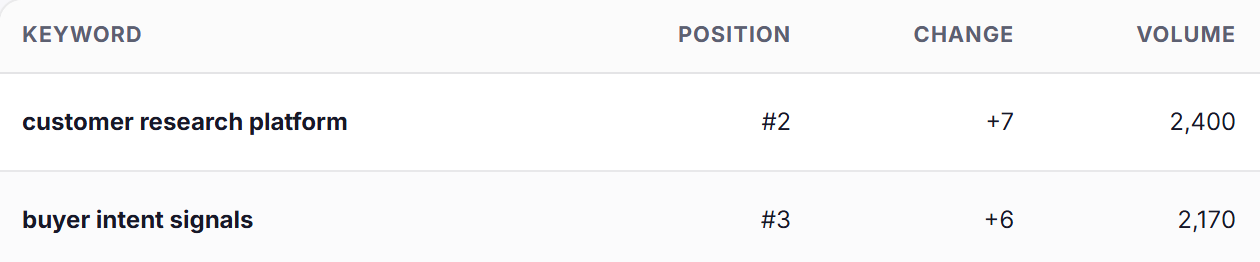
Visibility rechecks the rankings, so the next improvement starts from evidence.
Next template
or keep scrolling
03Workflow template
Find link and citation opportunities, reach the author, and follow through to a verified placement.
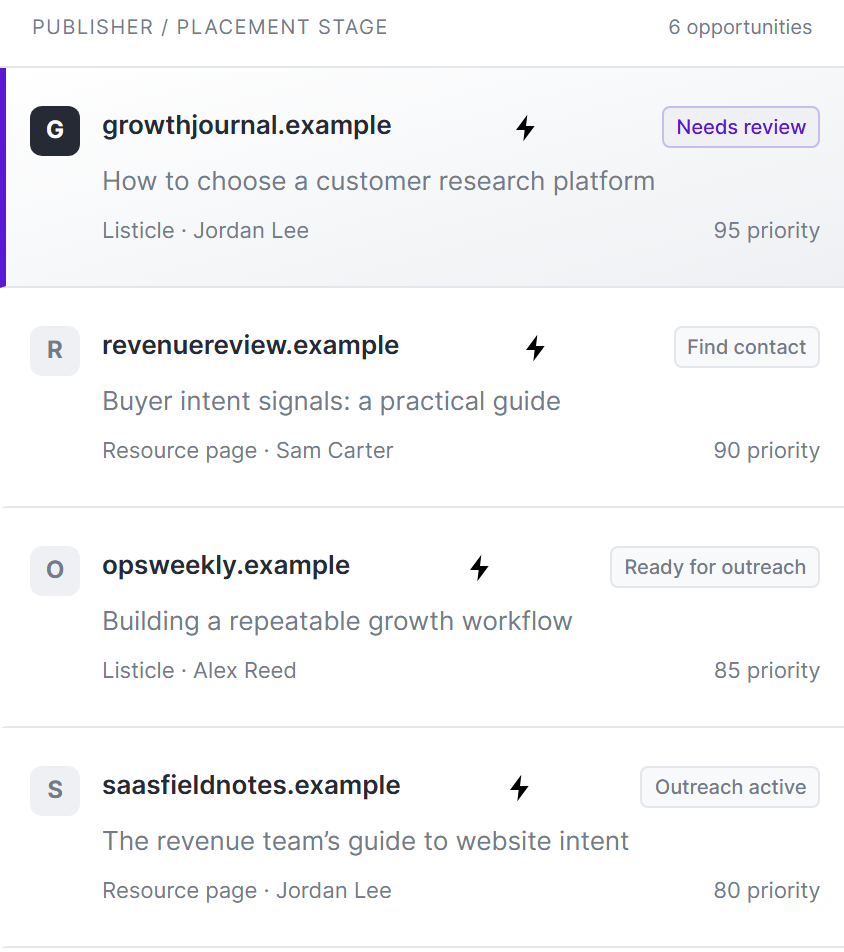
AIMEE turns your backlink and AI citation research into publishers worth pitching, ranked by priority.
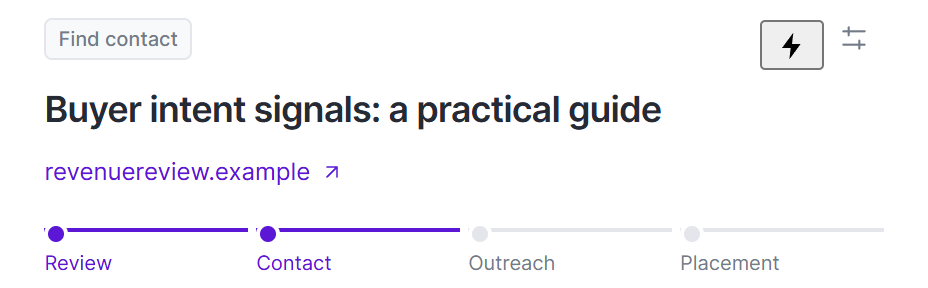

AIMEE researches the editor who owns the page and verifies the contact before anyone reaches out.

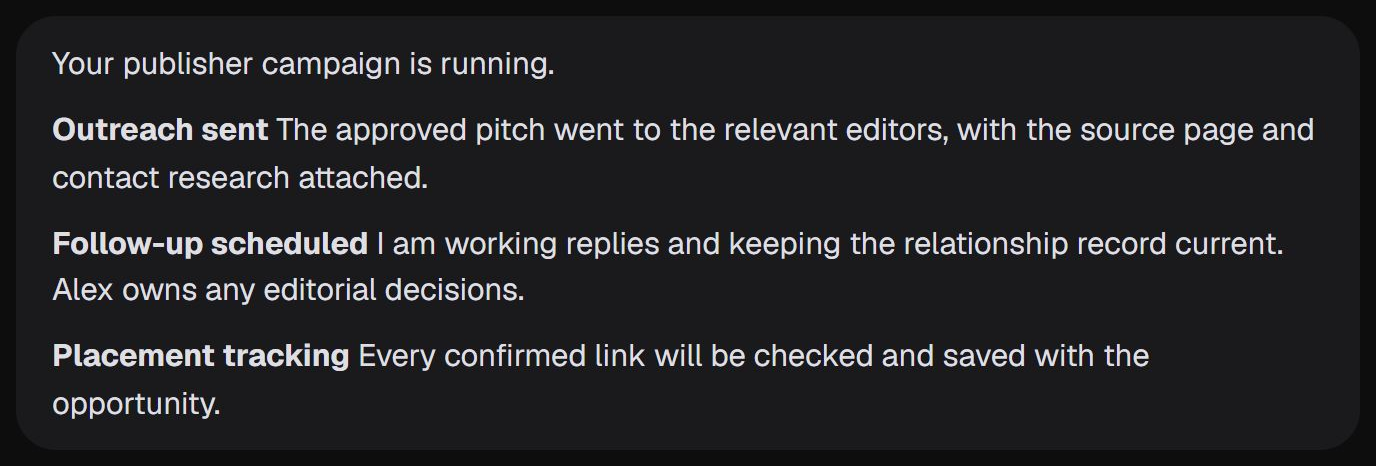
Once you approve the publisher, AIMEE sends the pitch with your page and the research attached.
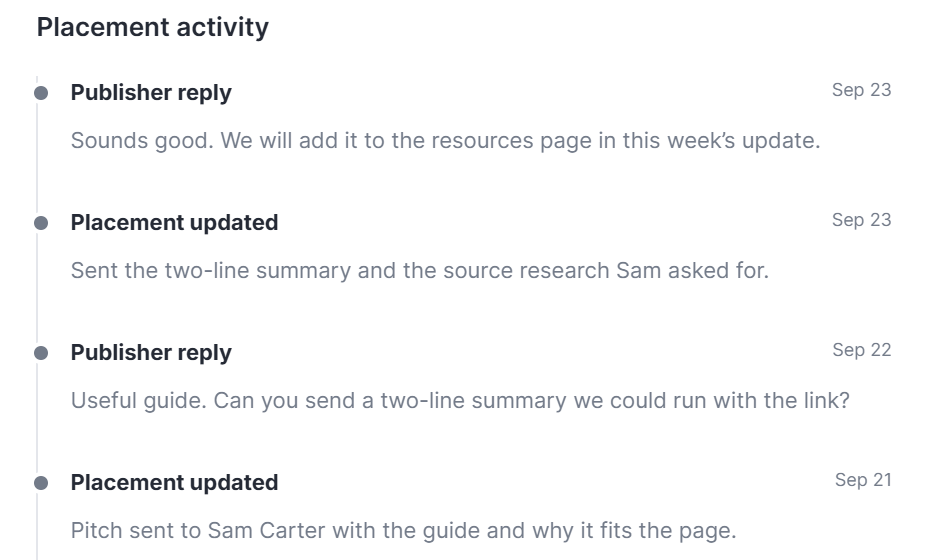
AIMEE works the replies, sends what the editor asks for, and keeps every message with the placement.
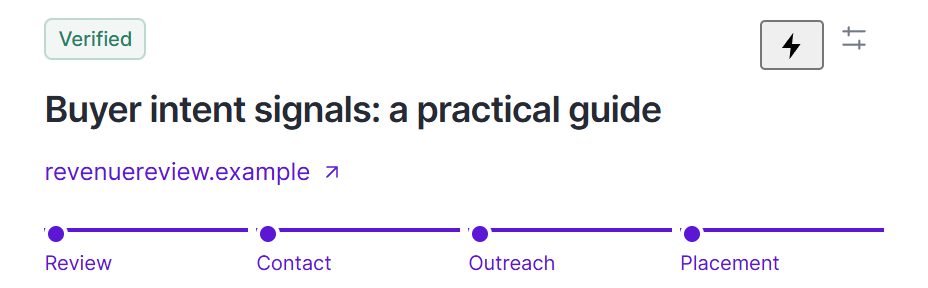
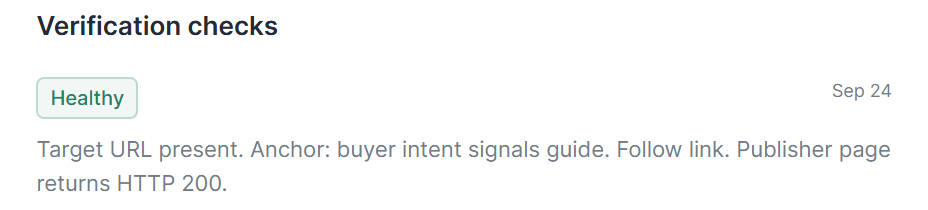
Link Builder confirms the link is live, saves the evidence, and checks it again on schedule.
Next template
or keep scrolling
04Workflow template
Enrich the person behind a post, then reach them by email and on LinkedIn.
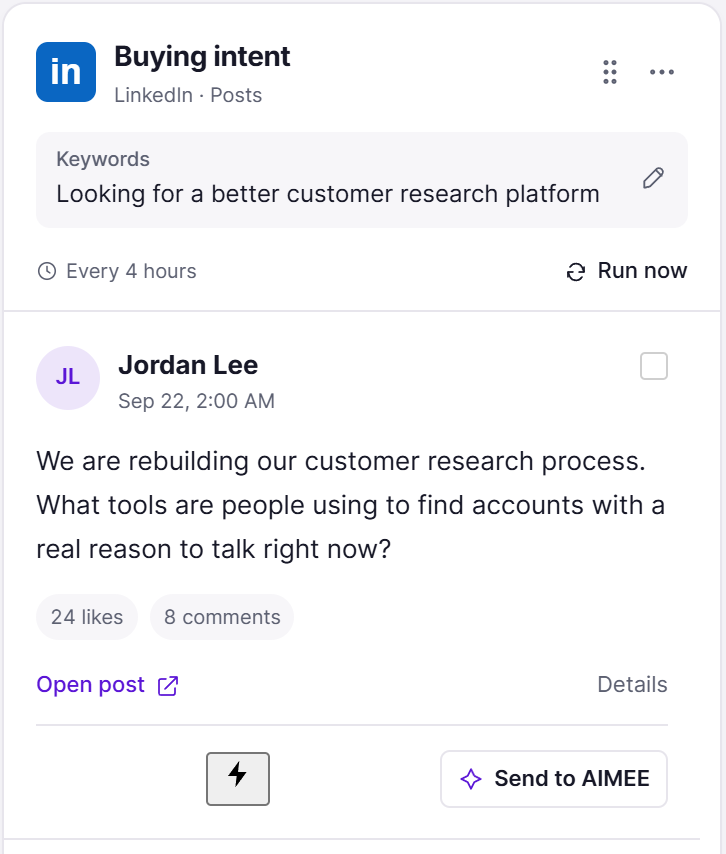
SocialStreams catches Jordan asking which customer research tools other teams use.
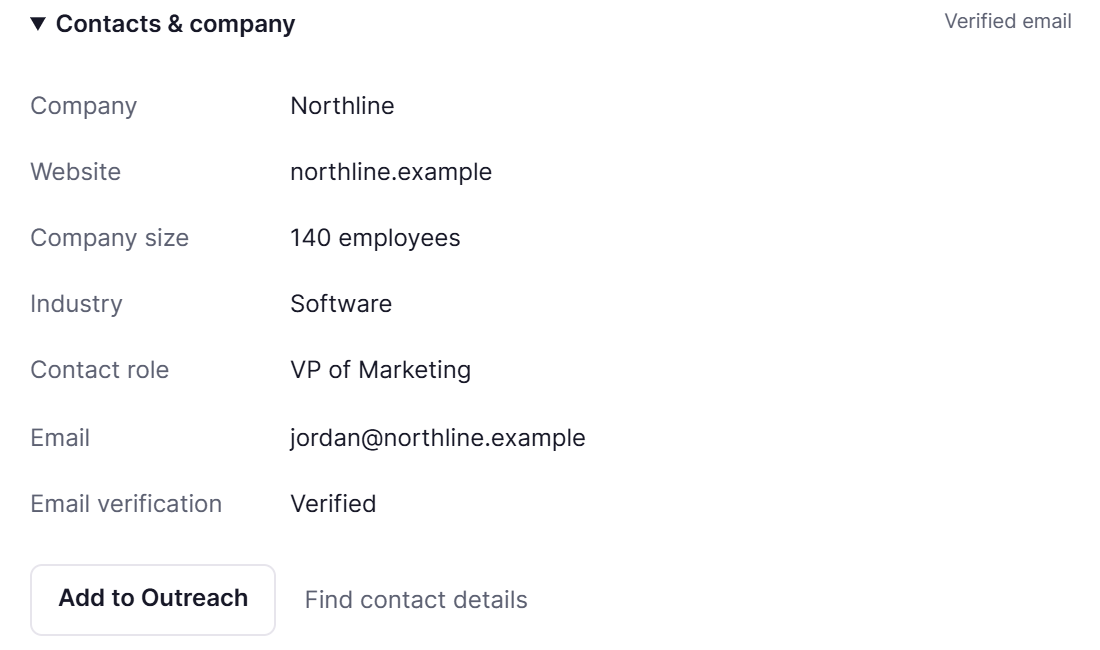
Enrichment adds the company, the person’s role, and a verified work email.
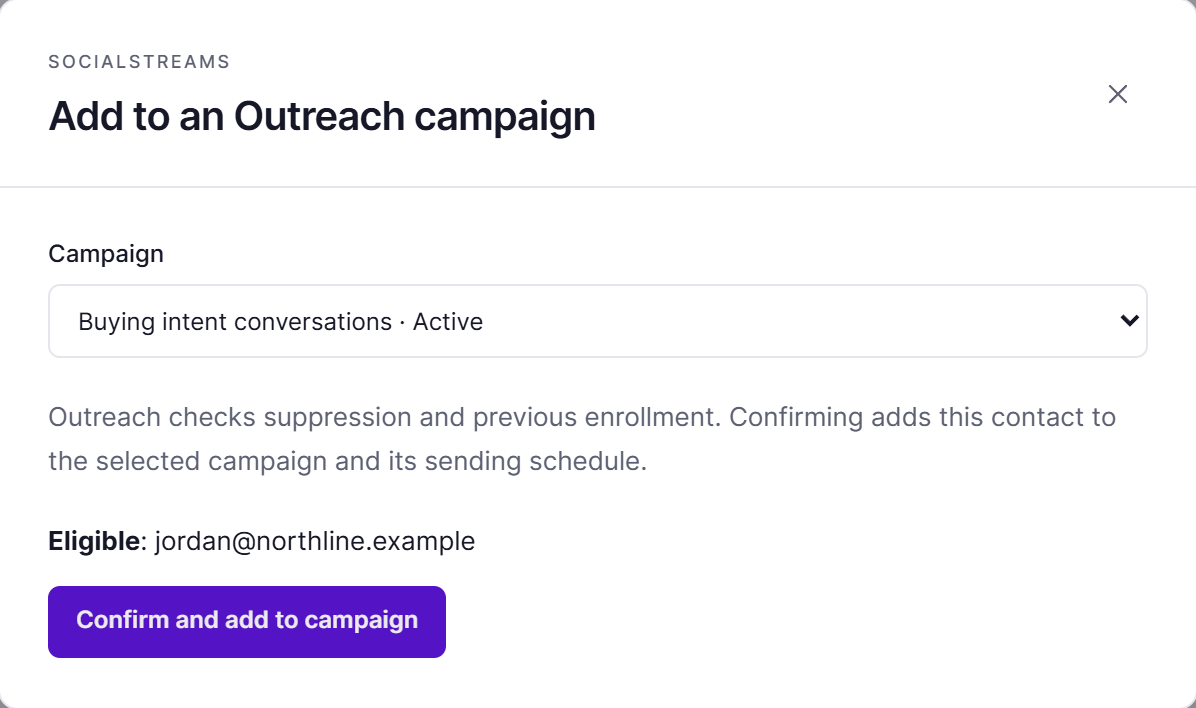
Outreach checks suppression and past enrollment before Jordan joins the campaign you choose.

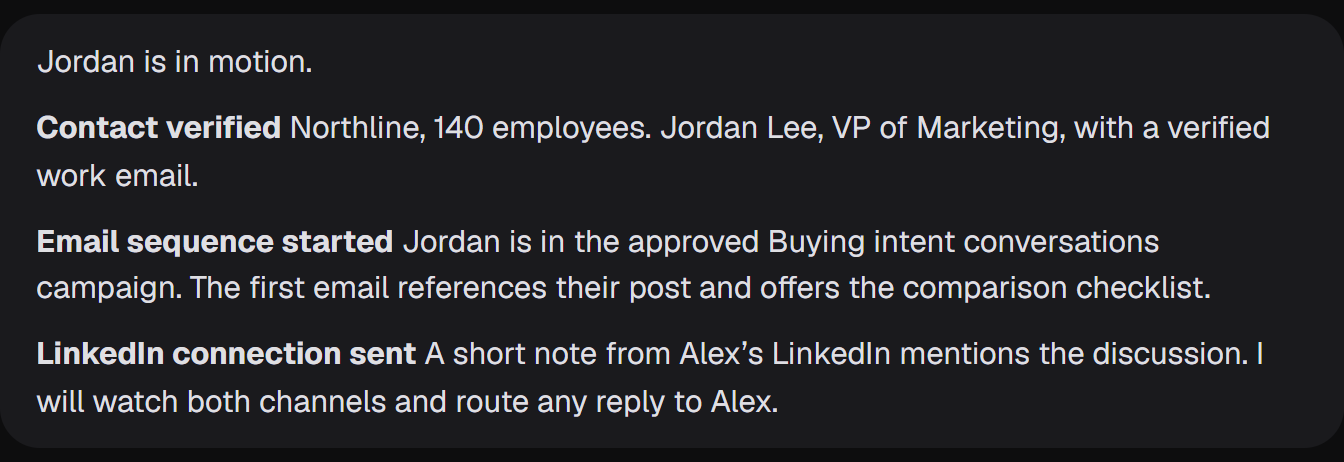
AIMEE starts the email sequence and sends a LinkedIn connection that mentions the post. Replies go to Alex.
Next template
or keep scrolling
05Workflow template
Mail a postcard, connect on LinkedIn, then start the cold email campaign.
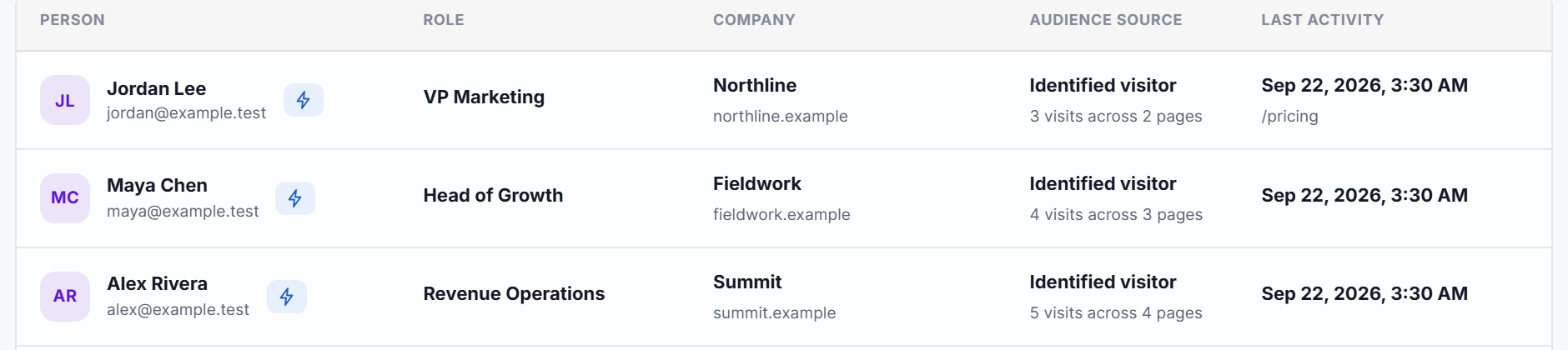

TrafficID identifies Jordan Lee from Northline on your pricing page.
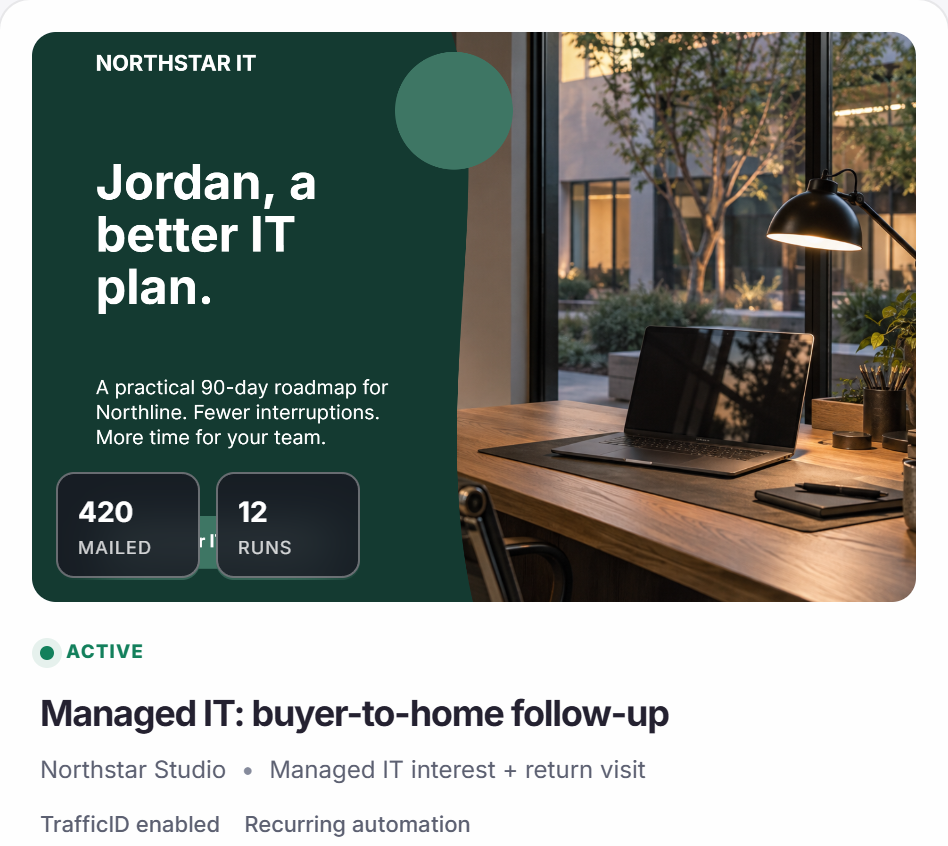
Direct Mail’s recurring journey mails the approved postcard to eligible buyers, within your budget.

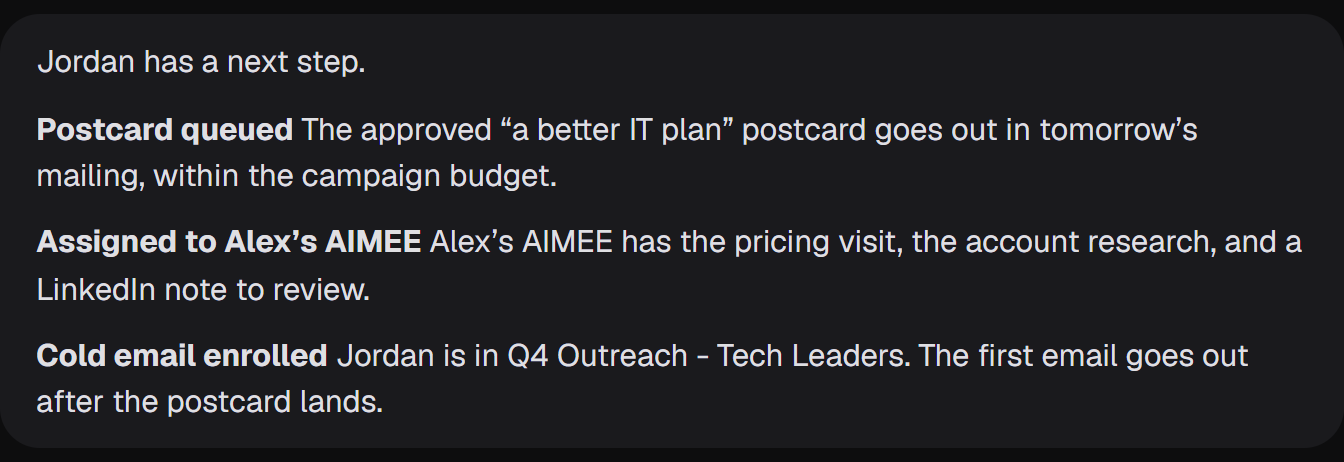
Alex’s AIMEE gets the visit and the account research, and prepares a LinkedIn note for Alex.
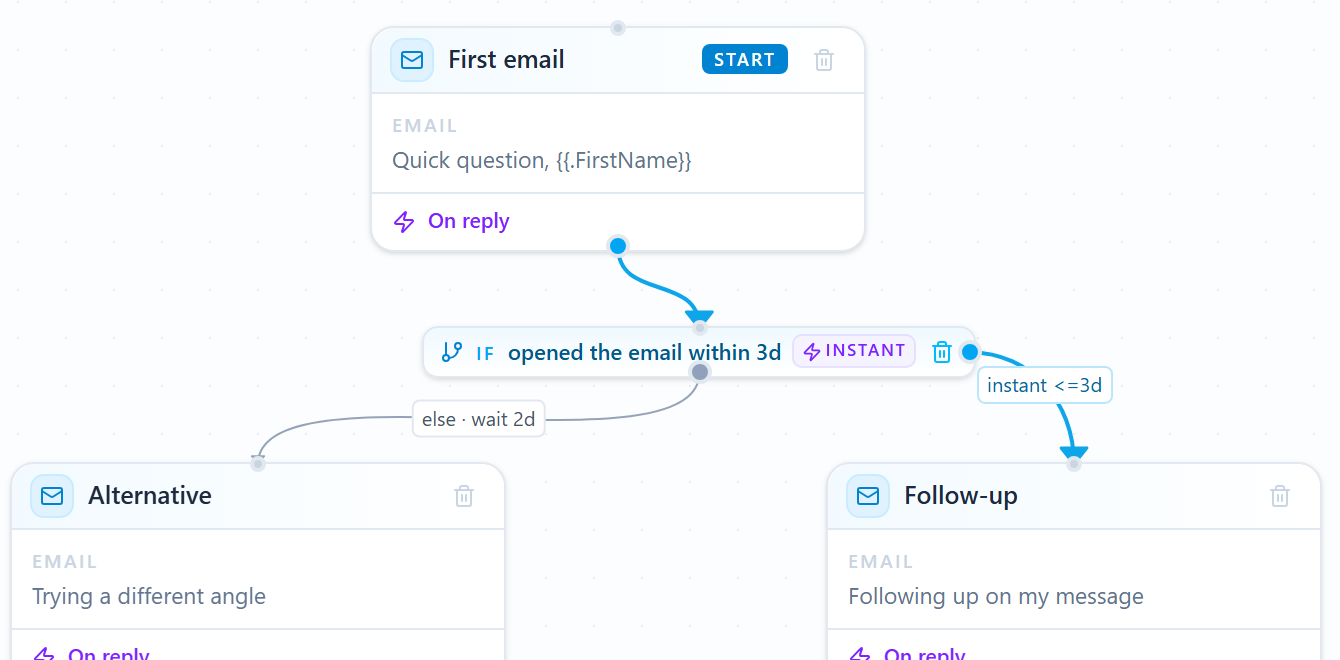
Jordan joins the Q4 cold email campaign. The first email waits until the postcard lands.
Your tools. Your owners. Your approvals.
Every template is a starting point. Choose the products, owners, and approval points for your team.Browse the template libraryExample workflows with fictional data. Your configured approvals still apply.
Template library
Each template names the trigger, the products it connects, and where your team approves. AIMEE carries out the steps in between.
Starts whenA new intent audience is ready
MarketPulseAIMEEOutreach
You approve the campaign before it starts
Walk through itStarts whenA search or AI citation gap appears
VisibilityRankWellAIMEE
You approve the article before it goes live
Walk through itStarts whenYou have a page worth linking to
Link BuilderAIMEEOutreach
You approve each publisher before the pitch
Walk through itStarts whenA buyer posts about the problem you solve
SocialStreamsAIMEEOutreach
You approve the campaign they join
Walk through itStarts whenAn identified visitor views your pricing page
TrafficIDDirect MailAIMEEOutreach
You approve the postcard and the campaign
Walk through itStarts whenAn identified visitor comes back
TrafficIDAIMEEOutreach
You approve outreach, as the account owner
See it on the TrafficID pageStarts whenA buyer replies or asks for more
OutreachAIMEE
You approve the routing rules
Explore OutreachStarts whenA citation or ranking gap appears
VisibilityAIMEERankWell
You approve the change before it ships
Explore VisibilityAIMEE is the execution layer across every product. Pick one to see the work AIMEE can do with it.
Topic discovery
AIMEEResearch your offer and recommend the topics that best match your market.
Saved ideal customer profiles
AIMEETranslate your target customer brief into a proposed set of qualification rules.
Audience review
AIMEEResearch selected accounts and prepare a short brief with the original intent context.
ICP refinement
AIMEESpot patterns in poor-fit records and propose specific exclusions for your review.
Refresh schedules
AIMEEBuild a routine that reviews new matches and brings priority accounts to your team.
Audience history
AIMEESummarize the audience and the qualification changes for the campaign owner.
Full audience exports
AIMEEClean, format, and deliver the export into your chosen destination.
Exclusions and suppression
AIMEECarry exclusion context forward when preparing an Outreach or Direct Mail handoff.
Outreach and Direct Mail handoff
AIMEEDraft the campaign angle, prepare the handoff, and bring the proposed next step back for approval.
Project and usage controls
AIMEEPrepare a project-specific audience review without mixing another client’s context.
Website visitor identification
AIMEEResearch a relevant visitor and prepare a next step around their company and available visit context.
Form completions
AIMEEPrepare a handoff that distinguishes a submitted inquiry from a passive site visit.
Audience trends
AIMEESummarize changes and flag accounts that deserve a closer look.
Stakeholder Audiences
AIMEEResearch the account and prepare role-specific talking points for the buying group.
People and company search
AIMEEGather the account context and give the owner a concise research summary.
Managed tracking tag
AIMEEPrepare installation instructions and help the team check the reported setup state.
Account suppression
AIMEEKeep the suppression context attached when preparing a campaign.
CSV and Excel exports
AIMEEDeliver the audience to the CRM, spreadsheet, or connected app where the next owner works.
Visitor follow-up workflows
AIMEEDraft the message and coordinate the review, ownership, and approved execution.
Evidence-led content strategy
AIMEETurn a selected opportunity into a brief and assign the research or writing task.
Research briefs
AIMEEGather the missing evidence and prepare the outline before drafting.
Source material and uploads
AIMEEExtract the relevant facts, compare sources, and call out questions that need a human answer.
Background article generation
AIMEEPrepare the brief and queue the draft as part of a wider content routine.
Rich-text editing
AIMEERevise a section, tighten the argument, or adapt the copy to your instructions.
Brand voice
AIMEEApply the project’s voice and check the draft against the editorial instructions.
SEO guidance and keyword coverage
AIMEEPropose specific edits that address a gap while keeping the article useful to its reader.
Content review and originality
AIMEERevise awkward passages and identify factual claims that need checking.
Images and media library
AIMEEPrepare image directions and assemble a visual brief for the article.
Revisions and autosave
AIMEECompare revisions and summarize the changes for the editor.
Production queue
AIMEEPrepare a queue review and bring blocked work to the right owner.
Editorial calendar
AIMEEPlan the next production sprint and assign the research, review, and delivery tasks.
Publishing and document delivery
AIMEEUse connected tools or the browser to deliver approved content to other destinations.
Promotion handoffs
AIMEEPrepare a promotion brief, research relevant publishers, and set a performance review routine.
Topic and keyword streams
AIMEEHelp shape the query and explain which conversations are relevant to your team.
Profile and company watchlists
AIMEESummarize a new development and suggest a relevant reason to reconnect.
Jobs and creator discovery
AIMEEResearch the company or creator without treating a job poster as the buyer.
Search tests and schedules
AIMEEReview the sample, refine the query, and prepare a recurring triage routine.
Multi-stream board
AIMEEPrepare a digest of the strongest opportunities across selected streams.
Original-source context
AIMEERead the source and draft a contextual recommendation with the original link attached.
Contact and company enrichment
AIMEEFind the relevant decision makers and prepare the evidence for qualification.
Review and ownership
AIMEETake the assigned research task and bring the result back to the opportunity.
Team-agent assignments
AIMEEResearch, draft, or prepare the next step using the assigned teammate’s working context.
Outreach handoffs
AIMEEPrepare the personalized angle and coordinate the reviewed campaign handoff.
Run history and spend
AIMEECompare useful yield and suggest where the team should focus its listening effort.
Visual sequence builder
AIMEEBuild the sequence, connect its branches, and run the follow-up workflow you choose.
Personalization and reusable templates
AIMEEResearch the account, personalize the message, and add the finished copy to your campaign.
A/B tests at each step
AIMEEPropose distinct angles, summarize the results, and prepare the next test.
AI writing in the composer
AIMEEWrite, shorten, or reframe the message using your instructions and the approved research.
Spintax and message variation
AIMEEWrite natural alternatives, check the combinations, and keep each version consistent with your offer.
Sending windows and timezones
AIMEEPrepare the timing plan and flag conflicts for the campaign owner.
Bring your own inboxes
AIMEECoordinate setup, check readiness, and connect the senders to the campaign.
Sender authentication
AIMEECheck authentication and sender readiness before activating the sequence.
Mailboxes and sender health
AIMEEMonitor sender health, adjust the operating plan, and bring exceptions to the campaign owner.
Launch checks and verification
AIMEEAssemble the pre-launch review and highlight records or settings that need attention.
Contacts and custom fields
AIMEEPrepare the import mapping and clean the source file before your review.
Company groups and multiple recipients
AIMEEResearch each recipient’s role, write a shared introduction, and coordinate the account’s next steps.
Unified inbox
AIMEERead the thread, answer the follow-up, deliver requested material, and update the contact record.
Reply classification and stop rules
AIMEEInterpret the response, execute its next step, and involve the account owner when needed.
Dynamic out-of-office rescheduling
AIMEEInterpret the auto-reply, move the next send, and write the follow-up with that context.
CRM and opportunity pipeline
AIMEECreate the opportunity, update its stage, deliver follow-up material, and assign the next task.
Meeting attribution
AIMEEPrepare the meeting brief and the owner’s follow-up task.
Campaign analytics
AIMEESummarize the pattern and recommend a focused change to audience, copy, or operations.
Event-based automations
AIMEEBuild the automation, connect agent steps, and execute the work triggered by each event.
AI switches and agent steps
AIMEEHandle the bounded research or decision task and return the result to the workflow.
Automation tests and activity
AIMEESummarize the test, identify the blocked step, and prepare the correction.
Forms, tracking, and connected tools
AIMEEDeliver the data to another app or browser destination when there is no native connection.
Team collaboration
AIMEEAssign account research, LinkedIn outreach, content, or follow-up to the right teammate’s AIMEE.
AIMEE workflow delivery
AIMEECarry out the task in your connected apps and record what happened.
Page prioritization
AIMEECompare the pages and prepare a promotion brief for the strongest opportunity.
Publisher discovery
AIMEEResearch each publisher and explain the connection to your target page.
Saved Visibility research
AIMEETurn a citation gap into a specific publisher research task.
Qualification and evidence
AIMEEInspect the publisher and propose a relevant angle with supporting evidence.
Contact research
AIMEEResearch the appropriate editor or owner and explain the evidence for the match.
Placement pipeline
AIMEESummarize progress and prepare the next follow-up for the owner.
Work queue and follow-ups
AIMEEPrepare the research, pitch, or follow-up assigned to the agent.
Campaign coordination
AIMEEApply the campaign brief to preparation and coordinate with the assigned teammate.
Placement verification and monitoring
AIMEECapture the evidence and prepare a repair or follow-up task when a placement changes.
Exports and agent connections
AIMEEDeliver a campaign report and coordinate the next task across your connected tools.
Intent and behavior conditions
AIMEEBuild the audience, apply the conditions, and move matching buyers into the campaign.
Home address matching and suppression
AIMEECheck eligibility and exclusions before each campaign run.
Postcard creative studio
AIMEECreate the postcard, tailor the offer, and prepare both sides for your review.
Personalization
AIMEEUse the buyer and company context to personalize the creative and destination.
QR codes and landing pages
AIMEEBuild the matching landing page, connect the QR destination, and execute the next response workflow.
Production proof
AIMEEAssemble the proof and highlight copy or layout details for a human review.
One-time mailings
AIMEEPrepare the mailing brief and bring the audience, proof, and cost back for approval.
Recurring postcard journeys
AIMEEOperate the recurring workflow and coordinate the next email, task, or teammate assignment.
Budget and authorization
AIMEESummarize the proposed quantity and spend for the person approving it.
Fulfillment and response history
AIMEERecord the response, update the account, and execute the follow-up that matches the buyer’s action.
Visibility overview
AIMEESummarize the changes and prepare the most useful next research or improvement task.
Search Console performance
AIMEEExplain a performance pattern and prepare a targeted RankWell brief.
Website analytics
AIMEEPrepare a review of the landing pages and the available outcome data.
Keyword research
AIMEEResearch the intent and suggest an article, optimization, or follow-up investigation.
Saved keywords and rank tracking
AIMEEPrepare a recurring review and flag changes that merit an action.
Domain and competitor research
AIMEECompare the competing pages and prepare a practical gap analysis.
Backlink research
AIMEEQualify the sources and prepare a publisher shortlist for the team.
Technical site audits
AIMEEExplain the issue and prepare or perform the permitted correction in the connected workflow.
Historical AI citation research
AIMEESummarize the cited sources and propose a content or authority task.
Prompt exploration
AIMEETurn a selected question into a sourced brief or a research task.
Live AI-answer checks
AIMEERead the answer, research the cited pages, and prepare an improvement proposal.
Answer history and rechecks
AIMEESet the review routine, summarize changes, and assign the next content or citation task.
What AIMEE can do
Move from a finding to a published article, an active campaign, a completed follow-up, or a task running with a teammate’s agent.
A working agent
Give AIMEE a growth outcome and access to your BrandWell data, browser, connected apps, files, and computer.
Routines and schedules
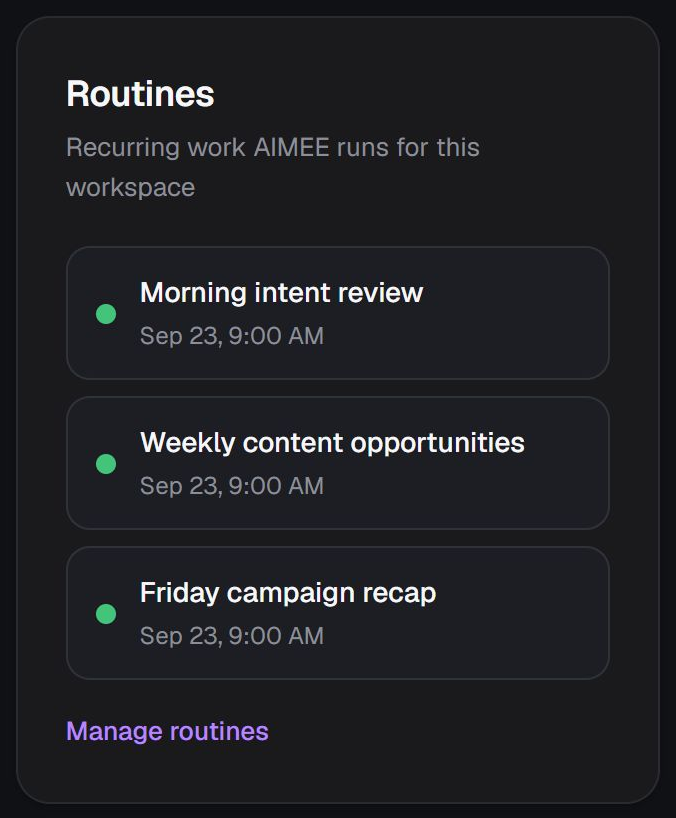
Schedule a routine around the task, context, and tools it needs. Review the result and bring exceptions back to a person.
Connected apps
Use connected services and permitted tools. When a native integration is missing, use the browser or a file handoff.
Teammate agents
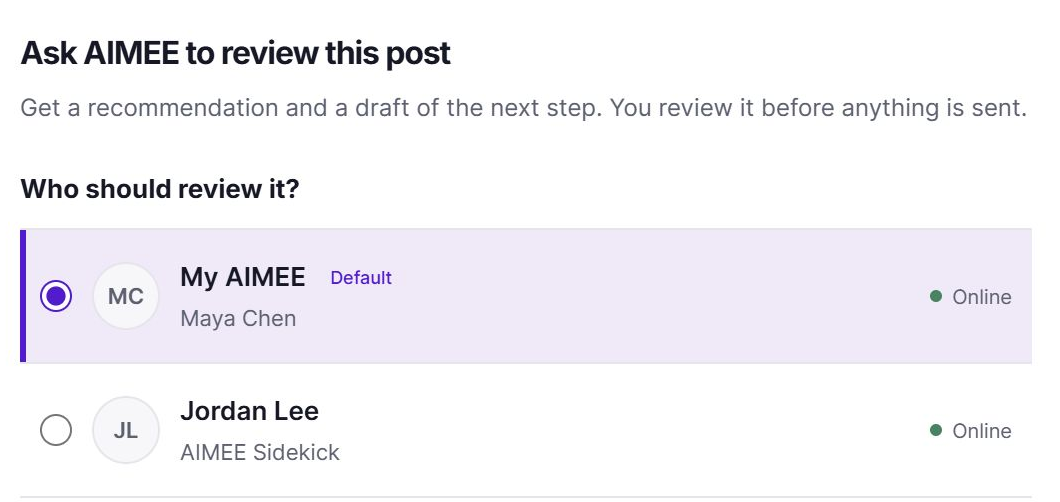
Assign work to another teammate’s AIMEE, with the conversation, buyer data, files, and desired outcome attached.
Your model choice
Connect an existing ChatGPT or Claude subscription, or use an OpenRouter key to choose from its models.
Provider plan limits and usage charges apply separately.
AIMEE pricing / per teammate
Start with the AIMEE user included in your plan. Give more teammates their own agent, then choose where each agent works.
AIMEE for the initial user comes with every plan except MarketPulse Starter. Choose your growth products, then add the teammates you need.
On your teammate’s desktop
$49 / teammate / month
Give each teammate an agent that works from their own computer, with the AI subscription they already use.
Its own computer in the cloud
$149 / teammate / month
Give your teammate’s AIMEE a computer of its own, in a completely isolated cloud environment.
Prices are in USD. Local AIMEE uses your teammate’s computer and their connected AI account. ChatGPT and Claude subscription limits and OpenRouter usage charges apply separately.
Questions
No. AIMEE works across the BrandWell products in your stack, so it comes with a product plan. Your first AIMEE user is included with every plan except MarketPulse Starter. Add teammates on AIMEE Local or AIMEE Cloud from your portal settings.
Yes. With the required access, AIMEE can use your business data and connected tools to complete the work: publish an article, run a link building campaign, handle LinkedIn outreach, deliver content to another app, or assign a task to a teammate’s agent. You choose the instructions and approval points.
Yes, with every plan except MarketPulse Starter. MarketPulse Growth and Scale include it. Add teammates on the Local plan, or choose the Cloud plan to give an agent its own computer in a completely isolated environment. AIMEE is priced per teammate, per month.
AIMEE Local works from your teammate’s desktop and connects their existing ChatGPT or Claude subscription, or an OpenRouter key. AIMEE Cloud gives that teammate’s agent its own computer in a completely isolated cloud environment. Choose the working environment that fits the person and the job.
Yes. Teammate agents can have their own access, context, routines, and working environment. Account roles determine who can assign work across the team.
Yes, where your membership and role permit it. Assign the specific outcome and context so the right agent and human owner receive the work.
Configure the tools, permissions, instructions, and approval points. Review visible task status, help when a run needs input, and approve consequential actions through the configured workflow.
No. Start with the product or execution job you need. Connect additional products as the workflow grows.
Yes. Connect your ChatGPT or Claude subscription to AIMEE, or add your own OpenRouter key to choose from its available models. Provider plan limits and API usage still apply.
Build it your way.
Choose your products and your first AIMEE user comes with them. Start with one workflow, then add the next.
AIMEE is included with your plans, not sold on its own.

Discover the topics that match your industry, services and competitors, with yesterday's audience count for each. Then explore your personalized plan and All-in-One early-access options.
Free topic report. No purchase required. Your seven-day offer window starts when your invite is issued.