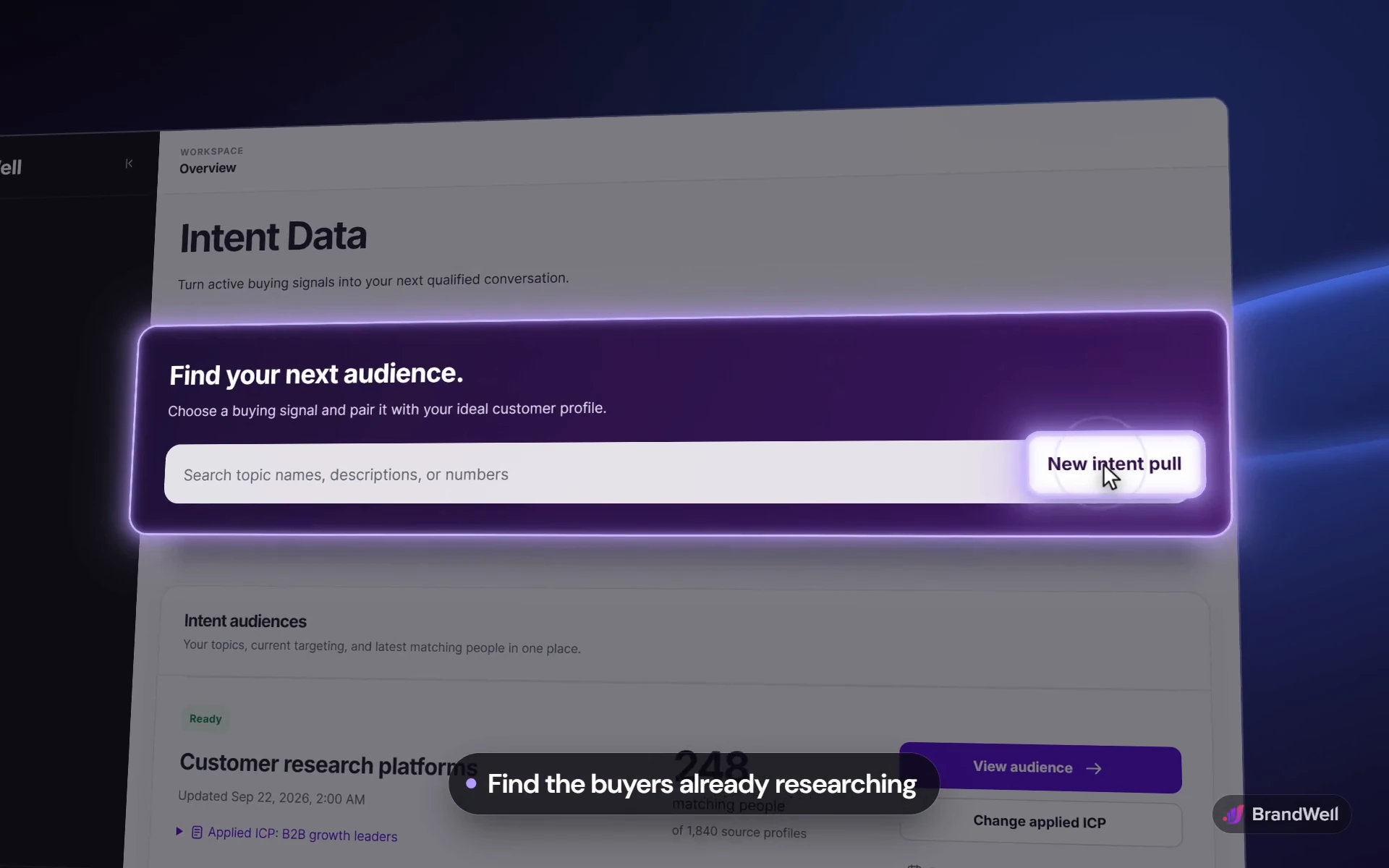

01 / Find
Start with what they research.
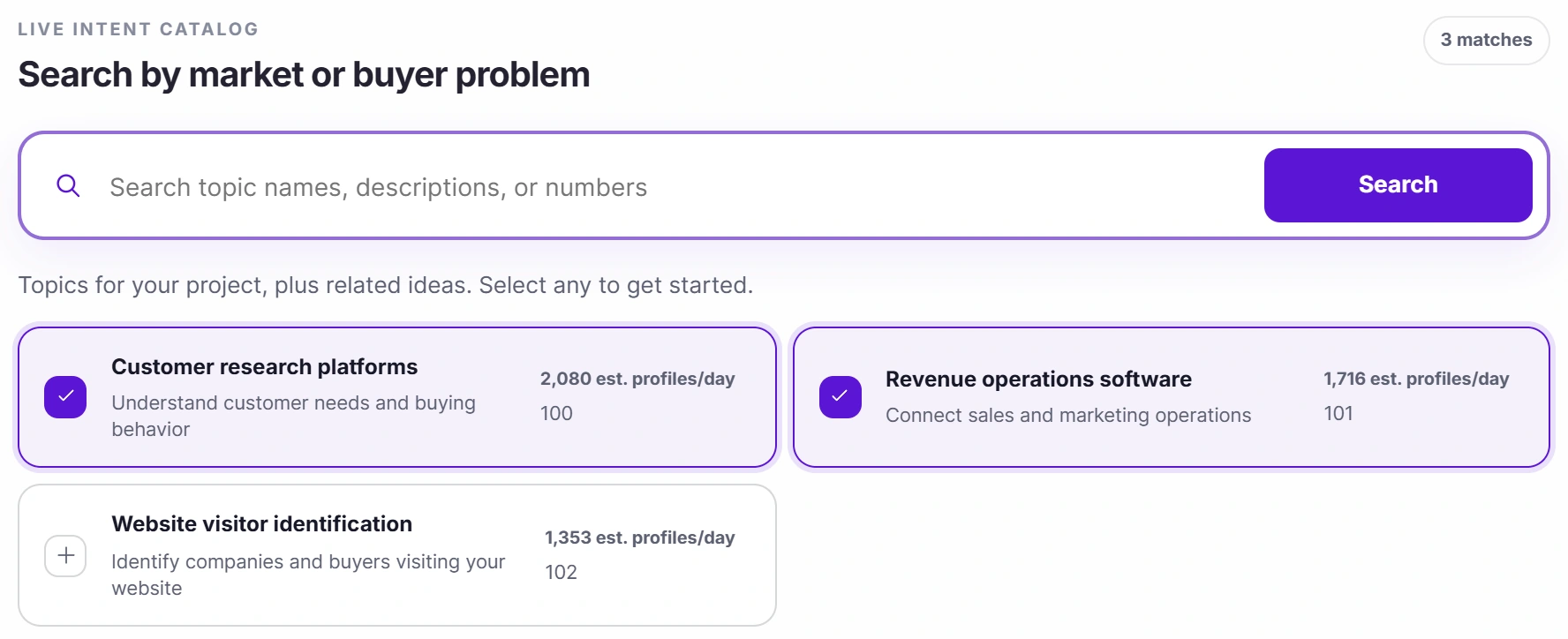
Search the live intent catalog by market or buyer problem. Pick the topics that match what you sell and see the estimated profiles per day before you pull an audience.


MarketPulse / Intent data platform
Find people researching what you sell. MarketPulse turns buyer intent data into audiences you can filter, refresh, and export. Let AIMEE research the accounts and prepare the next conversation.
Choose MarketPulse on its own. AIMEE for your initial user is included with Growth and Scale.

The demo could not load here. Open the MarketPulse demo directly.


Why MarketPulse
Your buyers research long before they talk to sales. MarketPulse shows you who is researching what you sell, so the first conversation starts with a reason.
A relevant company is a better prospect when there is a reason to talk now. MarketPulse is an intent data platform for finding buying interest beyond your website, matching it to your ideal customer profile, and building an audience around it. Keep the topic and research context with the lead as AIMEE carries it into a useful next step.
What makes it different
MarketPulse starts from what people are researching now, then keeps the audience focused and fresh.
Typical lead databases
MarketPulse
Everyone with the right job title
People researching the topics your buyers research
Targeting rebuilt for every campaign
A saved ICP applied to every new pull
Stale the day you export it
Refreshed on your schedule, with the history of every pull
A spreadsheet that waits in a folder
One click to Outreach, Direct Mail, or AIMEE, with the topic attached
See it work
Three short tours of the MarketPulse workspace, with fictional data.
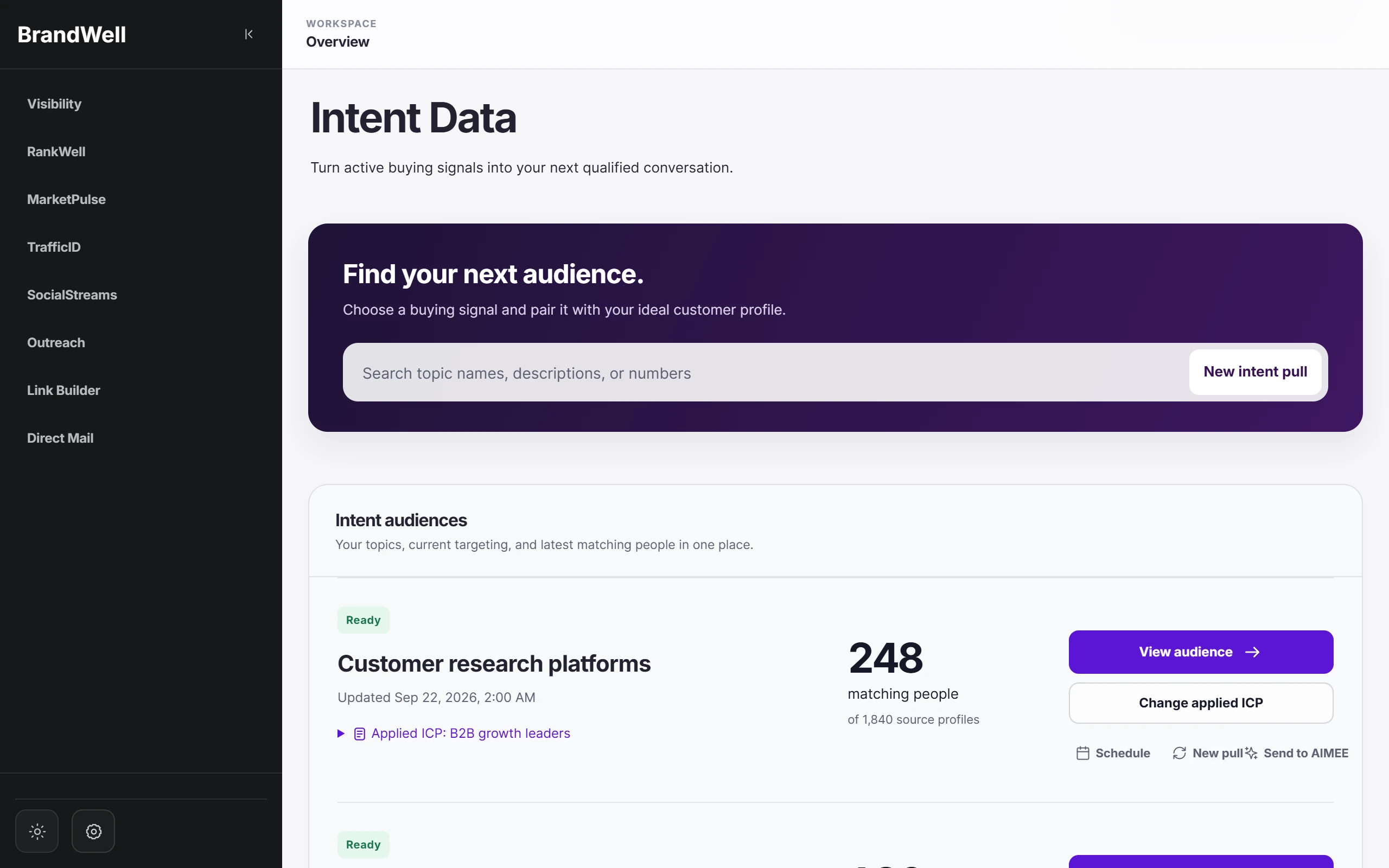
01 / Find
Search the live intent catalog by market or buyer problem. Pick the topics that match what you sell and see the estimated profiles per day before you pull an audience.


02 / Focus
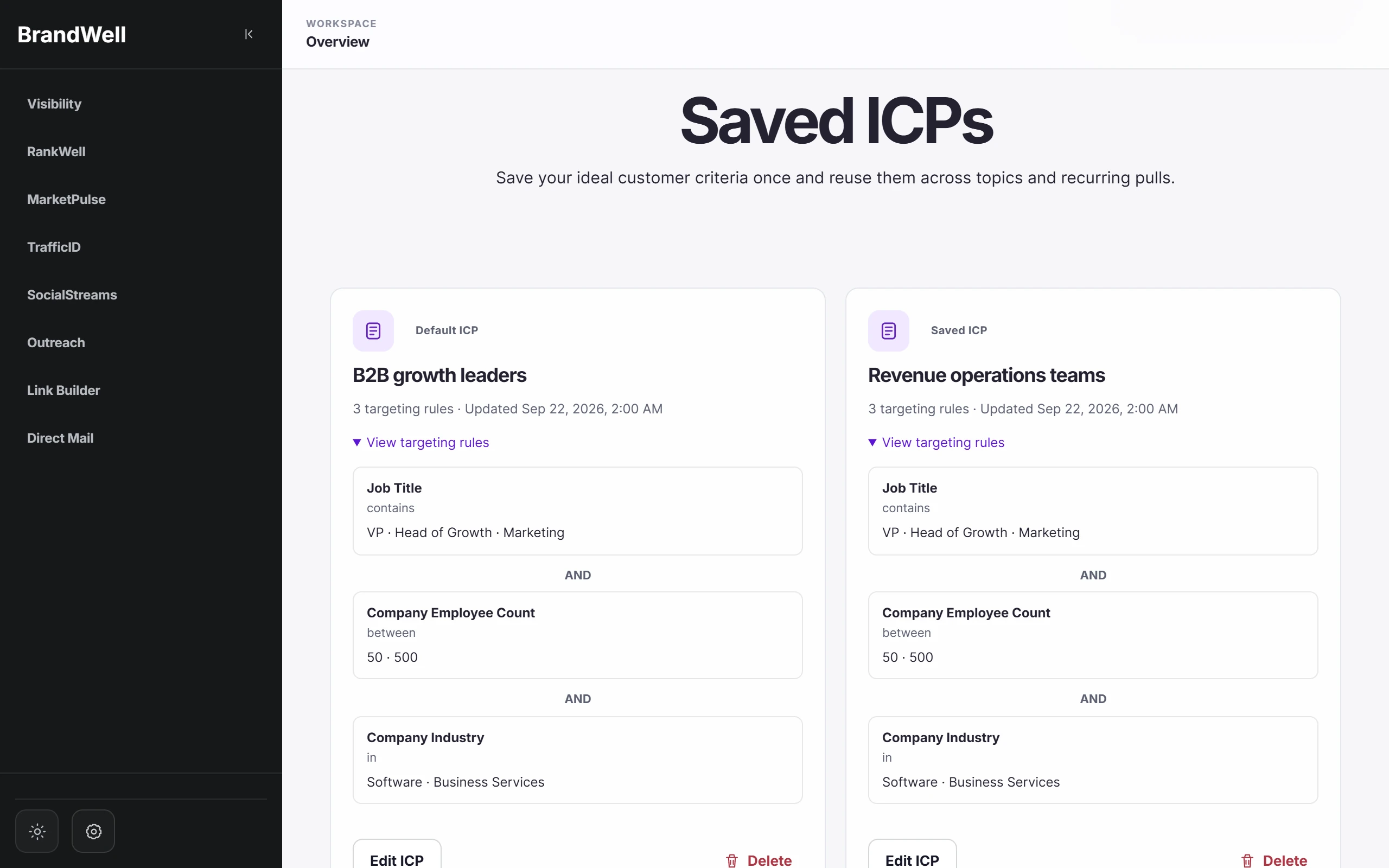
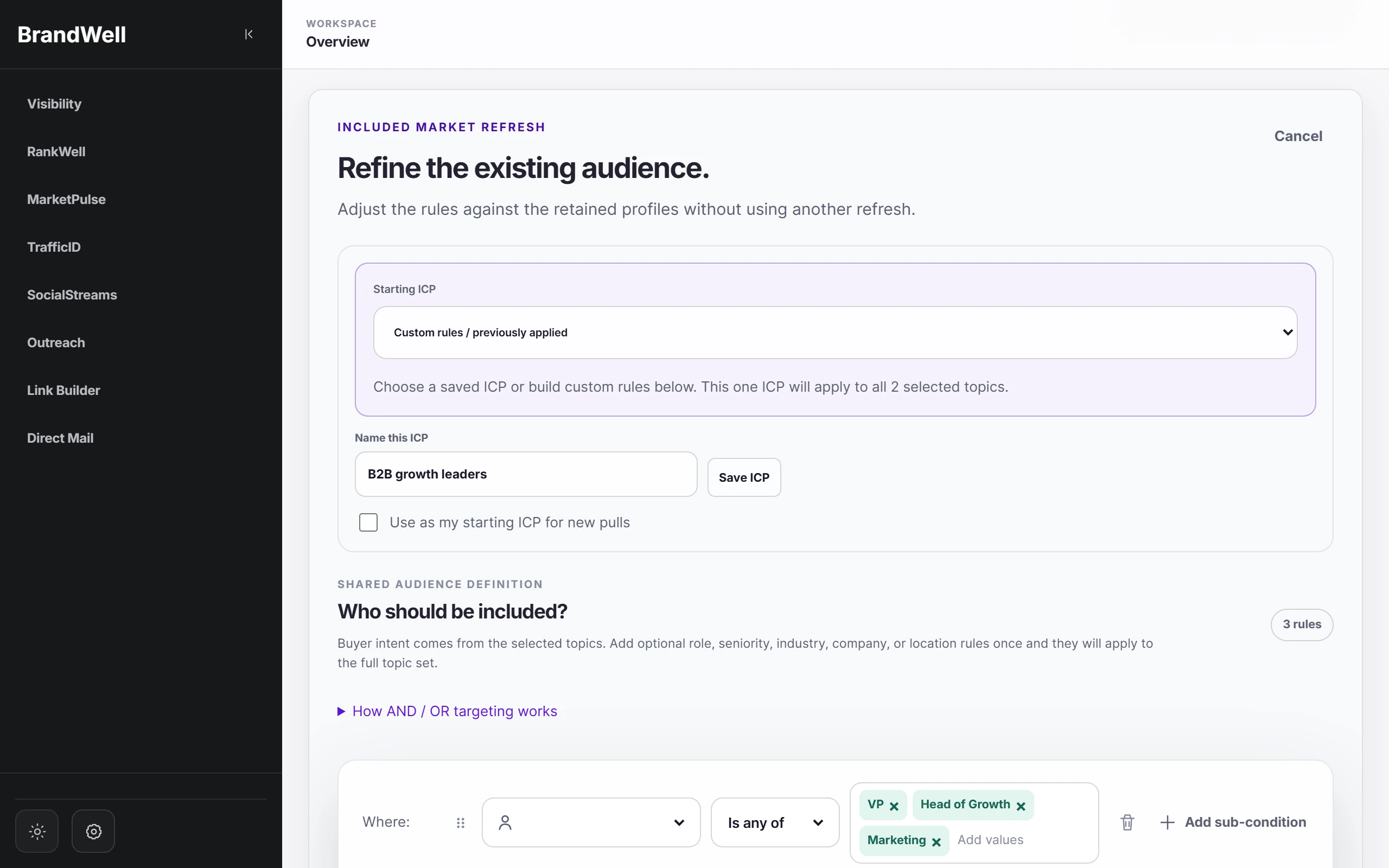
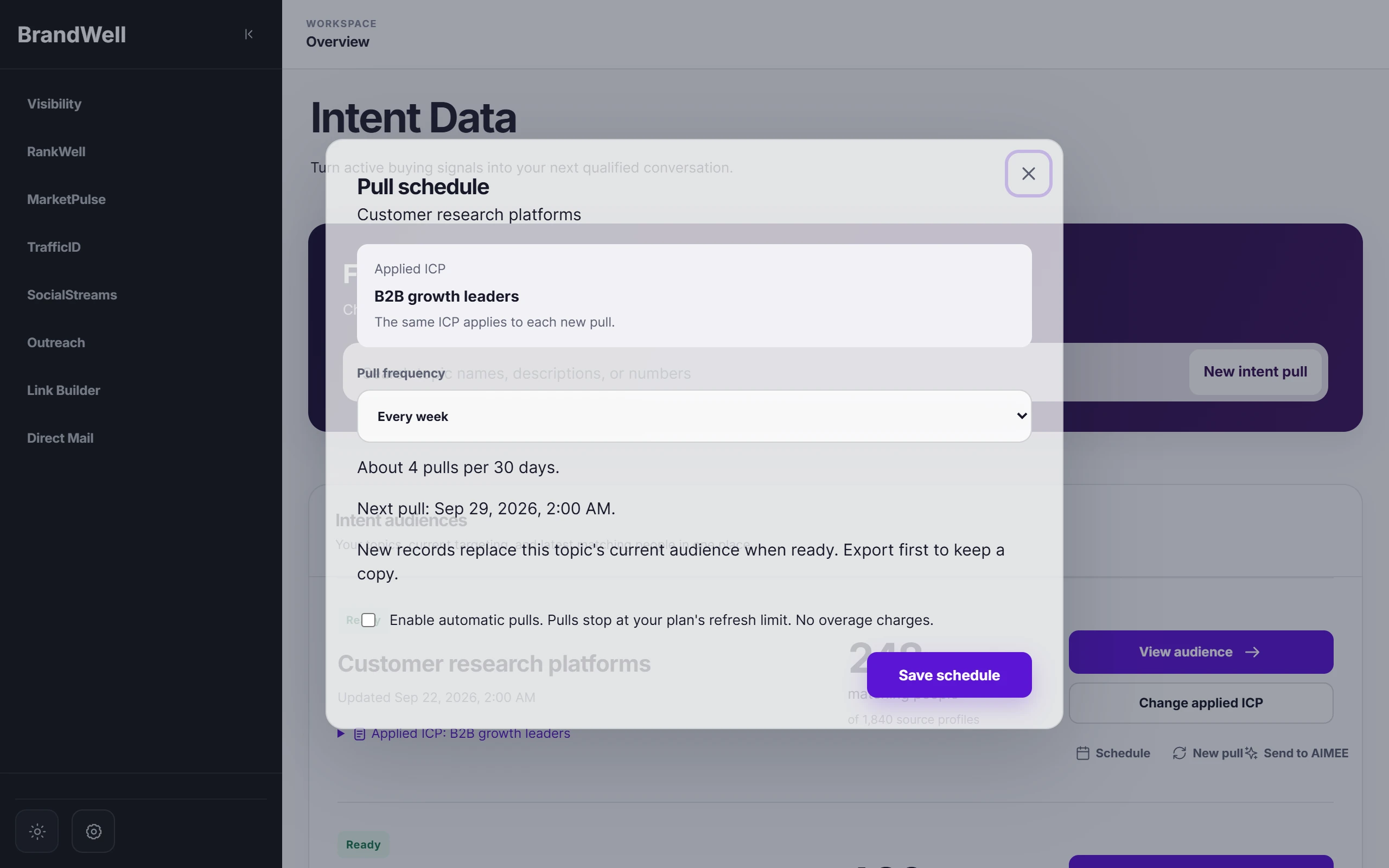
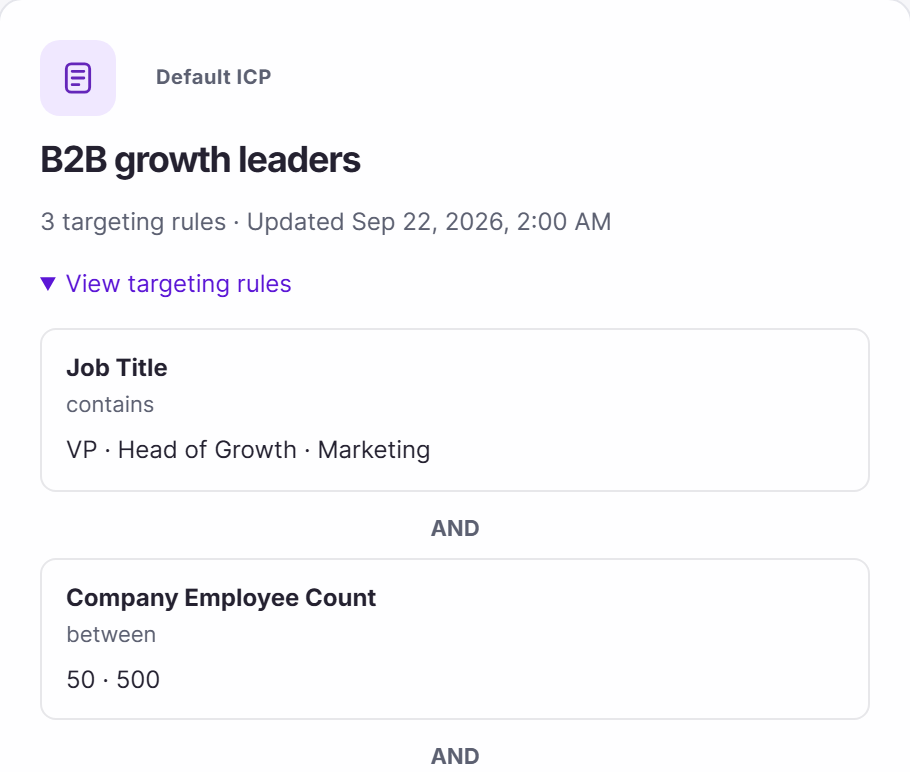
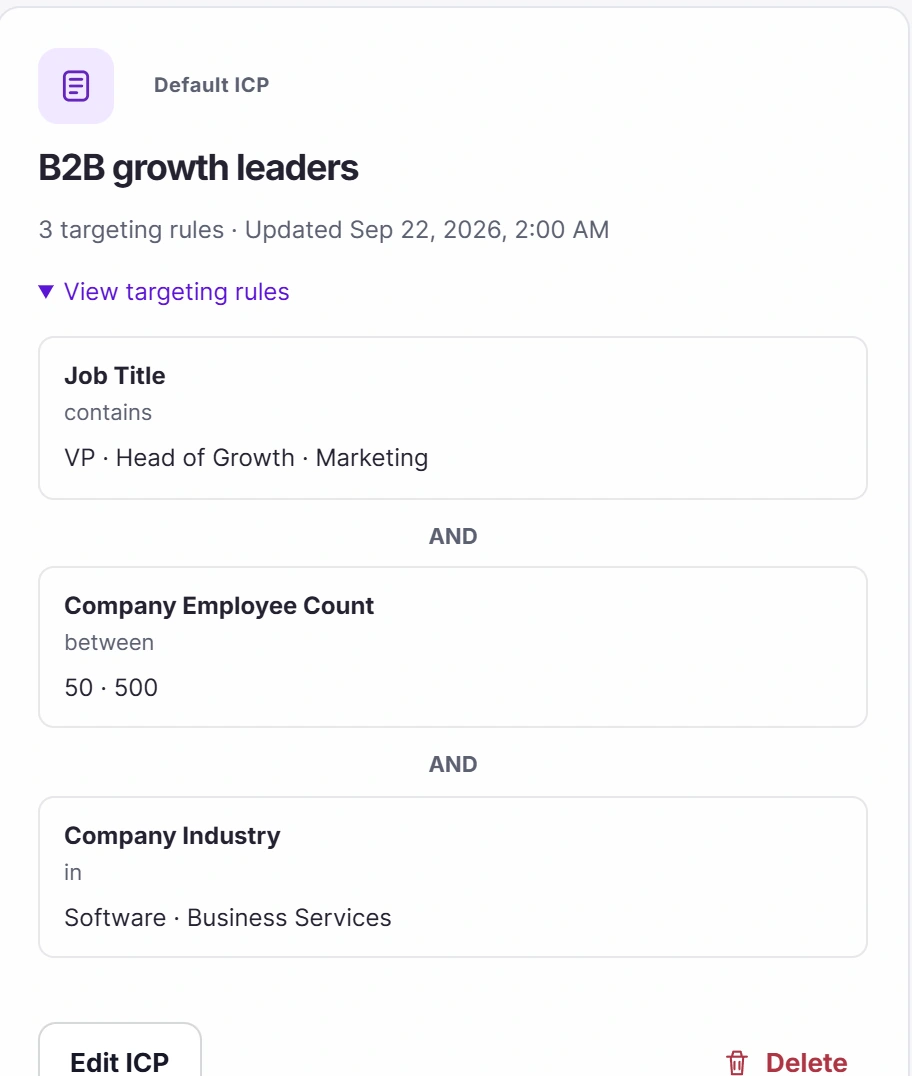
Save your ideal customer profile once and apply it to every pull. Refine an audience against the profiles you already have, then set a refresh schedule so it never goes stale.


03 / Act
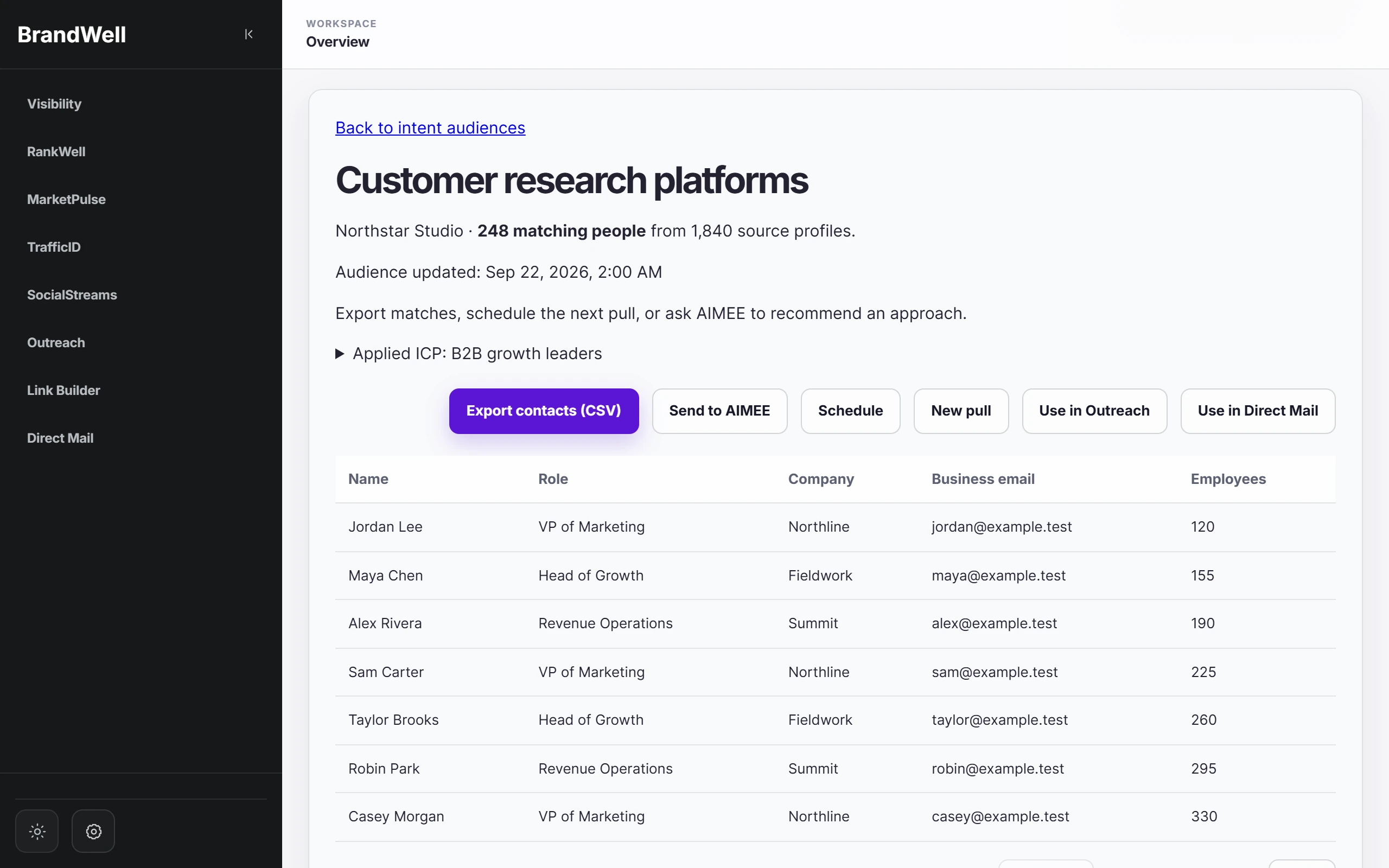
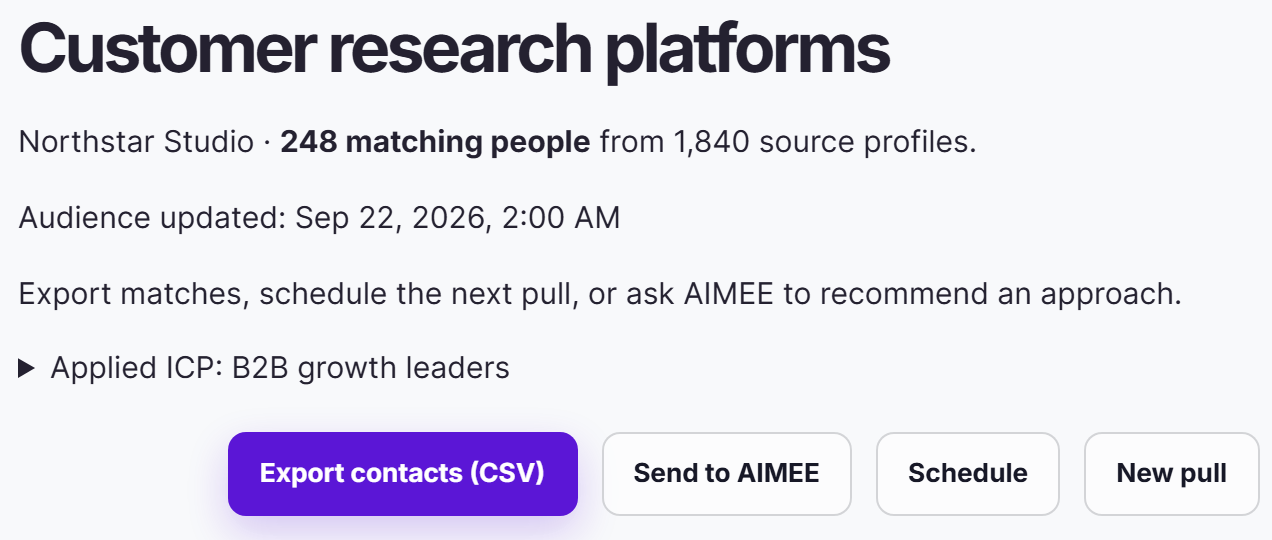
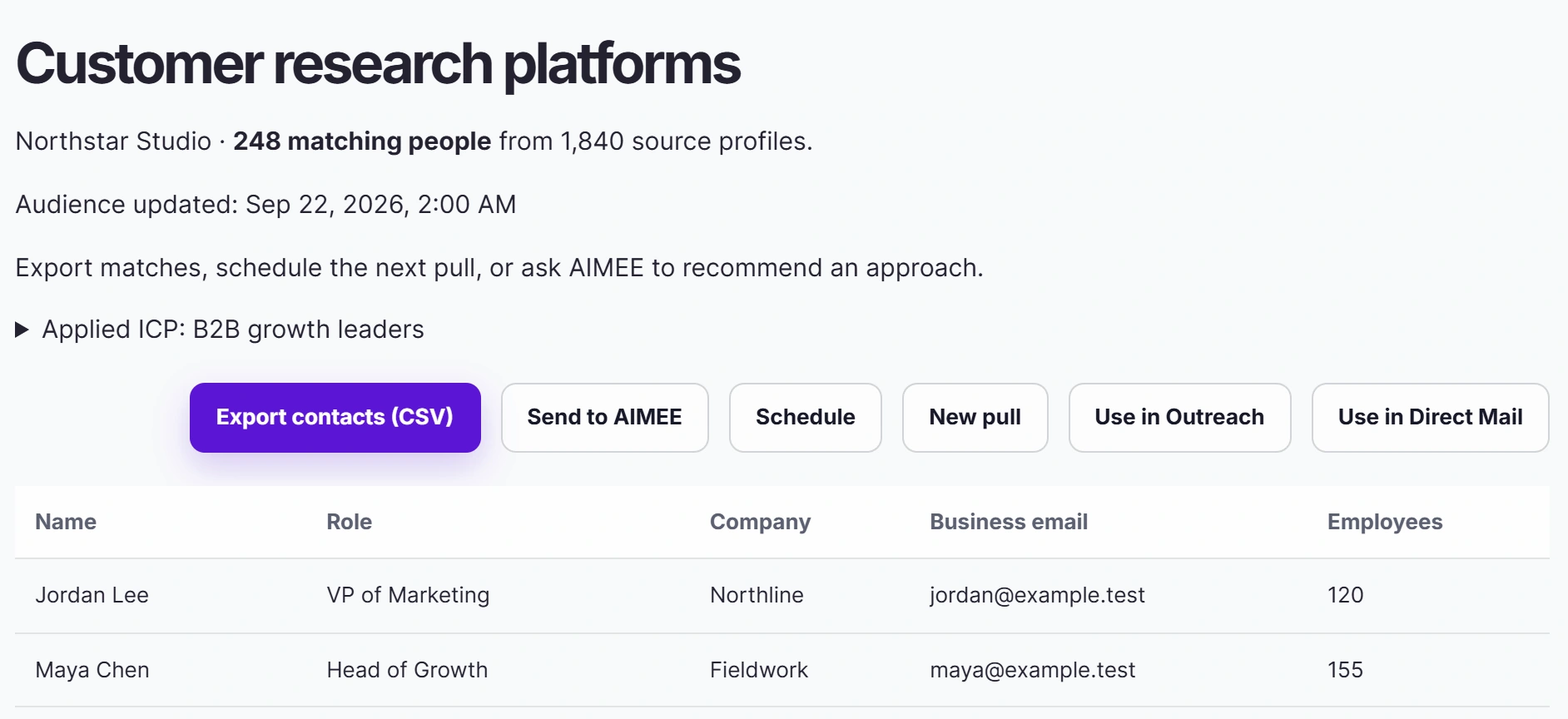
Review the people behind the signal, then export the list or send it to Outreach, Direct Mail, or AIMEE. The topic and research context travel with every contact.


Beyond your website
MarketPulse finds people researching your topics across the web. TrafficID shows who is on your own site. AIMEE can work from both and hand the follow-up to Outreach or Direct Mail.
MarketPulseResearching beyond your site

TrafficIDVisiting your site

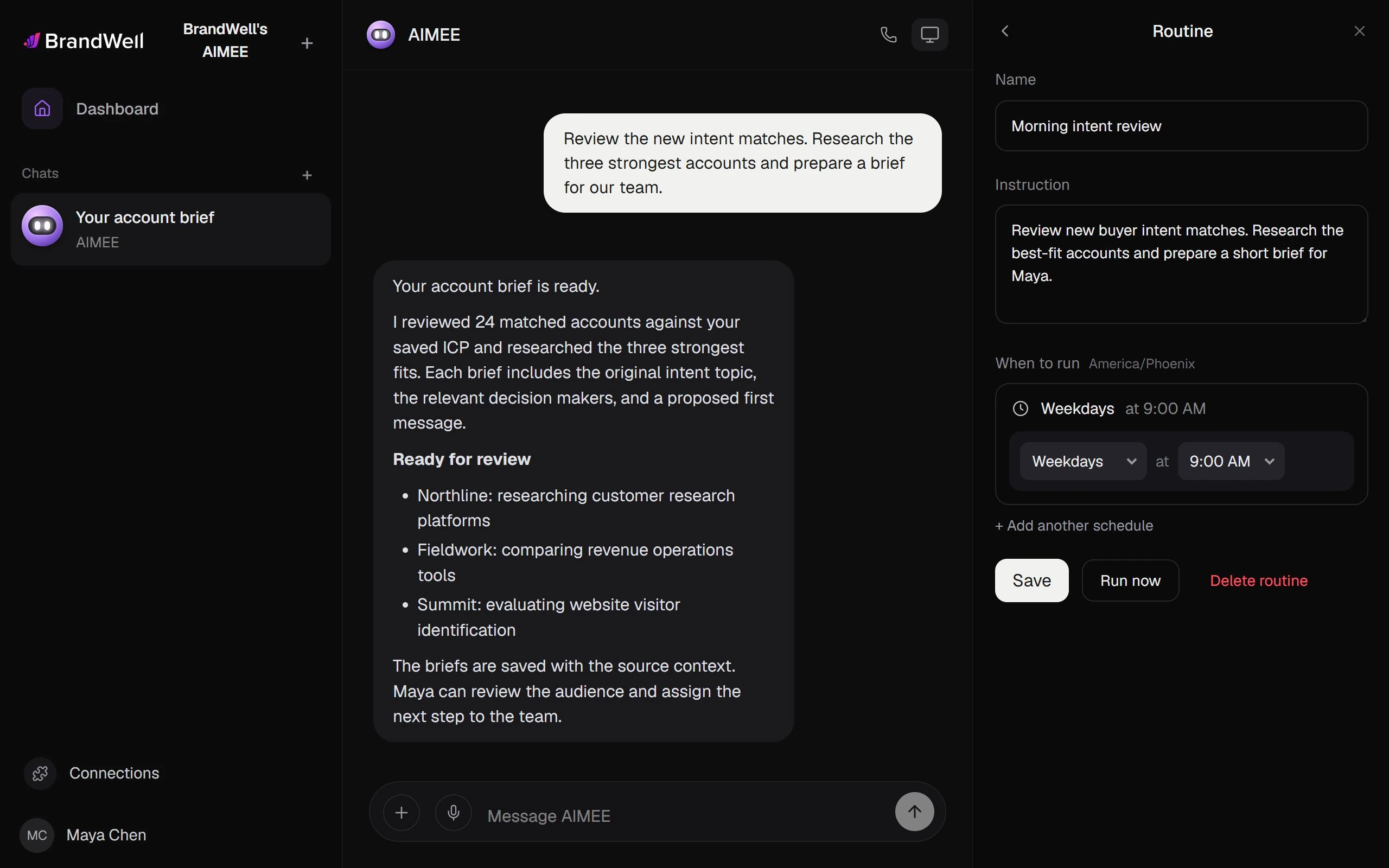
AIMEEResearches the best fits

Walkthroughs
01Workflow template
Research the account, then draft a relevant campaign.

MarketPulse finds the people researching the topics your customers research.

A saved ICP keeps every new pull focused on the buyers you want to reach.


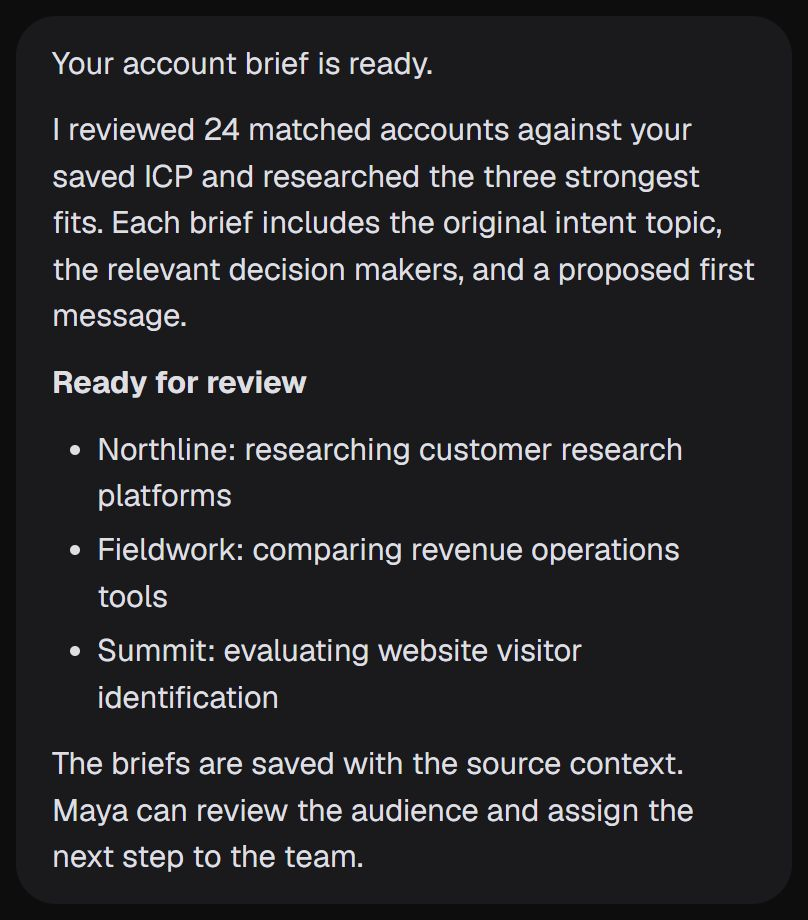
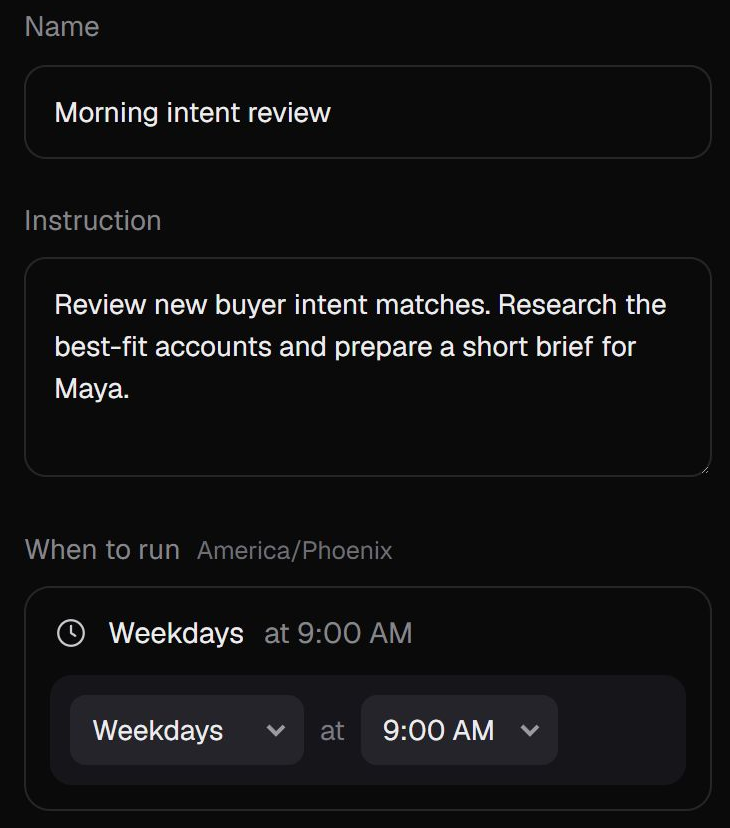
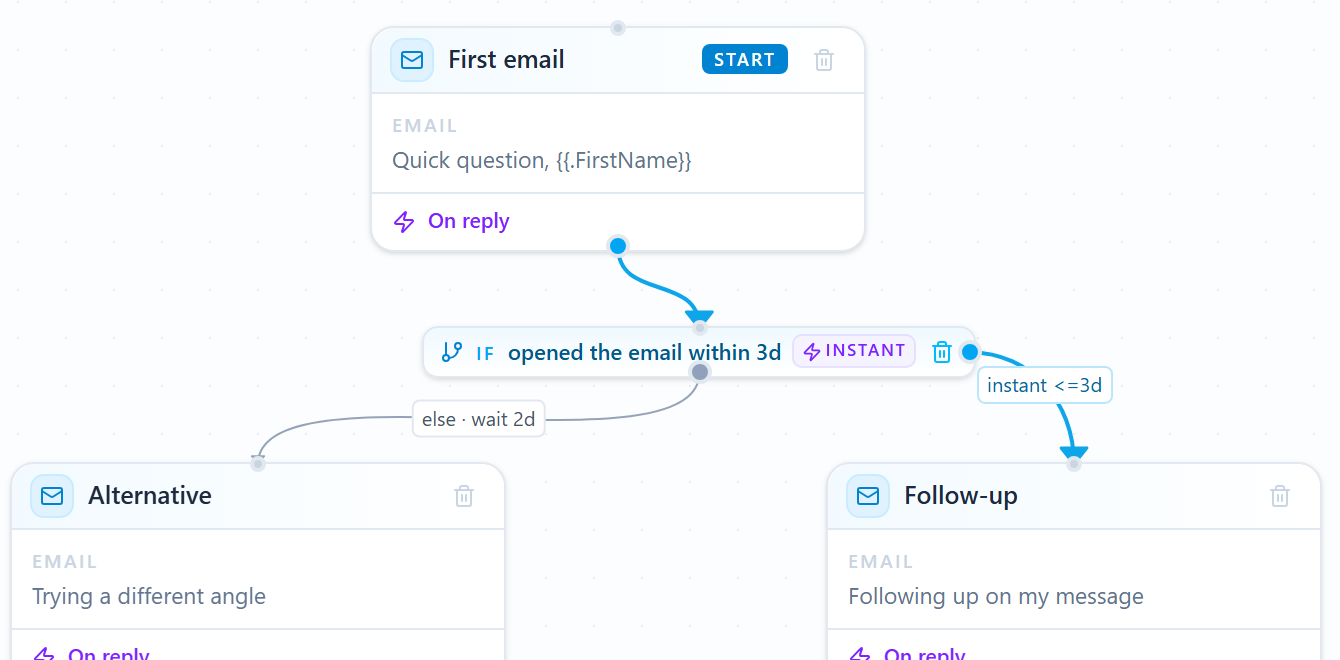
A morning routine reviews new matches, researches the strongest accounts, and drafts a brief with a first message.


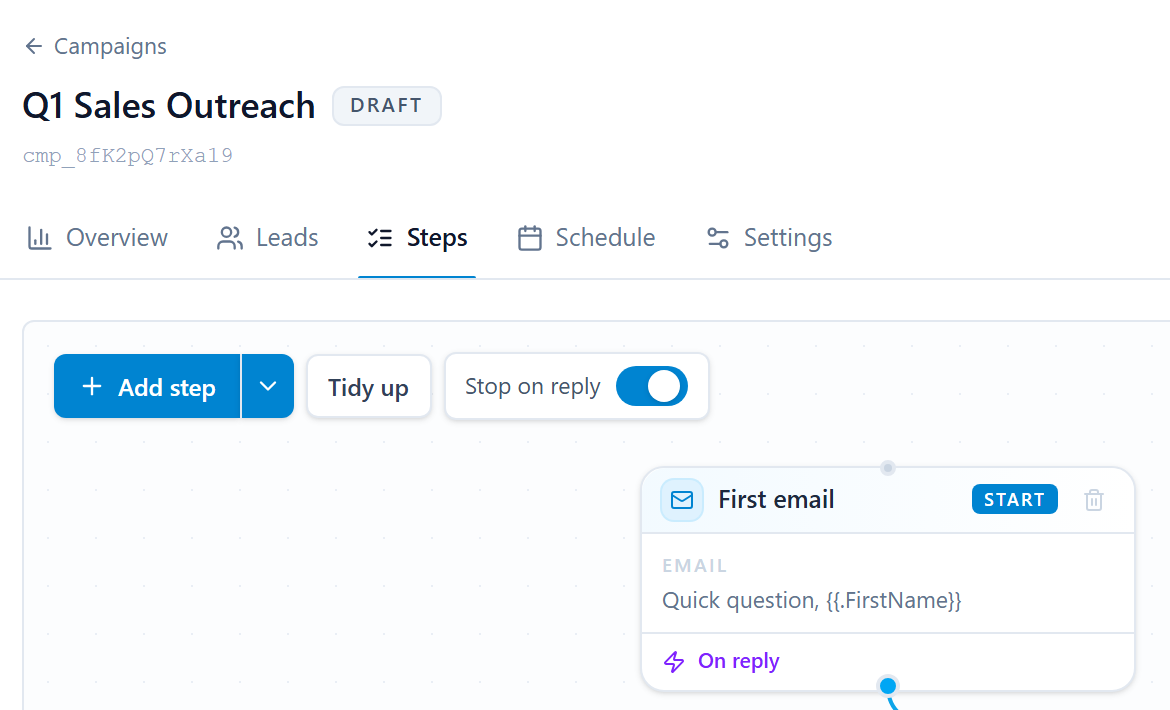
The campaign waits as a draft. Your team edits the message and decides when it starts.

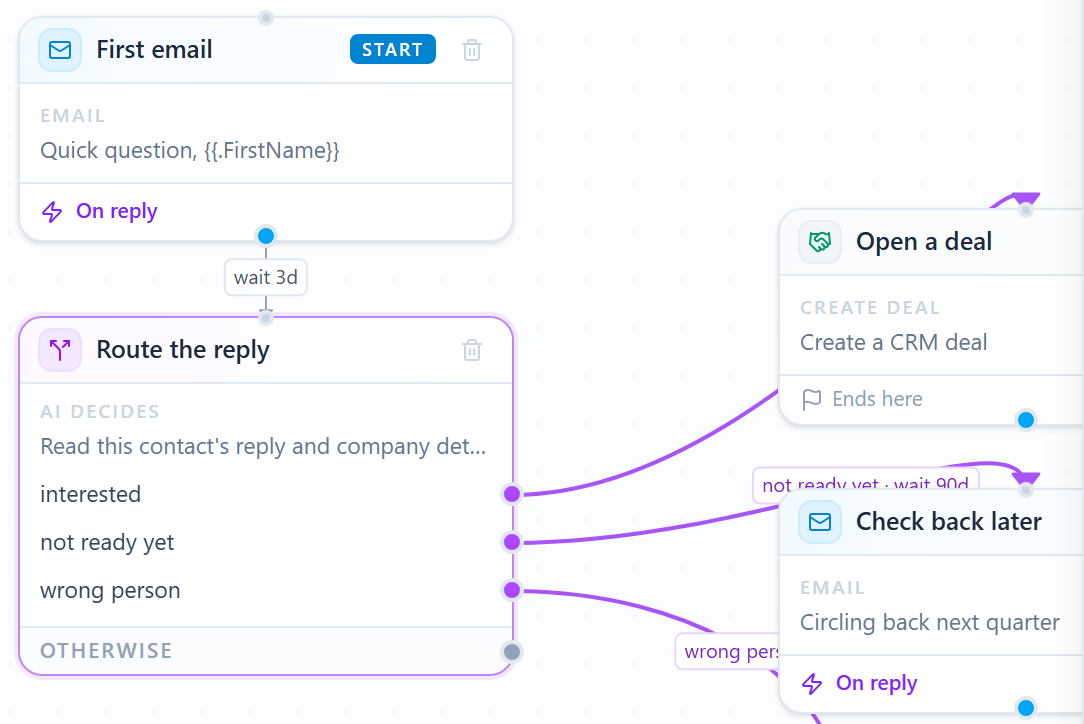
Each reply is routed: an interested buyer opens a deal, and a not-now gets a later check-in.
Next template
or keep scrolling
02Workflow template
Turn an intent audience into a personalized postcard, then follow up by email.

MarketPulse finds the people researching the topics your customers research.

A saved ICP keeps every new pull focused on the buyers you want to reach.


Send the audience to Direct Mail. Eligible buyers get a personalized postcard, within your budget.

The first email waits until the postcard lands, so the follow-up feels connected.

Each reply is routed: an interested buyer opens a deal, and a not-now gets a later check-in.
Your tools. Your owners. Your approvals.
Every template is a starting point. Choose the products, owners, and approval points for your team.Browse the template libraryExample workflows with fictional data. Your configured approvals still apply.
Inside MarketPulse
Build a useful audience from the topic, the customer profile, and the evidence behind each match.
01 / Find
Build an audience around the problem your customer is researching.
Topic discovery
Search the topic catalog by name, description, or topic ID. Start with relevant recommendations and explore the adjacent problems your buyers are researching.
Saved ideal customer profiles
Save role, company size, industry, and location criteria as a reusable ICP. Combine inclusion and exclusion rules, then apply the same definition to the next audience.
Audience review
Review matched contacts, roles, companies, available contact details, and the topic that brought them into the audience. Search and inspect the records before deciding what to do next.

profiles per day, before you pull
MarketPulse / Intent topic set
02 / Focus
Refine the fit, keep it current, and put your data to work.
ICP refinement
Edit the active criteria and reapply them to the retained source audience. Review the match count and applied ICP together before you export or hand off the list.
Refresh schedules
Choose a refresh cadence and see when the next pull is due. Keep the topic and saved qualification rules attached to the audience as it refreshes.
Audience history
Return to saved audiences and their research context. Compare retained source counts, qualified matches, and the rules used for the selection.
Full audience exports
Export the matching retained contacts as CSV, beyond the rows visible on screen. Keep available identity and company fields with the selected audience.

saved once, used on every pull
MarketPulse / Saved ICP
03 / Act
Carry the buying context into an accountable follow-up.
Exclusions and suppression
Apply ICP exclusions and account suppression before you export or hand off the list. Check the audience state before it goes to Outreach or Direct Mail.
Outreach and Direct Mail handoff
Take a reviewed audience into a connected Outreach campaign or an eligible Direct Mail workflow. Start with the topic and buying context, then choose the next action.
Project and usage controls
Organize audiences by Company Project. Review category capacity, included refreshes, and export usage alongside the work.

straight into a campaign
MarketPulse / Audience handoff
Make it your own
Find current interest in a category before your team starts building lists.
Use relevant research as a prompt for an informed check-in with an existing account.
Build a market-specific audience and prepare a focused growth conversation for each prospect.
MarketPulse pricing
Choose how many topic categories you follow and how often the feed refreshes. Refreshes stop at your plan limit, with no overage charges.
$250 / month
One market, refreshed weekly.
$500 / month
Three markets, refreshed daily.
$1,000 / month
Every market you sell into.
Every MarketPulse plan includes
Not right for you? Ask for a refund within 3 days (72 hours) of your first MarketPulse purchase, as long as you meet these conditions.
✓ No data has been exported
✓ No more than 2 topic pulls
MarketPulse guarantee termsQuestions
Start with the topics your buyers research, then filter the audience against your ideal customer profile. Review the evidence, exclusions, and available contact data before you reach out. MarketPulse keeps that audience together; AIMEE can research the accounts and prepare an Outreach campaign for your review.
It is evidence of research, not a purchase commitment. Use the topic and recency to prioritize relevance, then let research and a real conversation establish fit.
MarketPulse looks at research activity beyond your website. TrafficID focuses on activity on your own site. They can feed the same AIMEE workflow.
Available fields can include name, role, company, work email, phone, and research topic. Field availability varies by record; the audience shows what is actually available.
Yes. Choose it for buyer-intent research and audience work. Add the other products that fit your workflow, with AIMEE connecting the work when you are ready.
Build it your way.
MarketPulse finds the research, keeps it matched to your ICP, and hands the audience to Outreach, Direct Mail, or AIMEE.
Discover the topics that match your industry, services and competitors, with yesterday's audience count for each. Then explore your personalized plan and All-in-One early-access options.
Free topic report. No purchase required. Your seven-day offer window starts when your invite is issued.