01 / Listen
Hear the question before the RFP.
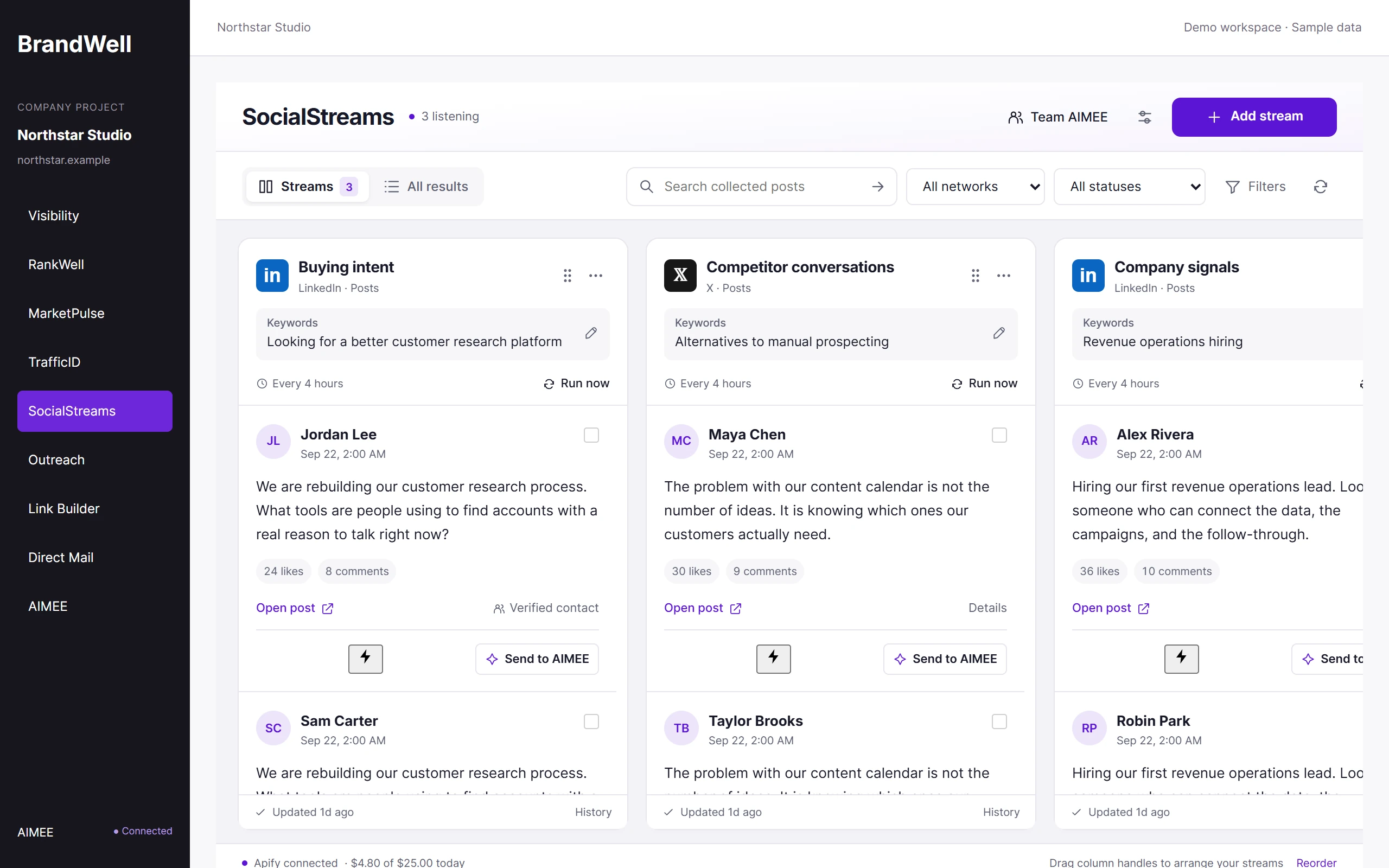
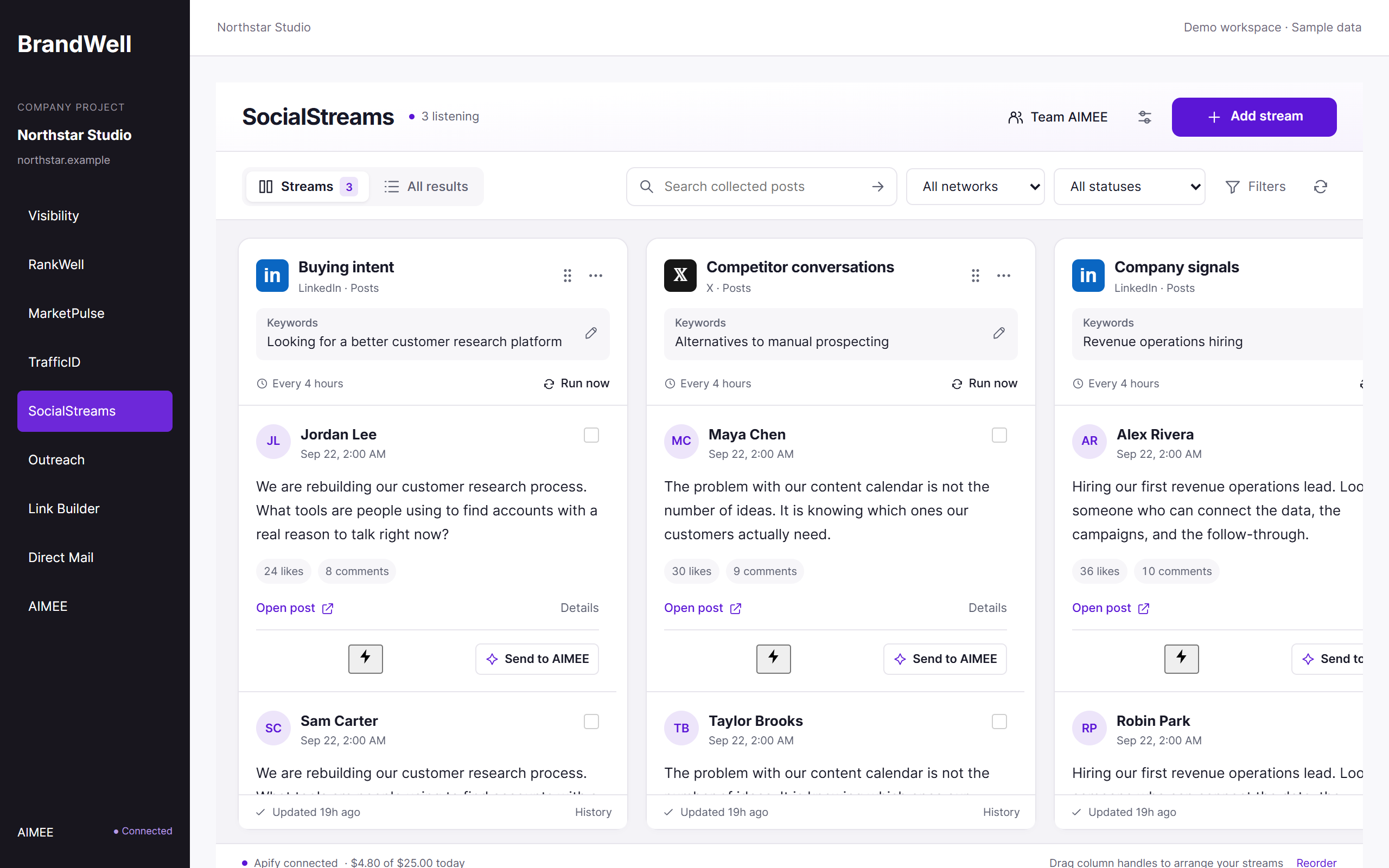
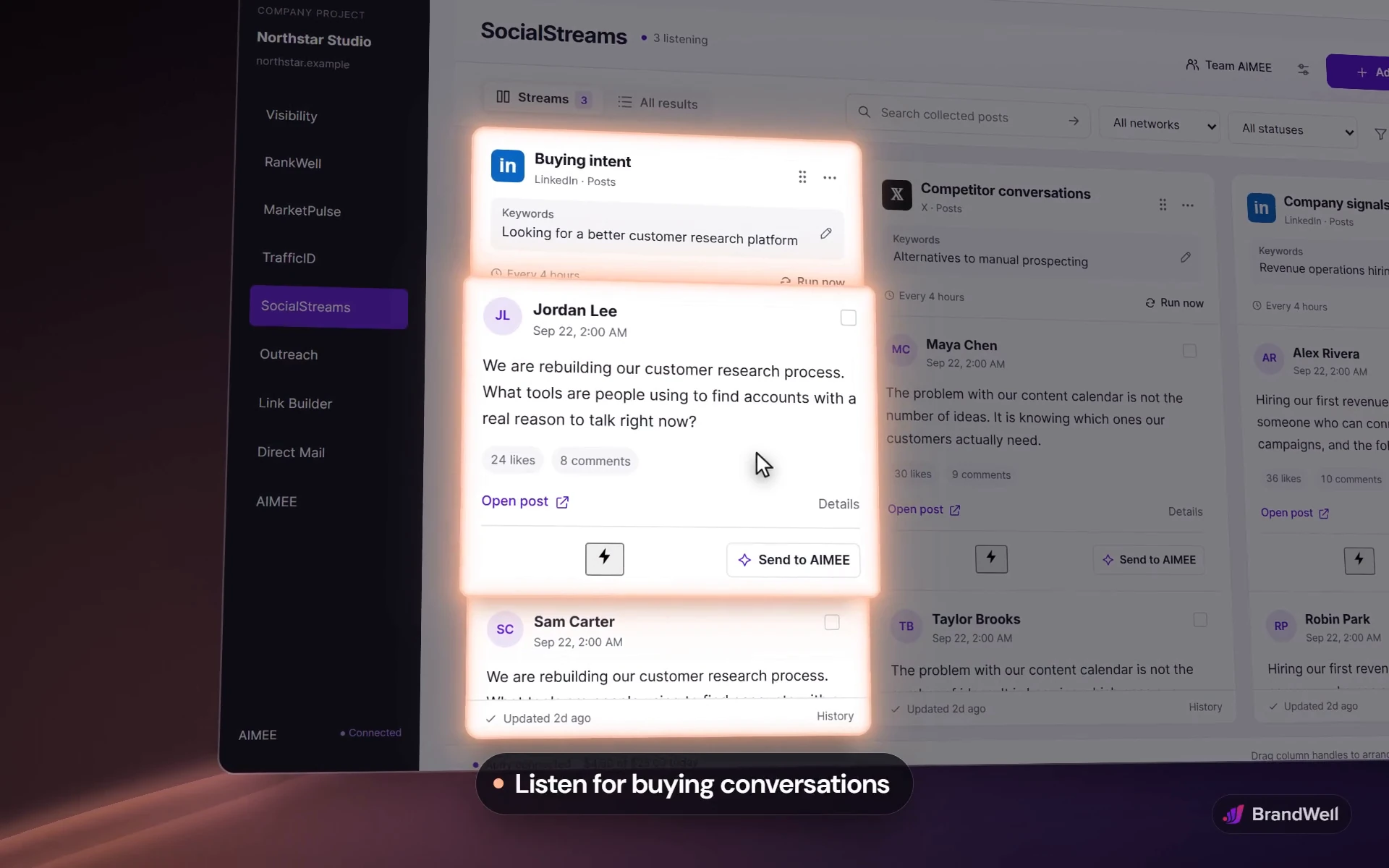
Build streams around the problems you solve, your competitors, and your category. SocialStreams checks public LinkedIn and X conversations on a schedule and keeps every match in its own column.


SocialStreams / Social listening software
Social listening for lead generation starts with a relevant conversation. SocialStreams finds public discussions and company signals, keeps the source in view, and gives AIMEE the context to research, qualify, and prepare your next move.
Choose SocialStreams on its own. AIMEE for your initial user is included.

The demo could not load here. Open the SocialStreams demo directly.


free enrichment
Why SocialStreams
Buyers ask for recommendations in public every day. SocialStreams hears the question, finds out who asked, and gives your team a useful way to answer.
A request for a recommendation. A hiring announcement. A conversation about a problem you solve. SocialStreams brings public discussions and company signals into repeatable monitoring streams. Review the evidence and customer fit, then assign the research, response, or outreach preparation to the right teammate’s AIMEE.
What makes it different
SocialStreams keeps going: from the conversation to the person, and from the person to a next step with an owner.
Typical social listening
SocialStreams
Brand mentions and sentiment scores
Buying questions, competitor conversations, and company signals
A username and a profile link
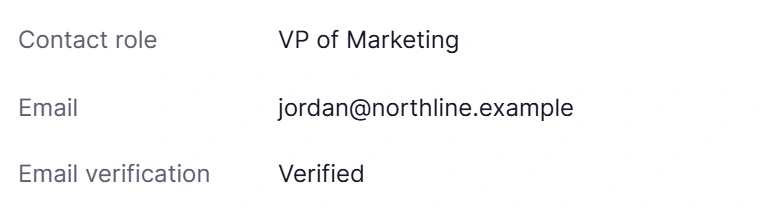
A verified work email, mailing address, role, and company. Free.
A feed someone has to remember to check
Scheduled streams on one board, with the source kept on every result
An export that waits for someone to act
A next step with an owner: Outreach, Direct Mail, or a teammate’s AIMEE
See it work
Three short tours of the SocialStreams workspace, with fictional data.
01 / Listen
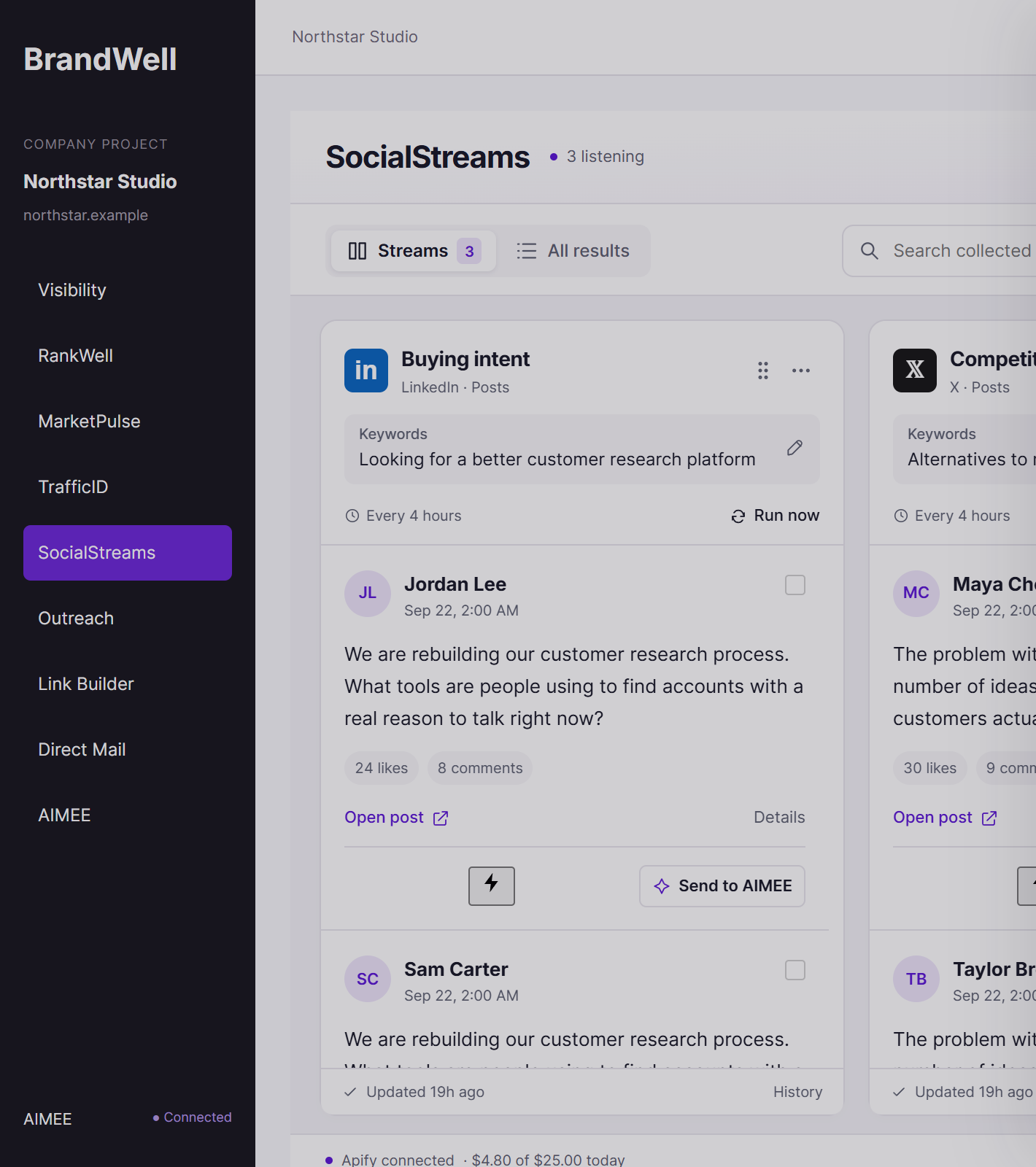
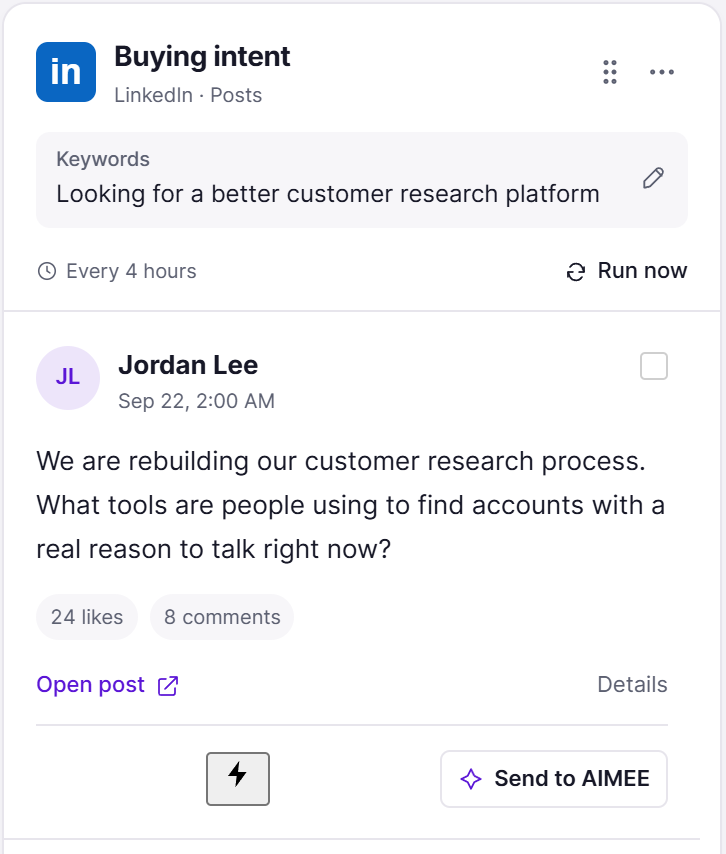
Build streams around the problems you solve, your competitors, and your category. SocialStreams checks public LinkedIn and X conversations on a schedule and keeps every match in its own column.


02 / Enrich
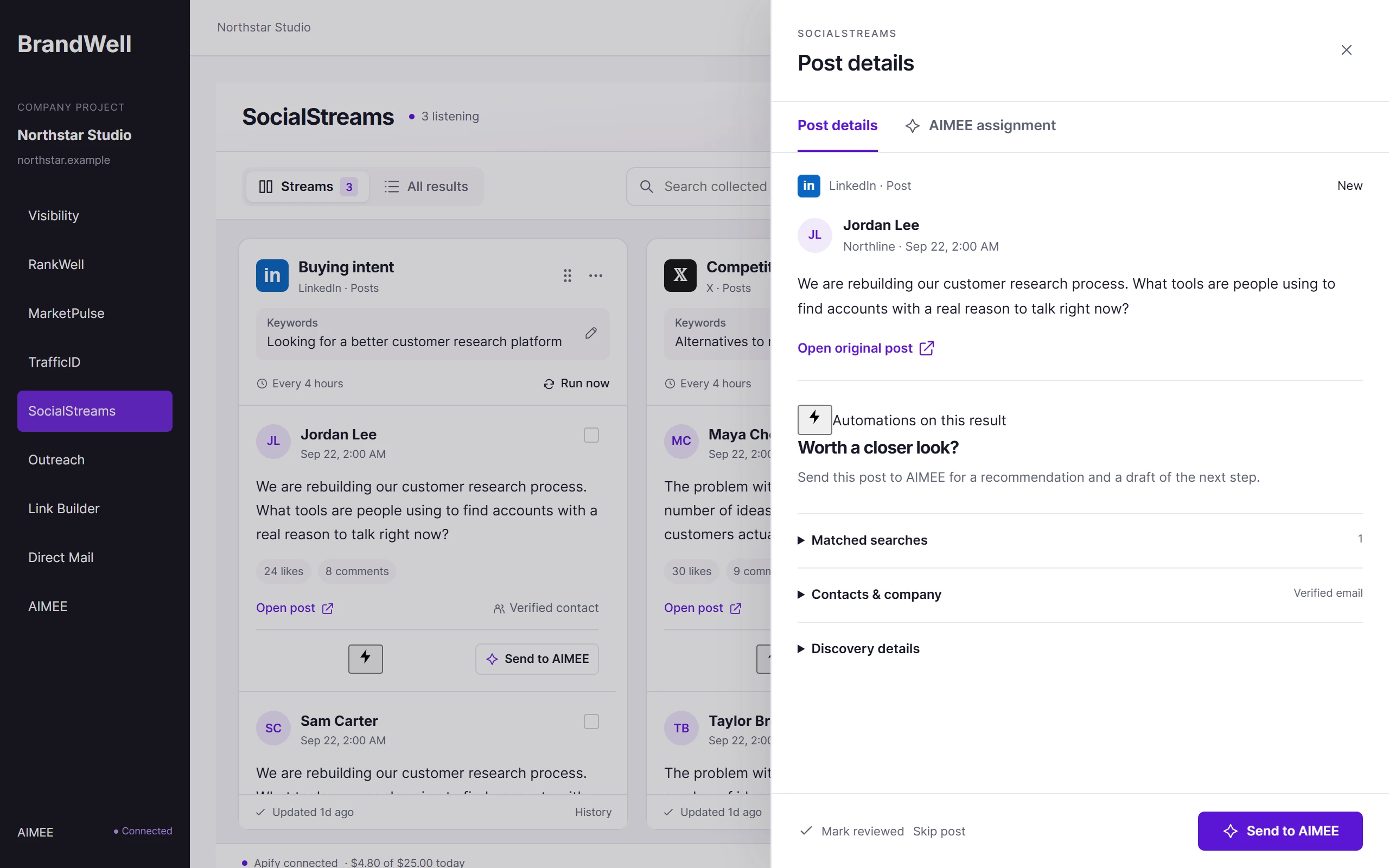
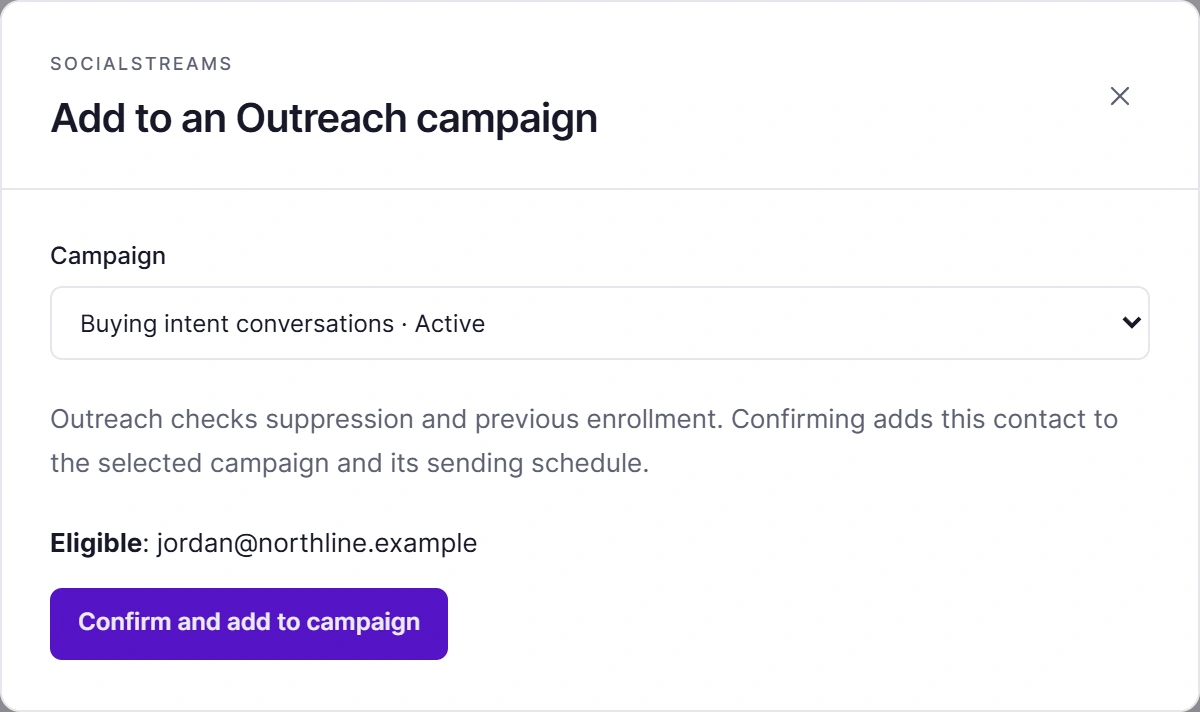
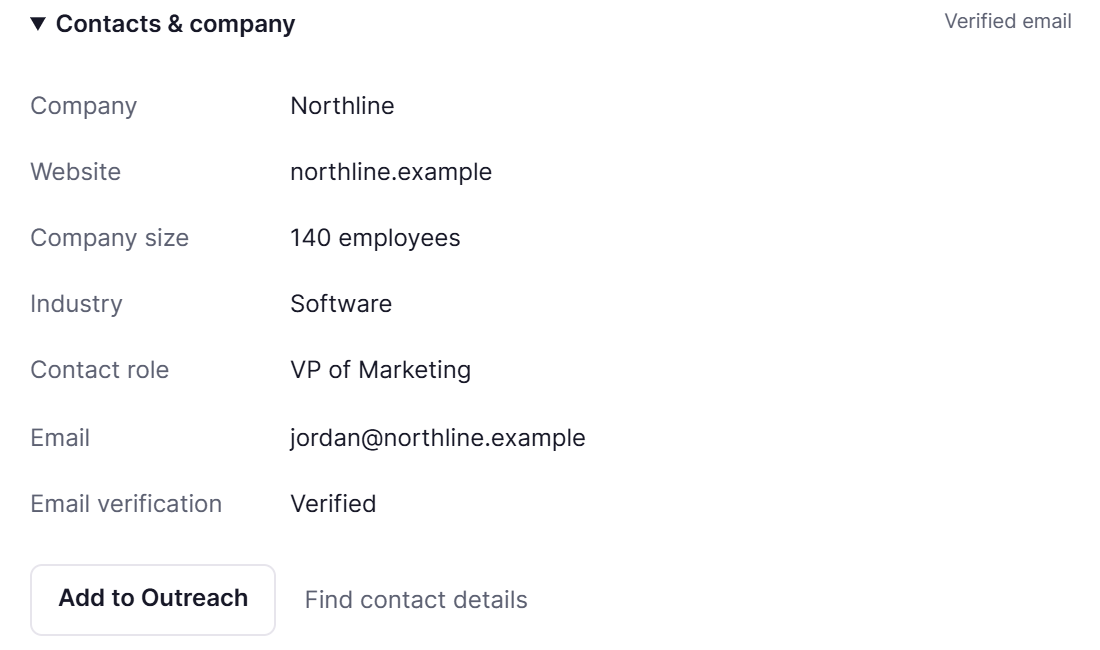
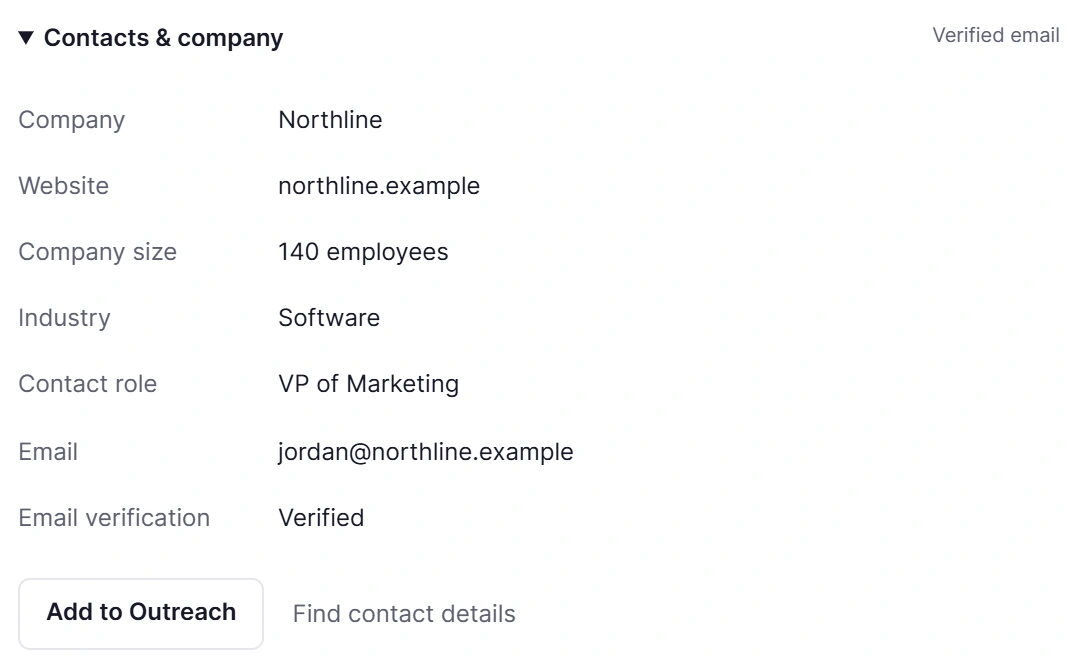
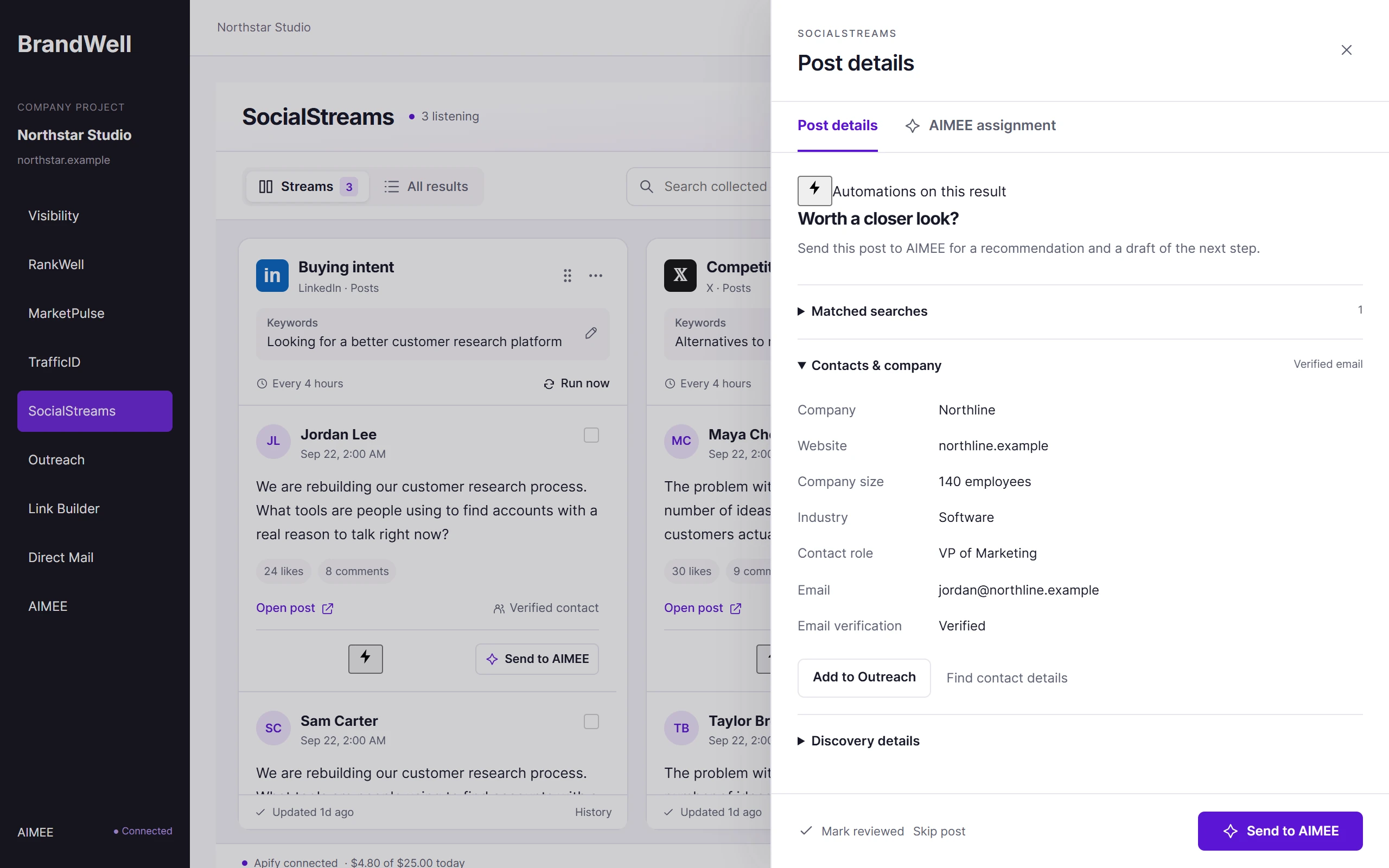
Open a post and SocialStreams enriches the contact at no extra cost: role, company, verified work email, and a mailing address where one is available. Add them to Outreach in one click. Suppression is checked first.


03 / Assign
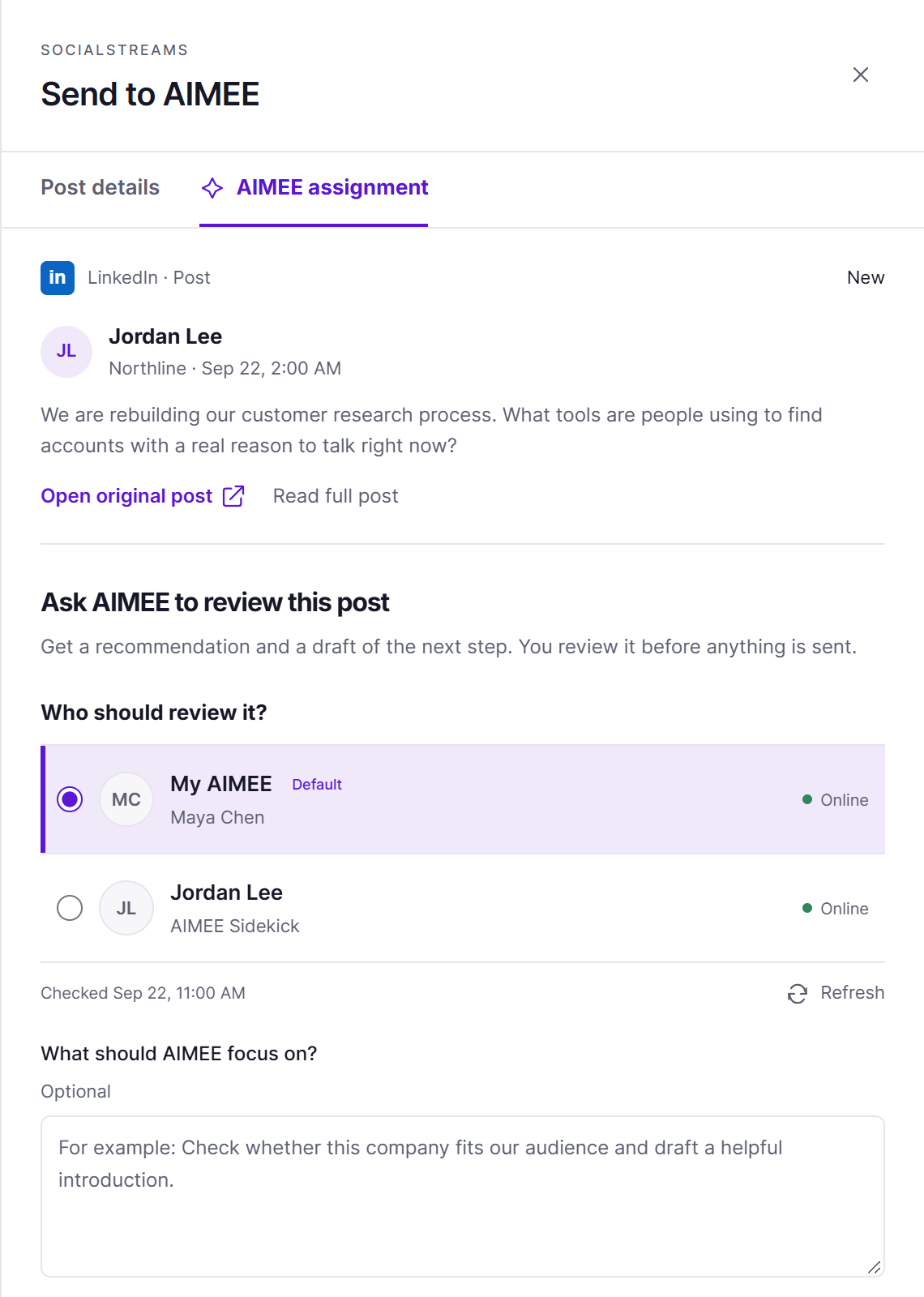
Send the opportunity to your AIMEE or a teammate’s, with the post and a note on what to focus on. AIMEE researches the account and drafts the next step for review.


Free enrichment
When someone posts about the problem you solve, SocialStreams enriches the contact for free: verified work email, mailing address, role, and company. A post alone gives you one way to respond. Enrichment opens Outreach and Direct Mail too.

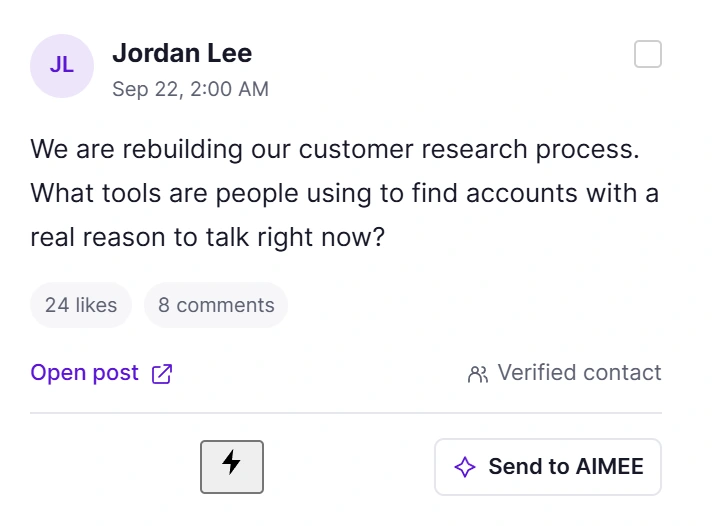
Jordan LeePosted on LinkedIn, Sep 22
Free enrichmentno extra cost

Outreach
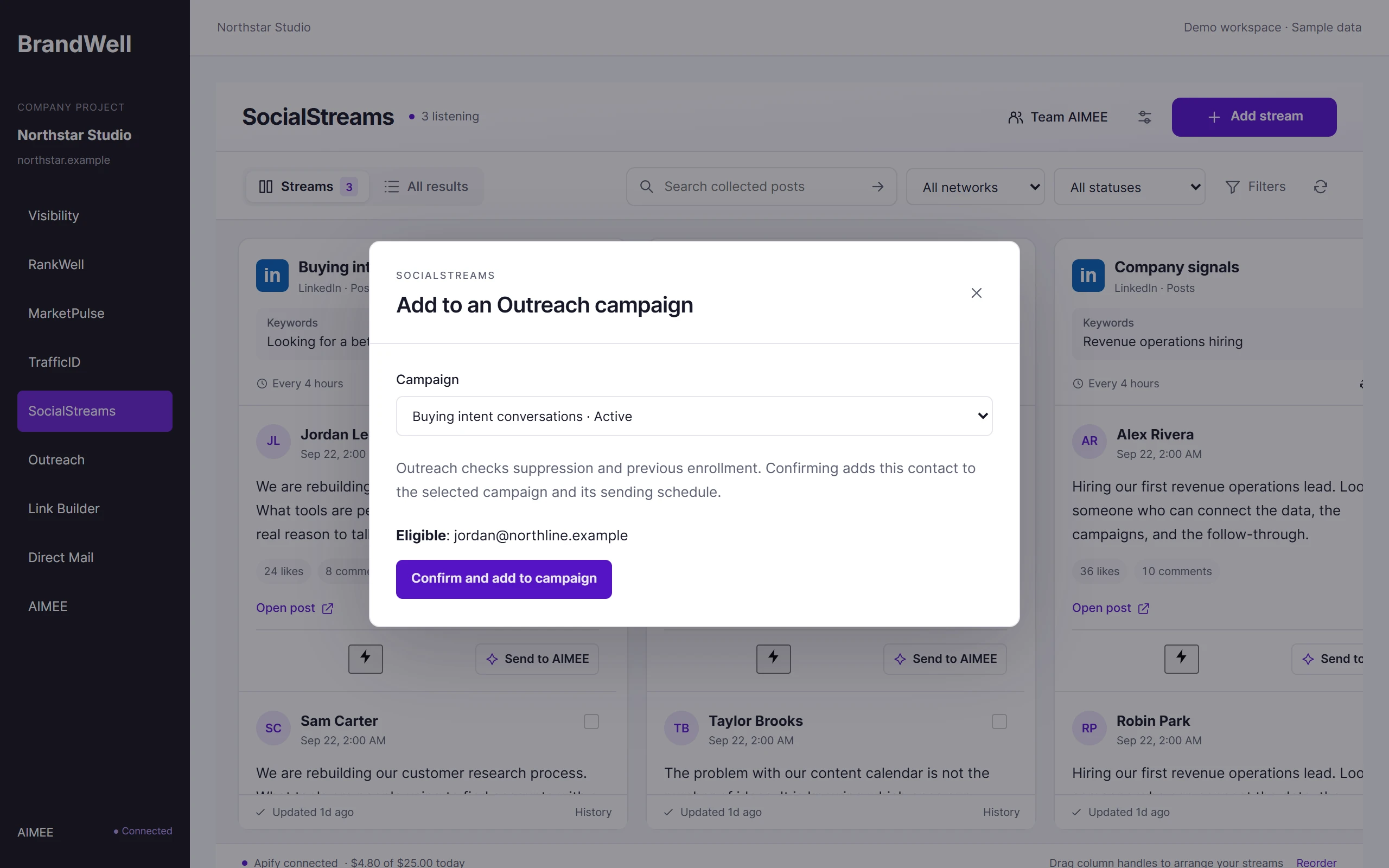
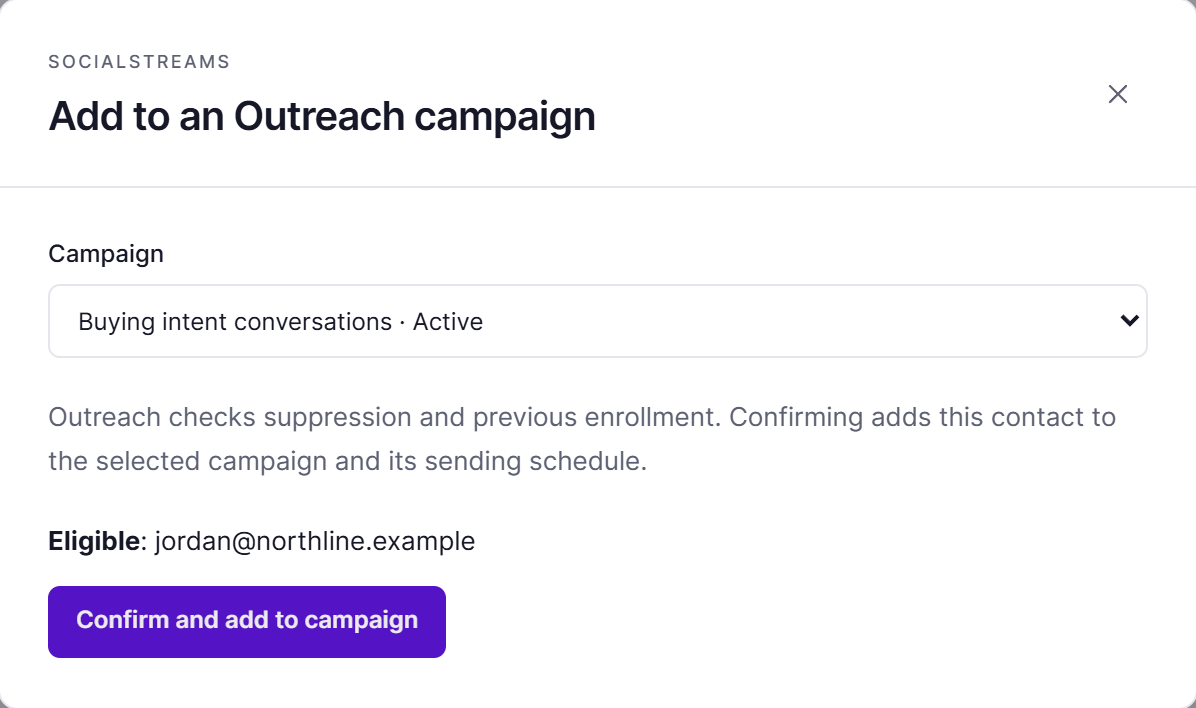
Add the verified email to a campaign. Suppression and past enrollment are checked first.
See Outreach
Direct Mail
Mail a postcard to the address on file, with their name and company printed on it.
See Direct Mail

AIMEE
AIMEE drafts a helpful reply and a LinkedIn note, with the post attached, for you to review.
Meet AIMEEEnrichment depends on available data. Not every contact returns every field.
Walkthroughs
01Workflow template
Enrich the person behind a post, mail a postcard, then follow up by email.

asking for tools,
in public
SocialStreams catches Jordan asking which customer research tools other teams use.

who they are,
and how to reach them
SocialStreams adds a verified work email, a mailing address, the company, and the person’s role, at no extra cost.

personalized
to Jordan
Direct Mail sends a personalized postcard to the address on file, within your budget and approvals.

after the
postcard lands
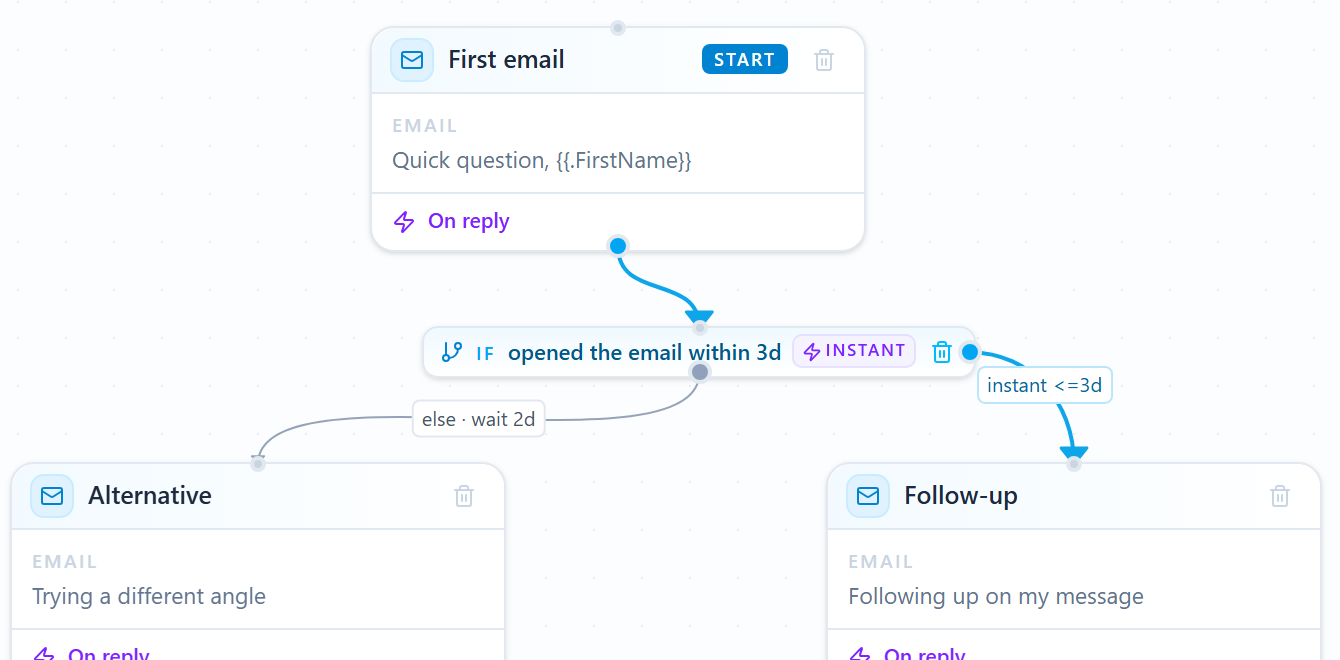
Jordan joins the buying intent campaign. The first email waits until the postcard lands.


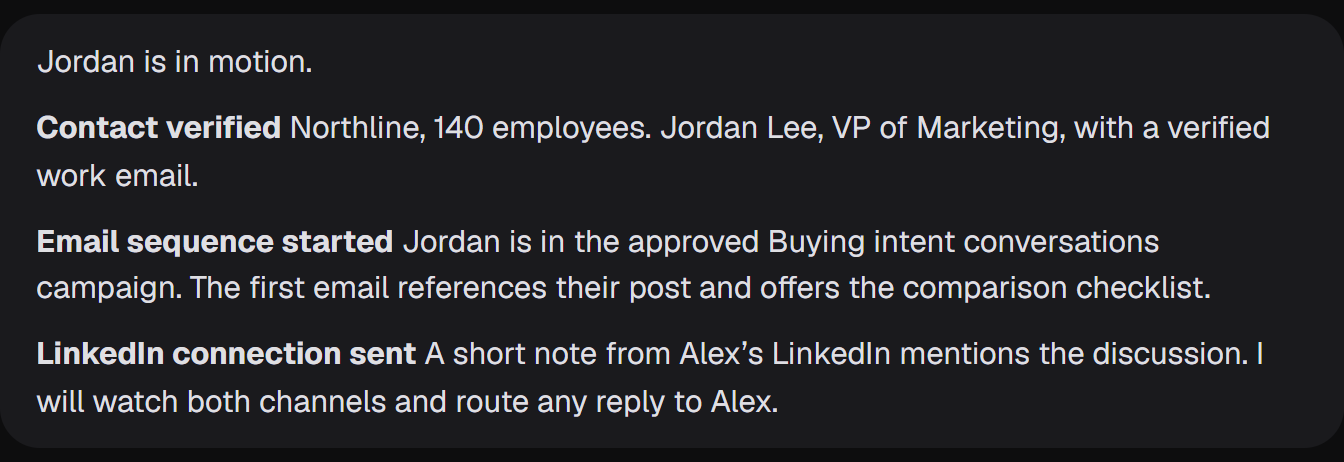
AIMEE sends a LinkedIn note that mentions the post, and keeps the replies with Alex.
Next template
or keep scrolling
02Workflow template
Enrich the person behind a post, then reach them by email and on LinkedIn.

asking for tools,
in public
SocialStreams catches Jordan asking which customer research tools other teams use.

who they are,
and how to reach them
Enrichment adds the company, the person’s role, and a verified work email.

you confirm it
Outreach checks suppression and past enrollment before Jordan joins the campaign you choose.


AIMEE starts the email sequence and sends a LinkedIn connection that mentions the post. Replies go to Alex.
Your tools. Your owners. Your approvals.
Every template is a starting point. Choose the products, owners, and approval points for your team.Browse the template libraryExample workflows with fictional data. Your configured approvals still apply.
Inside SocialStreams
Find relevant public context, decide what it means, and assign the next piece of work.
01 / Listen
Build repeatable streams around conversations, accounts, and company signals.
Topic and keyword streams
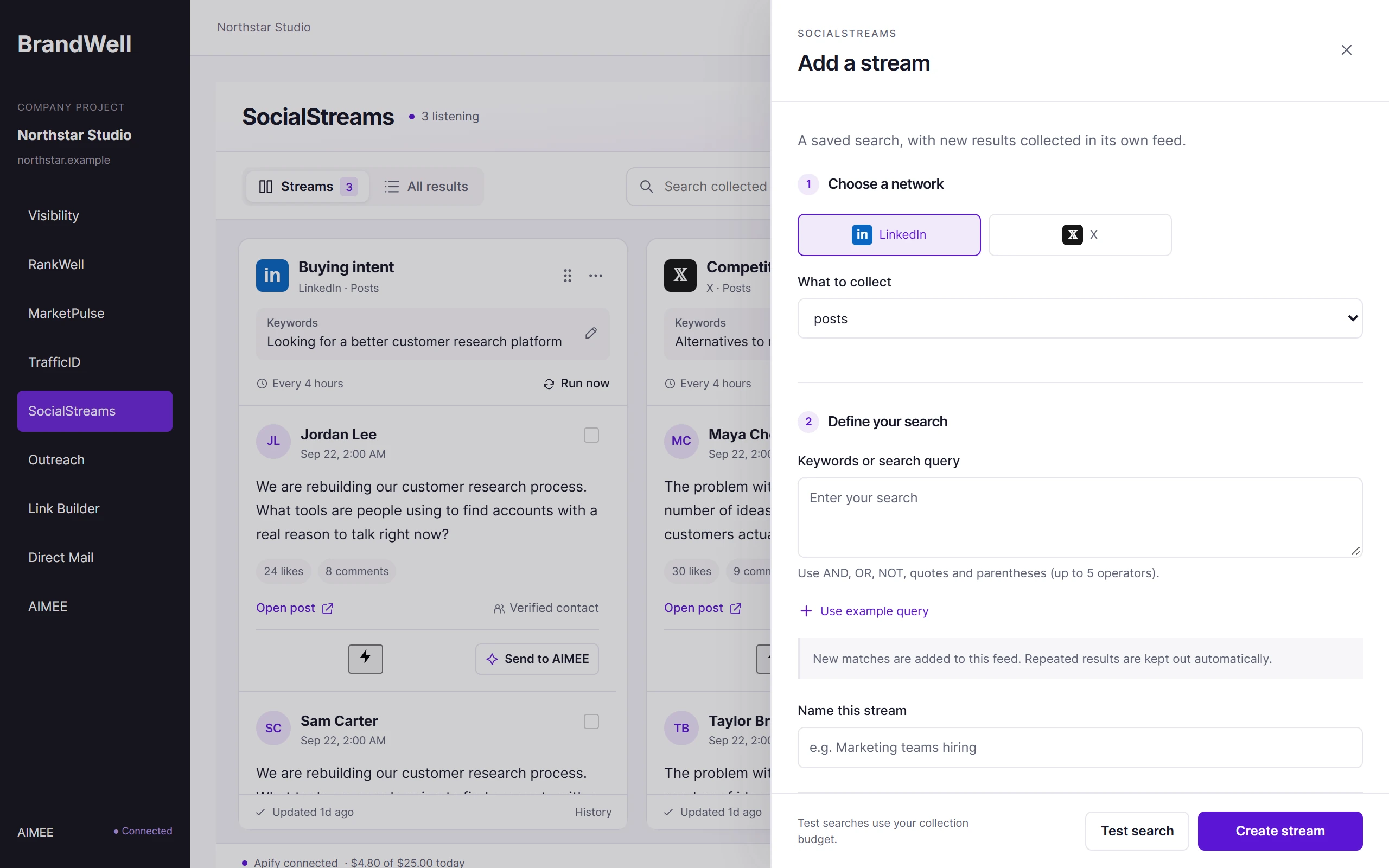
Create a stream around your market, competitors, category, or a specific buying problem. Set the query for the supported source you want to watch.
What you getA repeatable listening source built around your offer.
AIMEE’s partHelp shape the query and explain which conversations are relevant to your team.
Profile and company watchlists
Watch supported public profiles and company pages. Put account activity beside topic-based discovery in the same workspace.
What you getA way to keep meaningful account activity in view.
AIMEE’s partSummarize a new development and suggest a relevant reason to reconnect.
Jobs and creator discovery
Use supported job and creator sources to surface company hiring activity or relevant creators. Keep each record’s source and type visible.
What you getA qualified starting point for an account or partnership research task.
AIMEE’s partResearch the company or creator without treating a job poster as the buyer.
Search tests and schedules
Test the query, inspect sample results, then choose its refresh cadence. Pause, resume, or run a stream when the work calls for it.
What you getA listening schedule based on the quality of the results.
AIMEE’s partReview the sample, refine the query, and prepare a recurring triage routine.

the exact words your buyers use
SocialStreams / Add a stream
02 / Understand
Bring the source, the people, and the review into one workspace.
Multi-stream board
Arrange streams in columns or use the combined feed. Filter, search, and review opportunities in a workspace built for comparing signals.
What you getOne working view of the conversations your team follows.
AIMEE’s partPrepare a digest of the strongest opportunities across selected streams.
Original-source context
Review the author, post, timestamp, platform, and original link. Keep overlapping discoveries connected rather than treating every repeat as a new lead.
What you getEvidence your team can read before deciding on a response.
AIMEE’s partRead the source and draft a contextual recommendation with the original link attached.
Contact and company enrichment
Research an author or company and inspect available role and contact information. Keep discovered candidates distinct from verified outreach-ready contacts.
What you getA useful research brief, even when no email is available.
AIMEE’s partFind the relevant decision makers and prepare the evidence for qualification.
Review and ownership
Track review status, assign an opportunity, skip poor fits, and retain the work history. Give each next step a visible owner.
What you getA shared queue of decisions and accountable follow-up.
AIMEE’s partTake the assigned research task and bring the result back to the opportunity.

free, and verified
SocialStreams / Contacts and company
03 / Act
Connect the conversation to an agent, campaign, and measurable next step.
Team-agent assignments
Assign a source-backed task to your AIMEE agent or, with the right account access, a teammate’s agent. Review availability before the handoff.
What you getA named agent with the source context and a bounded task.
AIMEE’s partResearch, draft, or prepare the next step using the assigned teammate’s working context.
Outreach handoffs
Preview selected contacts and the connected campaign before enrollment. Keep verification, suppression, approval, and engagement status with the opportunity.
What you getAn approved next step with its original social context intact.
AIMEE’s partPrepare the personalized angle and coordinate the reviewed campaign handoff.
Run history and spend
Review received records, new matches, duplicates, enrichment, email-ready yield, and run costs. Inspect failures without losing earlier results.
What you getEvidence for keeping, refining, or pausing a stream.
AIMEE’s partCompare useful yield and suggest where the team should focus its listening effort.

suppression checked first
SocialStreams / Outreach handoff
Make it your own
Notice public requests for advice before they become formal buying processes.
Understand what people appreciate, question, or struggle with in the category.
Use recurring questions and relevant creator activity to inform your next brief.
SocialStreams pricing
Listen continuously, search on demand, and hand every qualified conversation to Automations and AIMEE for the next move. AIMEE for your initial user is included.
Get Started$99 / month
Listening and on-demand searches
Billed monthly. Cancel any time from your portal settings.
Questions
Yes. Enrichment is included with SocialStreams at no extra cost. When a post matches one of your streams, SocialStreams can add the person’s role, company, a verified work email, and a mailing address where one is available. Results depend on available data, and not every contact returns every field.
Monitor the topics, accounts, and conversations that matter to your buyers. SocialStreams keeps the original source with each result so you can assess relevance before acting. A qualified signal can become company research, a useful response draft, or a reviewed Outreach handoff through AIMEE.
Supported source adapters cover public LinkedIn posts and jobs, X, Facebook and Instagram content, watched profiles, and selected TikTok and YouTube creator discovery. Availability and search behavior depend on the connected source.
No. The collection workflows are designed for supported public content. Private or restricted content is not part of the feed.
The product collects and reviews opportunities. AIMEE can prepare work for a configured execution path, with the appropriate permissions and approvals.
Yes. The original source can be sent for AIMEE research without an email. An email campaign has additional validation and suppression requirements.
The next connection
SocialStreams handles its own job. Choose the other products and agents that make the next step easier.
Build it your way.
SocialStreams finds the conversation, enriches the contact for free, and hands the next step to Outreach, Direct Mail, or AIMEE.
Discover the topics that match your industry, services and competitors, with yesterday's audience count for each. Then explore your personalized plan and All-in-One early-access options.
Free topic report. No purchase required. Your seven-day offer window starts when your invite is issued.