Run personalized campaigns.Automate post response work.
Cold email outreach software that sends from the inboxes you connect, with an agent for the work after the reply. Build personal campaigns, bring company buying groups into one conversation, and let AIMEE handle follow-up across your tools.
Your outbound operation. From infrastructure to follow-through.
Outreach sends from the inboxes you connect, runs personalized sequences, and keeps the whole conversation together. Group recipients at the same company, vary copy with spintax, and adapt follow-up to replies and return dates. AIMEE can research the account, answer the next question, update your CRM, and assign work to a teammate’s agent.
a campaigna replya meeting
What makes it different
Most tools send.Ours follows through.
The sending, the personalization, and the work after the reply are all part of the product.
Typical cold email tools
Outreach
One template, one person per email
Personalization, spintax, and company groups in one conversation
Keyword rules that miss what a reply means
AI reads each reply and picks the path, return dates included
A positive reply waits in someone’s inbox
AIMEE researches, answers, updates your CRM, and assigns the next task
See it work
From the first emailto the next step.
Three short tours of the Outreach workspace, with fictional data.
01 / Build
Follow up on what they actually do.
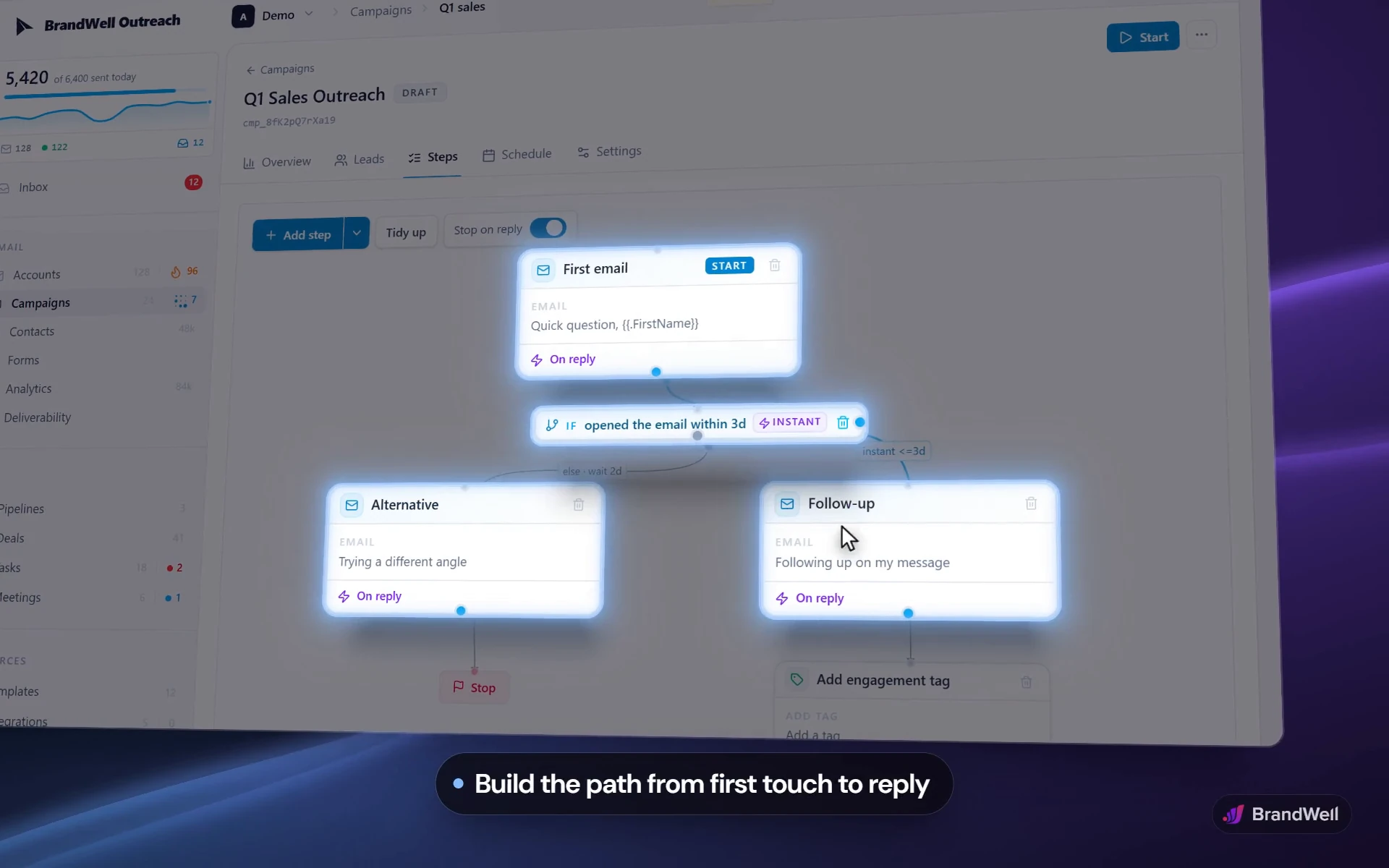
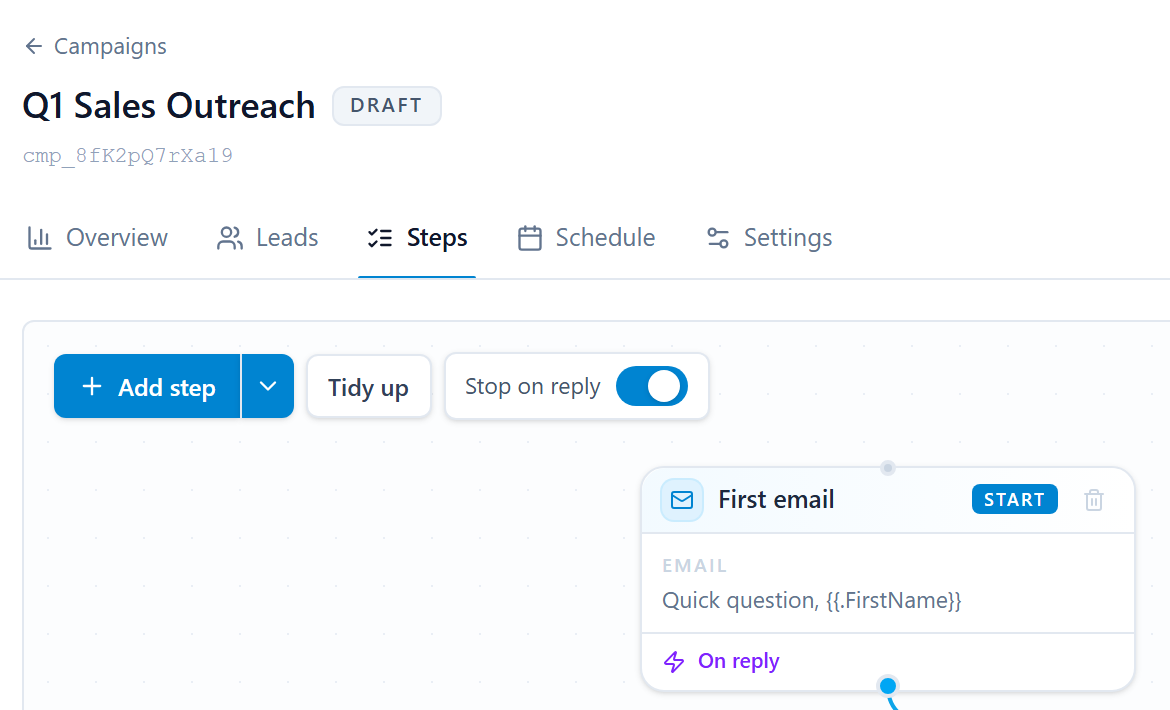
Branch the sequence on opens and replies, test subjects at every step, and personalize with any field. AI writing sits inside the composer.
Visual builderA/B testsSpintaxAI writing
branch on what they do
a new angle if they did not open
A/B test any step
personalize with any field
draft with AI in the composer
Outreach / Sequence builder
02 / Reply
Every reply gets a next step.
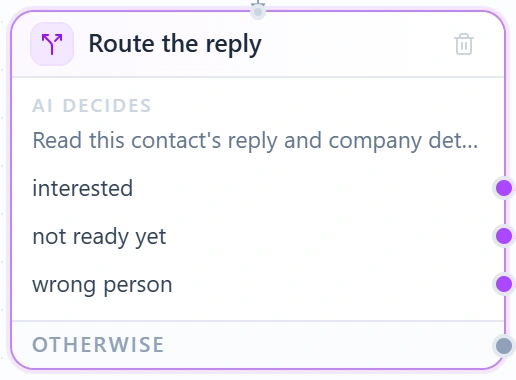
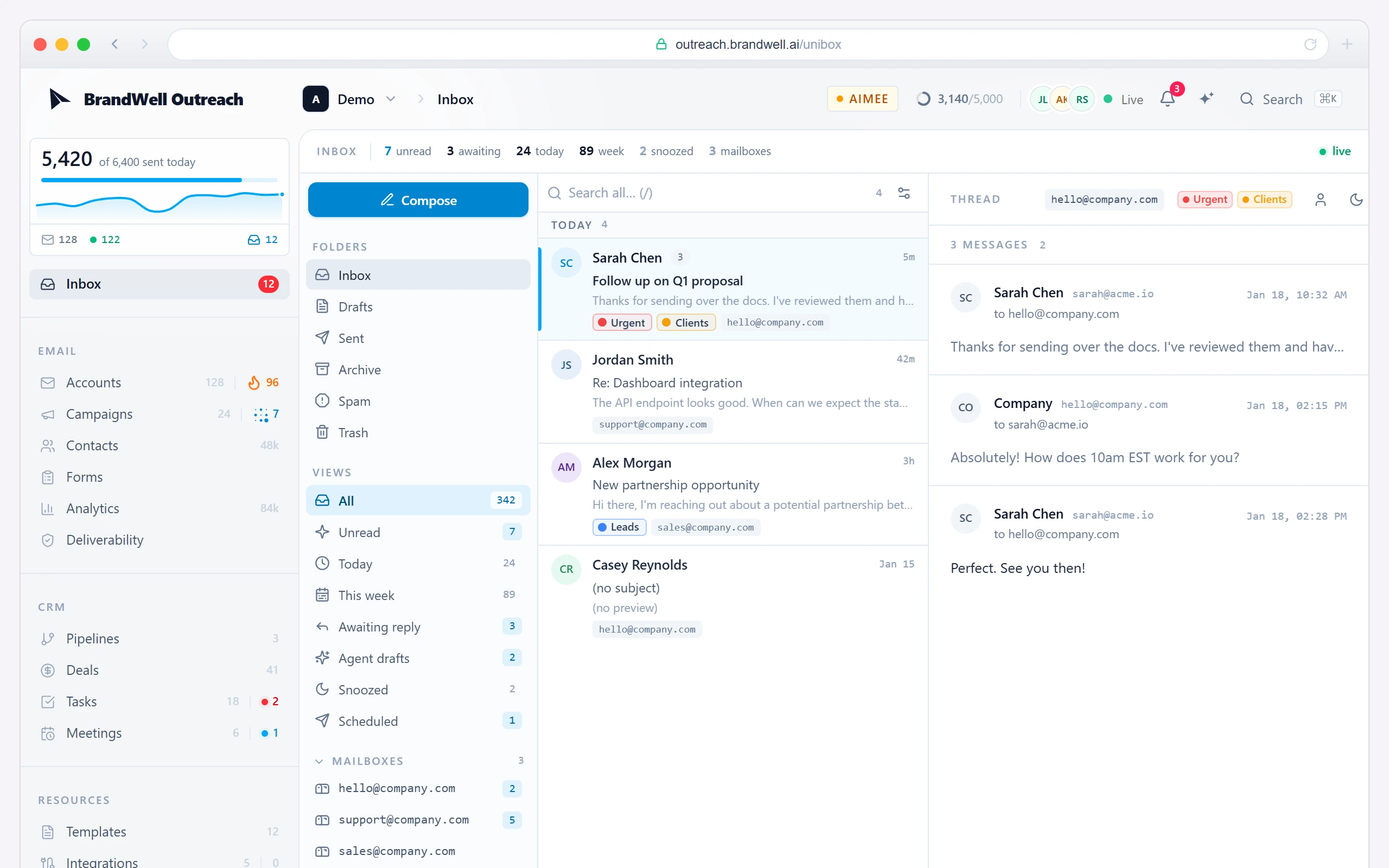
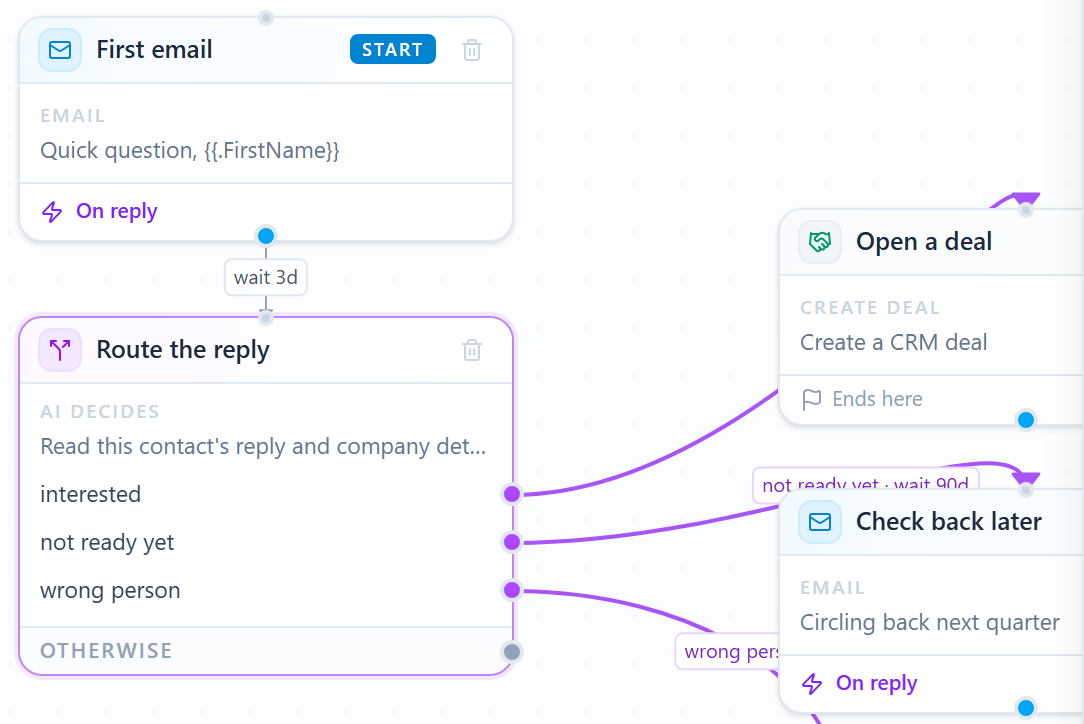
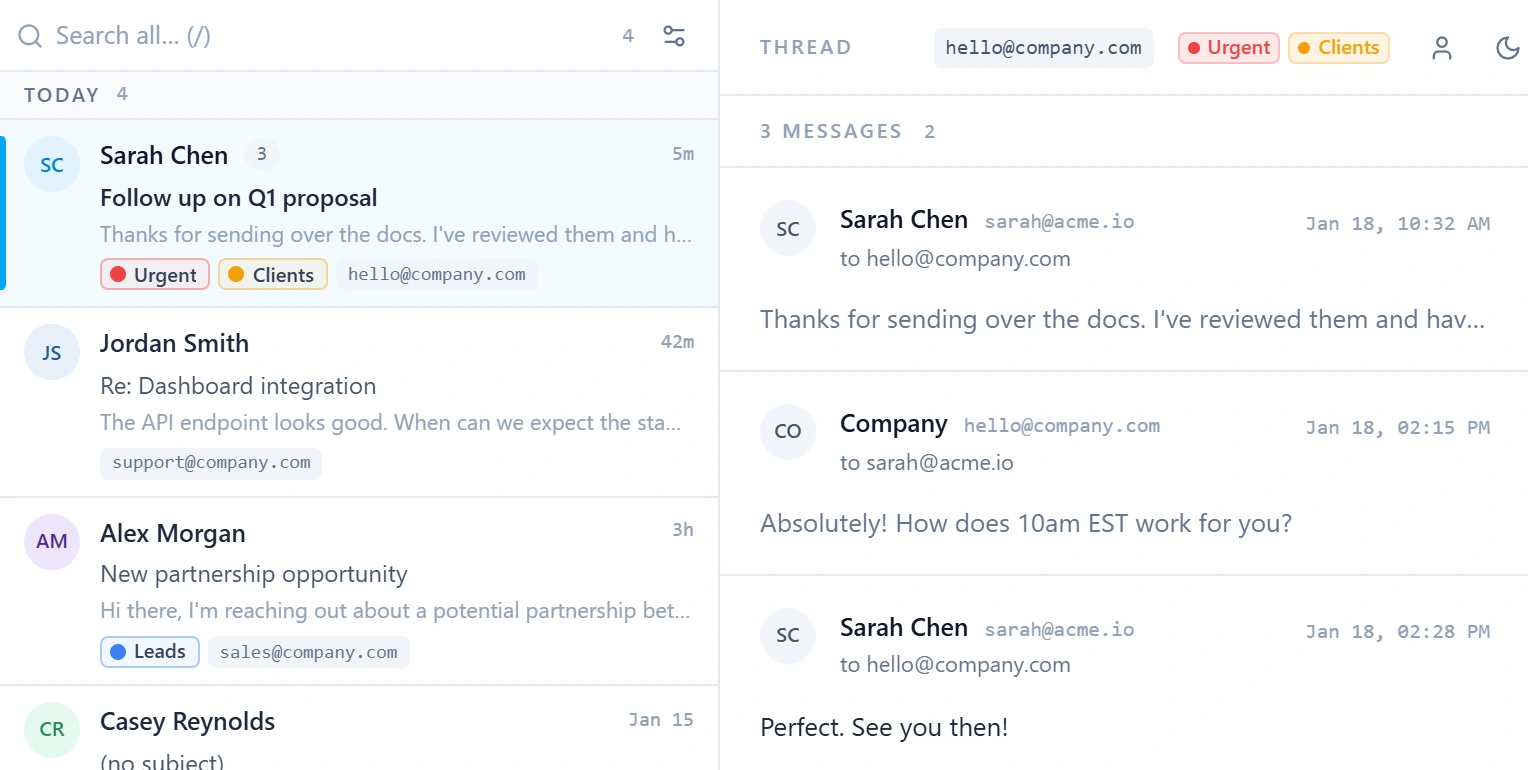
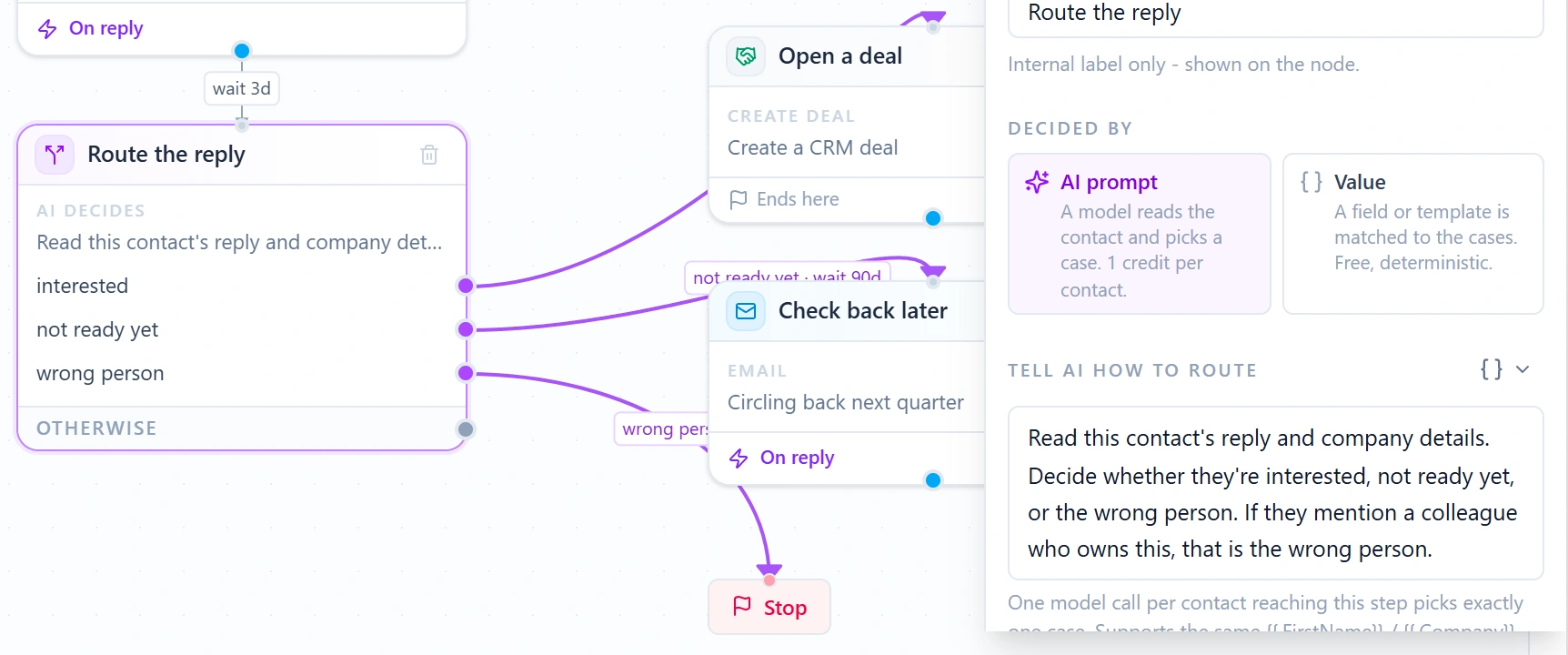
Replies land in one inbox. AI reads each one and routes it: interested opens a deal, not ready yet gets a check-in later, and an agent can follow your instructions.
Unified inboxAI routingAgent steps
every reply lands in one inbox
the whole thread, in one place
AI reads each reply and picks the path
every answer gets a next step
or give an agent plain instructions
Outreach / Replies
03 / Deliver
Send at the right time, from healthy inboxes.
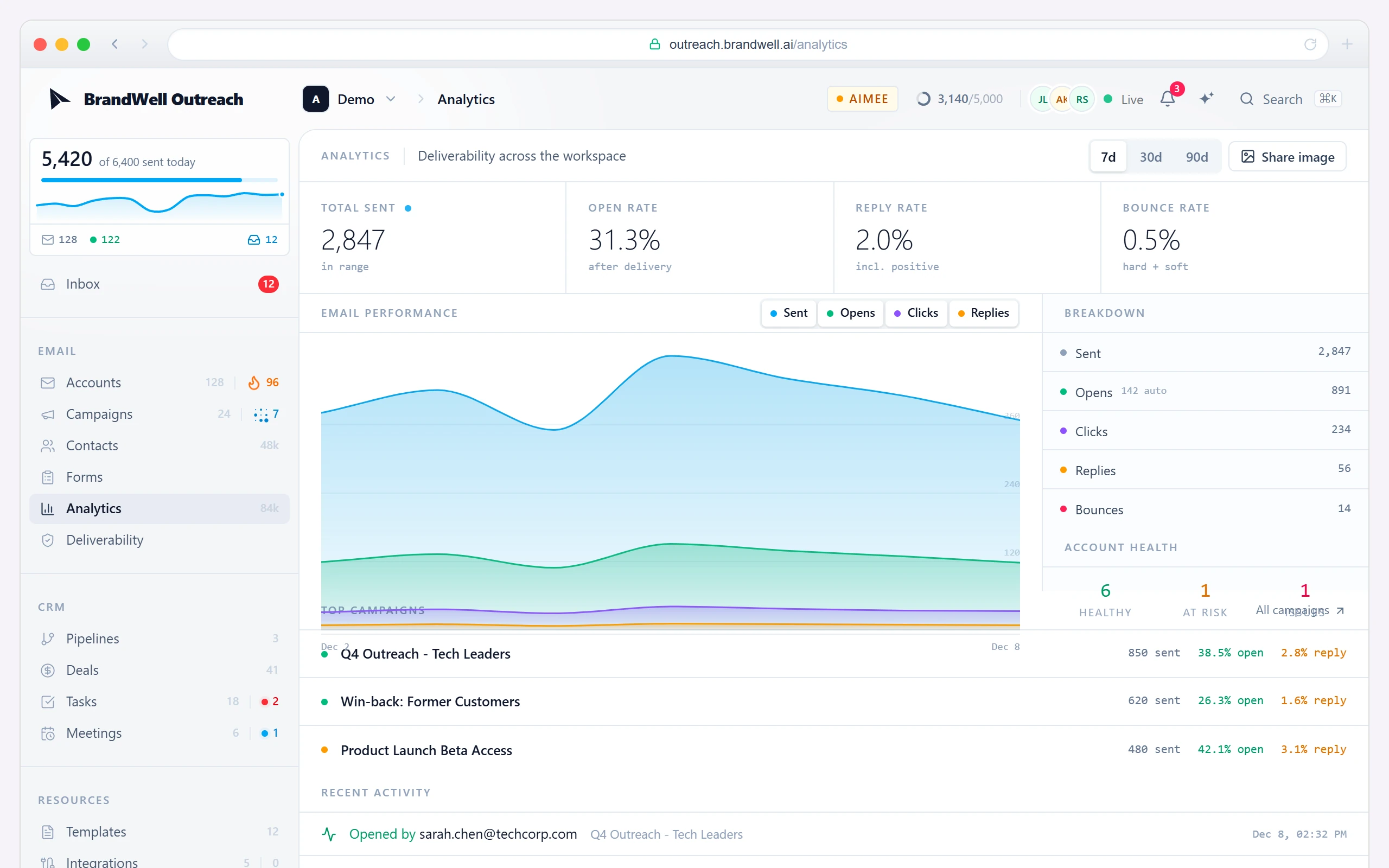
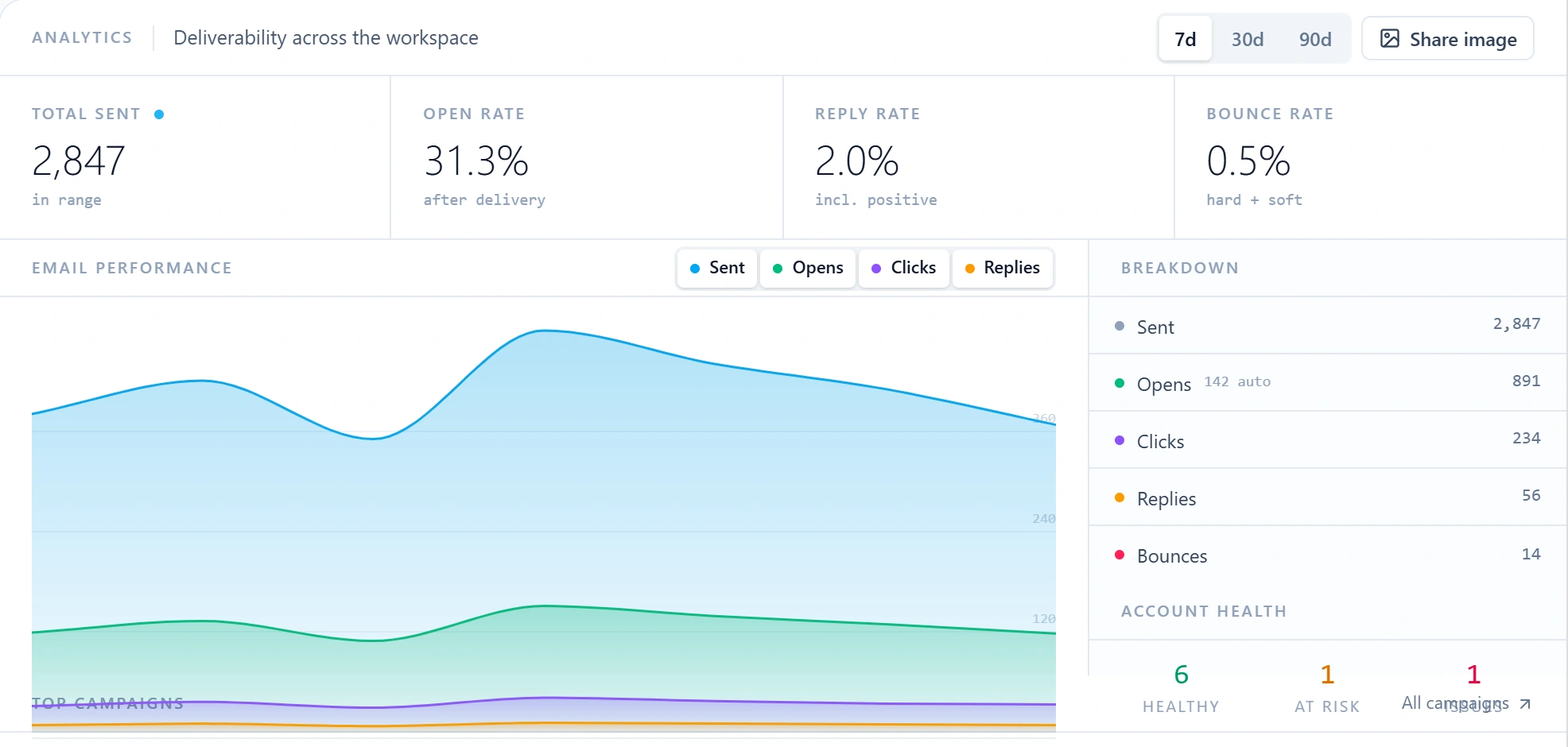
Set sending windows in the recipient’s time zone and watch deliverability across the workspace, down to the health of each account.
Sending windowsTime zonesAccount health
send during their working day
in their time zone
deliverability across the workspace
every inbox, watched
Outreach / Schedule and health
Your cold email infrastructure
Send from your inboxes.Or let us run it all.
Connect the inboxes you already own over SMTP/IMAP and start sending. Buying domains and inboxes inside Outreach is coming soon. Want us to buy, set up, and run the domains and inboxes for you? That is managed Outreach from our Done-for-You Growth Team.
You choose
25,000
contacts a month
that’s your part
1
Connect inboxes
Add the inboxes you already own over SMTP/IMAP.
$4 / month each
2
Check authentication
Keep SPF, DKIM, and DMARC in place on your sending domains.
SPF, DKIM, DMARC
3
Build the campaign
Choose the audience, write the sequence, and set sending limits.
your call
4
Run campaigns
Sender health and campaign controls. Warm up inboxes through your own Instantly account.
your approval
You pay
Outreach
$99 / month
Connected inboxes
$4 / month each
Buy domains and inboxes
Coming soon
Inbox warmup
Your Instantly account
Up to 25,000 unique contacts per month. Each connected inbox is $4 a month. Buying domains and inboxes in Outreach is coming soon. Warm up inboxes through your own Instantly account. Managed Outreach buys and runs them for you.
More than 25,000 contacts? Our Done-for-You Growth Team manages the campaign and cold email infrastructure. Explore managed Outreach
Walkthroughs
Follow one campaign from signal to meeting.
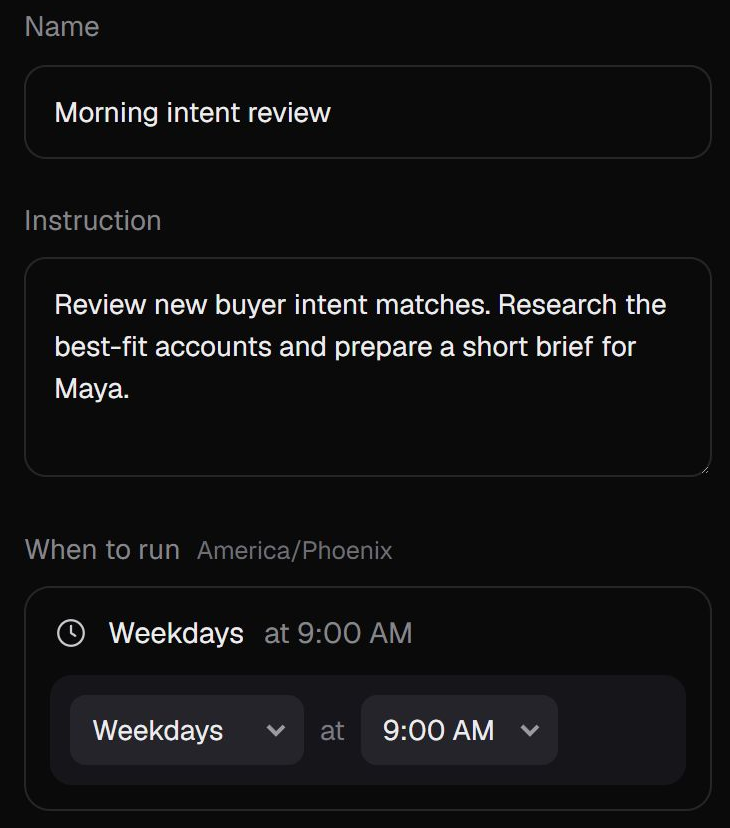
01Workflow template
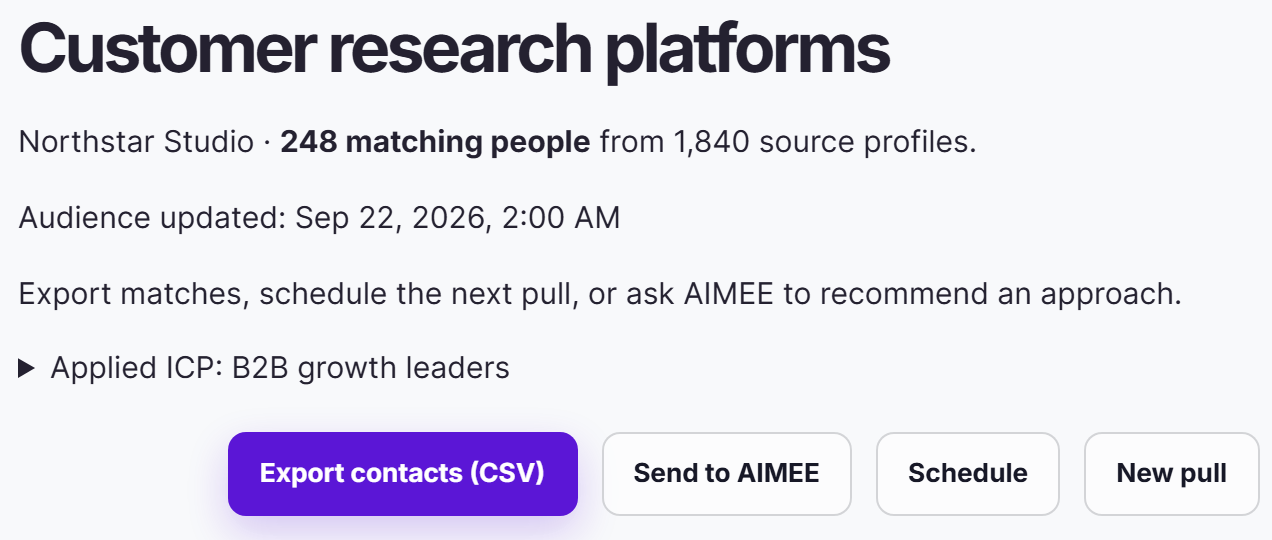
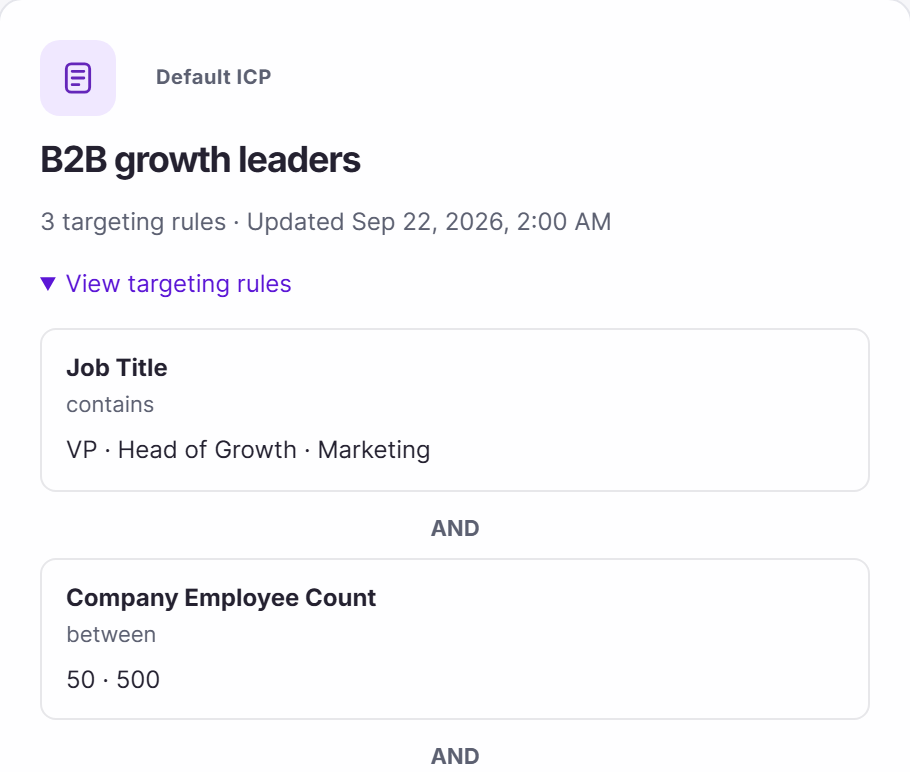
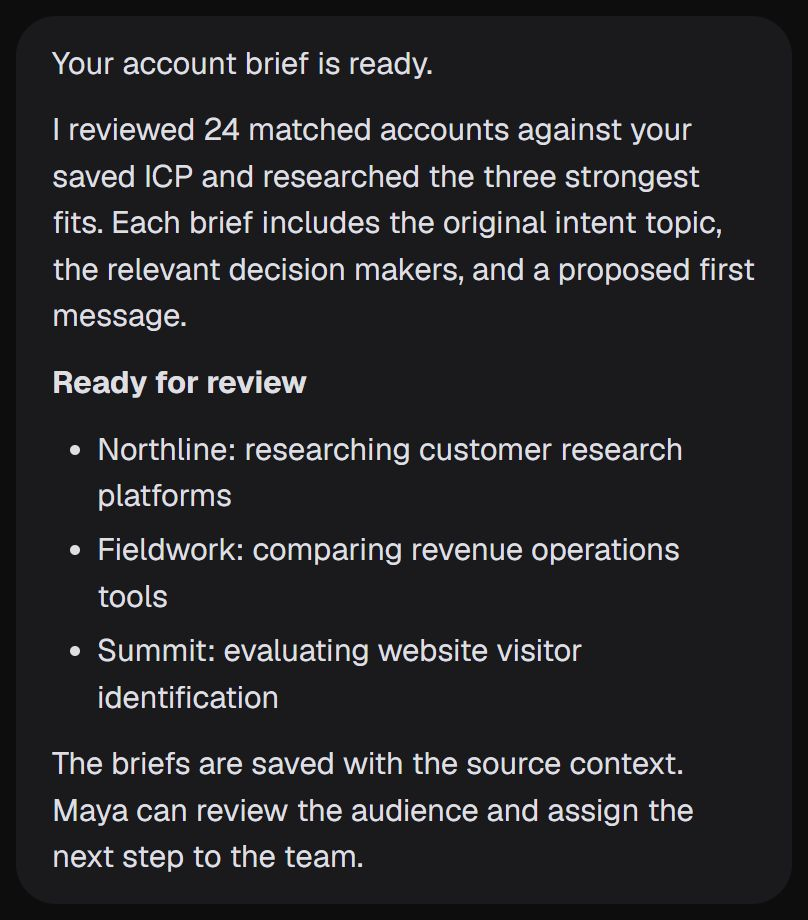
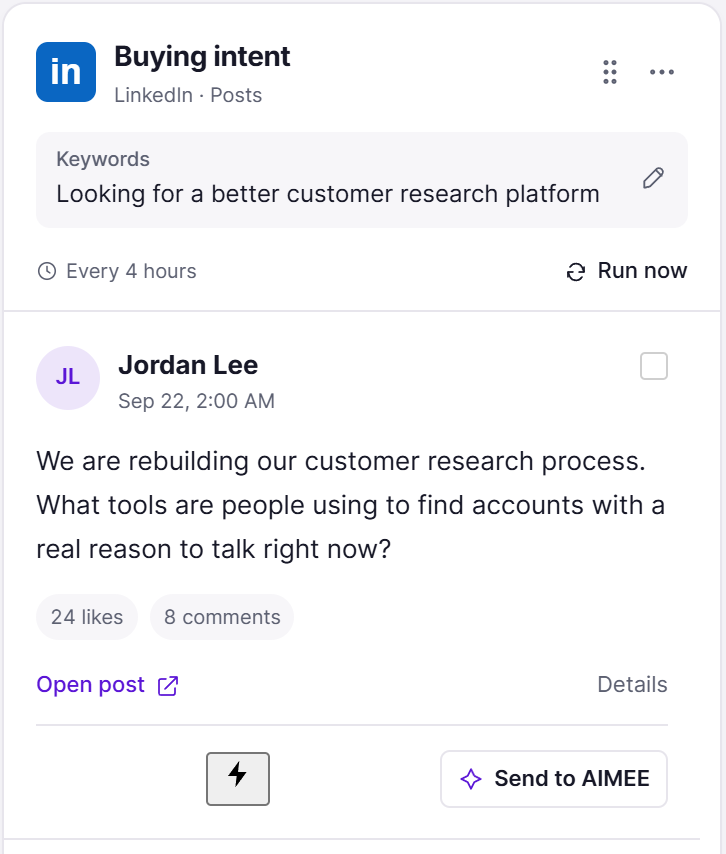
Turn intent into outreach
Research the account, then draft a relevant campaign.
Sarah answers the campaign. Every reply lands in one inbox, with the whole thread attached.
interested? open a deal
2
AI picks the path
The reply is read in context: interested opens a deal, and not ready yet gets a check-in next quarter.
plain-English instructions
3
An agent triages
An AI step follows your instructions: tag pricing questions, create a task for the owner, or unsubscribe on request.
the owner's AIMEE gets the context
4
The owner takes it from here
The account owner’s AIMEE gets the thread, the research, and a clear next step.
Your tools. Your owners. Your approvals.
Every template is a starting point. Choose the products, owners, and approval points for your team.Browse the template library
Example workflows with fictional data. Your configured approvals still apply.
Inside Outreach
Build the campaign.Automate what follows.
Sending infrastructure, relevant messages, and the work that turns a response into an opportunity.
01 / Write
Make the message worth reading.
Personalize the account context, vary the wording, and connect every response to a next step.
Visual sequence builder
Build follow-up around what a buyer actually does.
Connect email and action steps on a visual canvas. Branch on replies, clicks, opens, or silence, and set the wait before the next step.
What you getA sequence with a deliberate next step for each response.
AIMEE’s partBuild the sequence, connect its branches, and run the follow-up workflow you choose.
Personalization and reusable templates
Write one campaign without sending everyone the same message.
Use contact fields, custom fields, conditional copy, and reusable email templates. Preview the rendered message against a sample contact before launch.
What you getMessages that carry the right person and account context.
AIMEE’s partResearch the account, personalize the message, and add the finished copy to your campaign.
A/B tests at each step
Find the subject and message your audience responds to.
Create weighted subject and body variants inside a sequence step. Control the traffic split and compare the results without rebuilding the campaign.
What you getA structured way to improve a live outreach program.
AIMEE’s partPropose distinct angles, summarize the results, and prepare the next test.
AI writing in the composer
Get the first draft into the place you are working.
Ask for help at the caret, review the proposed copy, then accept, undo, or refine it. Keep the writing task inside the campaign or reply editor.
What you getAn editable message in the right context.
AIMEE’s partWrite, shorten, or reframe the message using your instructions and the approved research.
Spintax and message variation
Keep a campaign personal as the audience grows.
Add spintax alternatives to greetings, subjects, and message copy. Combine wording variations with recipient fields and account research, then preview the resolved email before it runs.
What you getRelevant variations without maintaining a separate sequence for every recipient.
AIMEE’s partWrite natural alternatives, check the combinations, and keep each version consistent with your offer.
personalize and test every step
Outreach / Step editor
02 / Send
Your sending operation, ready fast.
Connect the inboxes you already own over SMTP. Buying domains and inboxes in Outreach is coming soon. Warm up through your own Instantly account. Keep your contacts and company groups ready to use.
Sending windows and timezones
Reach buyers during their working day.
Set per-day sending windows, split shifts, timezones, campaign dates, and daily limits. Space the follow-ups without holding up other contacts.
What you getA sending schedule aligned with your audience and capacity.
AIMEE’s partPrepare the timing plan and flag conflicts for the campaign owner.
Bring your own inboxes
Launch the campaign without building the mail operation yourself.
Connect the inboxes you already own over SMTP/IMAP and bring them into your campaign from the same workspace. Buying domains and inboxes inside Outreach is coming soon. With managed Outreach, we buy, set up, and run them for you.
What you getYour own inboxes connected and ready to send, with each connected inbox billed at $4 a month.
AIMEE’s partCoordinate setup, check readiness, and connect the senders to the campaign.
Sender authentication
Get email authentication configured from the start.
Keep SPF, DKIM, and DMARC in place on the domains you send from. With managed Outreach, we configure authentication for the domains we run for you. Warm up inboxes through your own Instantly account.
What you getSending domains that pass authentication checks, so your campaigns reach the inbox.
AIMEE’s partCheck authentication and sender readiness before activating the sequence.
Mailboxes and sender health
Keep the campaign connected to a healthy sending operation.
Keep sending accounts, capacity, and delivery signals in one workspace. Warm up inboxes through your own Instantly account. Review the health of your sending inboxes and adjust the campaign as it grows.
What you getA visible operating picture of the infrastructure doing the sending.
AIMEE’s partMonitor sender health, adjust the operating plan, and bring exceptions to the campaign owner.
Launch checks and verification
Catch preventable problems before the first send.
Review contact verification, list quality, sending capacity, message preview, and campaign settings. Keep suppression and unsubscribe state in the sending path.
What you getA campaign your team can inspect before activating it.
AIMEE’s partAssemble the pre-launch review and highlight records or settings that need attention.
Contacts and custom fields
Bring your list in without losing what makes it useful.
Import CSV, TSV, or Excel, or sync a selected Google Sheets tab. Map standard and custom fields, handle duplicates, and review failed rows.
What you getReusable contact records with the fields your campaign needs.
AIMEE’s partPrepare the import mapping and clean the source file before your review.
Company groups and multiple recipients
Bring the people who buy together into the same email.
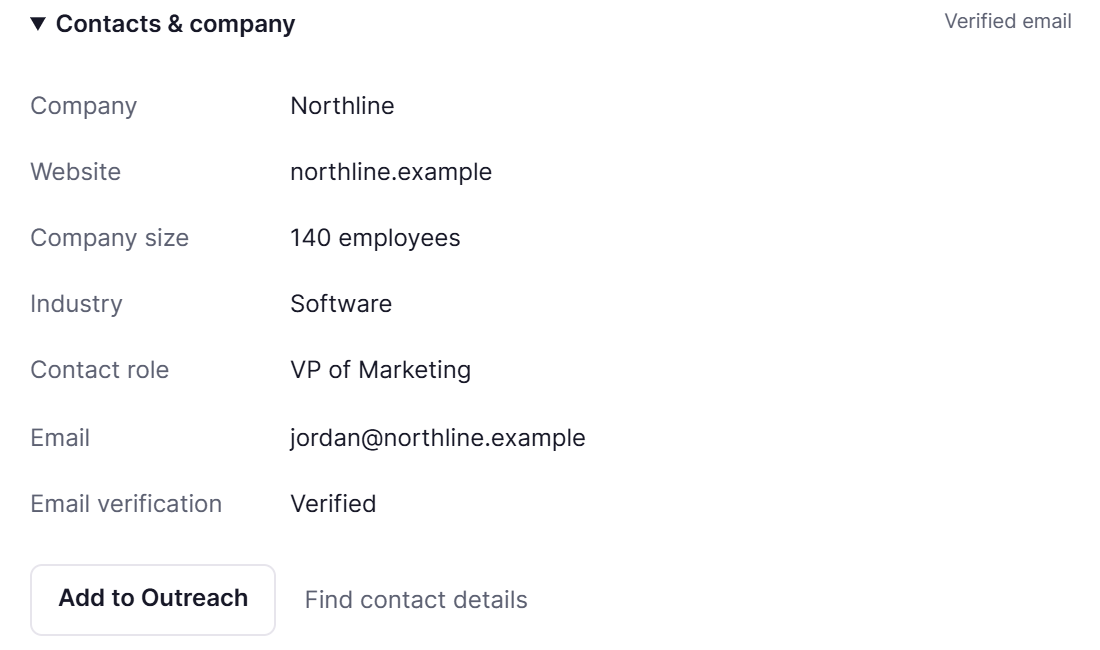
Group contacts by company and include multiple recipients in one email. Address Jordan and Maya together, tailor the message to their shared account, and keep their replies in the same conversation.
What you getOne coordinated company conversation instead of disconnected messages to each stakeholder.
AIMEE’s partResearch each recipient’s role, write a shared introduction, and coordinate the account’s next steps.
every inbox, watched
Outreach / Deliverability
03 / Reply
The reply changes the next move.
Work a buying conversation, a return date, or a booked meeting with the context it deserves.
Unified inbox
Handle every reply from one working queue.
Search across connected inboxes, campaigns, contacts, reply types, and status. Reply in place, schedule a response, snooze, label, or route the conversation.
What you getA shared place to work the conversations your campaigns create.
AIMEE’s partRead the thread, answer the follow-up, deliver requested material, and update the contact record.
Reply classification and stop rules
Give interested buyers attention without chasing auto-replies.
Separate interested buyers, objections, out-of-office messages, unsubscribes, and bounces. Stop cold follow-ups on a human reply and send each response into the right workflow.
What you getDifferent next steps for a buying signal and an automated response.
AIMEE’s partInterpret the response, execute its next step, and involve the account owner when needed.
Dynamic out-of-office rescheduling
Follow up when they are back, with a message that remembers.
Read the return date in an out-of-office reply and reschedule the next touch accordingly. The follow-up can acknowledge the return date with “Hope your first week back is going well,” instead of continuing as if nothing happened.
What you getA timely follow-up that fits the conversation and the recipient’s availability.
AIMEE’s partInterpret the auto-reply, move the next send, and write the follow-up with that context.
CRM and opportunity pipeline
Keep the deal moving after someone says yes.
Create opportunities, assign follow-up tasks, and move deals through your pipeline. Keep the contact and conversation connected to the commercial next step.
What you getA visible path from positive reply to meeting and opportunity.
AIMEE’s partCreate the opportunity, update its stage, deliver follow-up material, and assign the next task.
Meeting attribution
See which conversations turn into booked time.
Connect supported booking tools and carry meeting events into reporting and automations. Relate the booking to the contact and outreach context.
What you getA clearer view of the conversations that advance.
AIMEE’s partPrepare the meeting brief and the owner’s follow-up task.
Campaign analytics
Find the bottleneck between a send and a qualified conversation.
Review sends, delivery signals, replies, positive responses, bounces, and campaign outcomes. Compare message variants and sender performance.
What you getA working picture of where the outreach program needs attention.
AIMEE’s partSummarize the pattern and recommend a focused change to audience, copy, or operations.
replies your agent drafted
Outreach / Unified inbox
04 / Automate
Put post response work on autopilot.
AIMEE executes the next task in your apps, then hands work to the right teammate or agent.
Event-based automations
Make the next action happen while the context is fresh.
Connect reply, meeting, bounce, webhook, or campaign events to conditions and actions on a canvas. Update records, notify a team, or move a deal.
What you getA repeatable handoff across outreach and the rest of your stack.
AIMEE’s partBuild the automation, connect agent steps, and execute the work triggered by each event.
AI switches and agent steps
Route work using more than a fixed keyword.
Use approved instructions to classify context and choose a named branch. Define what information the AI can read and what actions it can take.
What you getA controlled decision path for more nuanced responses.
AIMEE’s partHandle the bounded research or decision task and return the result to the workflow.
Automation tests and activity
Understand a workflow before it touches a real prospect.
Run an automation against a sample event and inspect the node results. Review execution history and bring waiting or failed work back to its owner.
What you getA reviewable flow with evidence of how each step behaved.
AIMEE’s partSummarize the test, identify the blocked step, and prepare the correction.
Forms, tracking, and connected tools
Bring the rest of your buyer journey into the conversation.
Map form fields into contact records, use configured website activity, and connect supported CRM, notification, booking, and webhook destinations.
What you getUseful context and next actions across the buyer journey.
AIMEE’s partDeliver the data to another app or browser destination when there is no native connection.
Team collaboration
Build and operate the campaign together.
Use shared campaign and automation canvases, workspace roles, conversation ownership, and visible tasks to coordinate the work.
What you getA campaign operation with clear responsibility.
AIMEE’s partAssign account research, LinkedIn outreach, content, or follow-up to the right teammate’s AIMEE.
AIMEE workflow delivery
Turn a campaign event into completed work.
Give AIMEE the reply, account context, and a clear outcome. It can research a question, create and send relevant material, work in LinkedIn, update your CRM, or assign the next job to another teammate’s agent.
What you getCompleted follow-up work, with the conversation and result kept together.
AIMEE’s partCarry out the task in your connected apps and record what happened.
AI reads the reply, then picks a path
Outreach / AI routing
Make it your own
Where Outreachgets to work.
01
Intent-led outbound
Turn current buying intent into a campaign with a reason to start the conversation.
02
Company buying groups
Email the decision makers together, address their shared priorities, and coordinate the account.
03
Automated follow-through
Handle return dates, requested materials, CRM updates, and teammate assignments after a response.
Outreach pricing
One product. Your next advantage.
Choose Outreach for the work you need. Add other BrandWell products when you need them. You only pay for the products you choose. AIMEE for your initial user is included with every plan except MarketPulse Starter.
Connect the inboxes you already own over SMTP/IMAP. Each connected inbox is $4/month. Buying domains and inboxes in Outreach is coming soon. Warm up inboxes through your own Instantly account.
More than 25,000 contacts? Our Done-for-You Growth Team manages the campaign and cold email infrastructure. Explore managed Outreach
Outreach is $99 per month for up to 25,000 unique contacts, plus $4 per month for each connected inbox. You connect inboxes you already own over SMTP/IMAP. Buying domains and inboxes inside Outreach is coming soon. For higher volumes, or to have us buy, set up, and run the domains and inboxes for you, explore managed Outreach from the Done-for-You Growth Team.
Do I need my own domains and inboxes?
Yes, for self-serve Outreach today: connect the inboxes you already own over SMTP/IMAP. Buying domains and inboxes inside Outreach is coming soon. If you would rather not manage any of it, managed Outreach from our Done-for-You Growth Team buys, sets up, and runs your domains and inboxes for you.
Can I email multiple people at the same company together?
Yes. Group recipients at the same company in one email, address them together, and keep the account conversation in one thread. AIMEE can personalize the introduction around each person’s role and the company’s needs.
Does Outreach support spintax?
Yes. Use spintax to vary greetings, subjects, and message copy alongside personalization fields. Preview the finished combinations before launch.
What happens when a prospect is out of office?
Outreach uses the return date to reschedule the follow-up. AIMEE can reference their return naturally in the next message and continue with the context of the original conversation.
What can AIMEE do after a reply?
AIMEE can research the account, answer a question, create and deliver requested material, update your CRM, work in LinkedIn, or assign a task to a teammate’s agent. Your workflow determines the tools, owners, and approval points.
Can I buy Outreach on its own?
Yes. Choose Outreach as an individual product and connect the audience sources and tools you need. You can add other BrandWell products when they have a job to do.
Can we bring our own contacts?
Yes. Import CSV, TSV, or Excel, or use a configured Google Sheets source. Map standard and custom fields, review duplicates and errors, and qualify the contacts before launch.
Can we test different messages?
Yes. Add weighted subject and body variants at a sequence step, preview the message, and compare results. You can also dry-run automations with a sample event before activating them.
Can BrandWell manage Outreach for us?
Yes. Explore the Done-for-You Growth Team if you want the strategy, products, infrastructure, and execution operated alongside your team. The Demand Scan and demo are the starting point for that service.
The next connection
Build yourgrowth workflow.
Outreach handles its own job. Choose the other products and agents that make the next step easier.
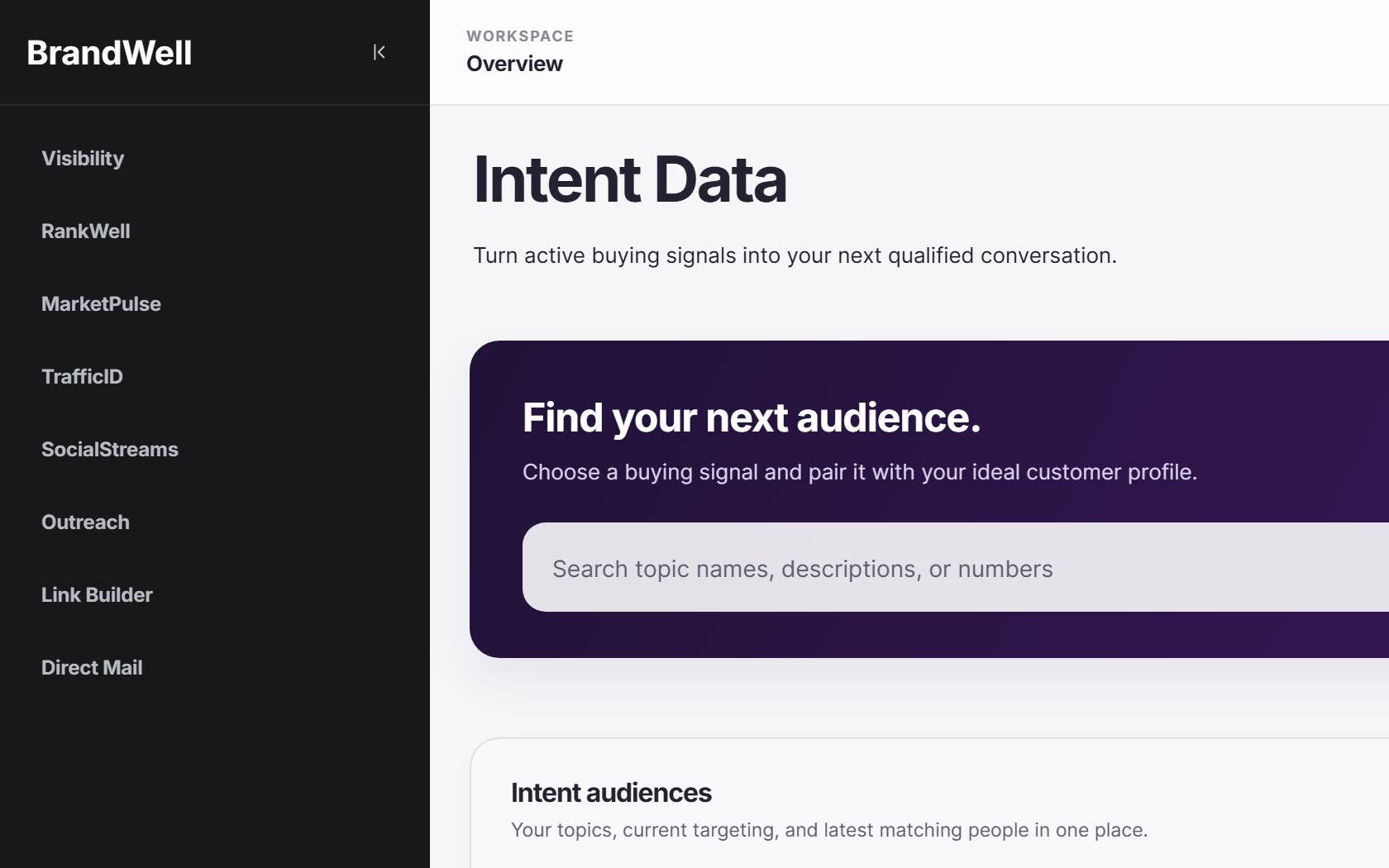
Discover the topics that match your industry, services and competitors, with yesterday's audience count for each. Then explore your personalized plan and All-in-One early-access options.
Matched research topicsYesterday's activityYour early-access offer