


On this page
An agency’s intent-data audit trail should let an authorized reviewer reconstruct a material decision: which client it concerned, what action occurred, who or what authorized it, and whether it succeeded. Record enough context to explain the decision without duplicating every contact profile or exposing another client’s data.
This guide describes an agency-designed workflow. It does not claim that MarketPulse includes a native multi-client audit-log product or every control below. Confirm the evidence and controls available in each system you actually use.
Choose the events that matter
Start with the actions your team may need to explain: a topic or filter change, approved export, downstream import, failed task, suppression update or deletion request. A weekly read-only review has different evidence needs from writing contacts to a client’s CRM.
- Configuration: What rule changed, and which version took effect?
- Review: Which records were accepted, held or rejected, and why?
- Approval: Who authorized the proposed action?
- Execution: What destination or task received the approved work?
- Result: Did it succeed, fail or remain pending?
- Correction: What changed after an error or objection?
Keep a gap register where the source system cannot provide an event. A manual note can explain an operator’s decision, but it should not be represented as independently generated system evidence.
A practical event schema
The following is an original design checklist. Adapt it to the actual service and requirements:
- Unique event ID and client reference.
- Event type and affected object reference.
- Event time and time recorded, with a consistent time zone.
- Actor or service reference.
- Rule version and relevant approval reference.
- Requested action and destination reference.
- Result and controlled failure or rejection reason.
- Correlation reference linking related events.
- Retention category and owner.
A correlation reference can connect approval, an attempted import and a later retry without using an email address as the join key. If event time is unavailable, say so; do not replace it with the ingestion time and imply both are the same.
Use security guidance proportionately
The OWASP Logging Cheat Sheet recommends purpose-driven event recording, contextual attributes and protected access. It also identifies information that should generally be excluded or specially handled, including passwords, access tokens and sensitive personal data.
Apply that guidance with the people responsible for your implementation. Avoid copying full payloads into routine logs. Record references where they support investigation, and protect the underlying information separately. Keep credentials out of screenshots and client evidence packs.
A logging checklist does not certify your service or establish legal compliance. Define the actual purpose, access and retention needs before collecting additional information.
Reconstruct one failed action
This is an original hypothetical example:
- A reviewer accepts 40 records for Client A’s research queue under rule version 3.
- A named owner approves an import to the designated CRM destination.
- The import rejects five records because required fields are missing.
- The operator corrects those records and retries only the rejected items.
- The report shows 35 initial successes and five later successes, with the retry linked to the original request.
The evidence should not describe the two attempts as 45 unique records delivered. Nor should the client report contain Client B’s records. Preserve the distinction between attempted actions, successful deliveries and unique records.
An import log proves an action and result only to the extent the evidence supports them. It does not prove that the original research signal was correct or that the import created revenue.
Check client boundaries and failure cases
Test the evidence workflow before offering it as a recurring service. Include a wrong-client request, withdrawn approval, duplicate retry, missing field and revoked user. Check that unauthorized access is denied and that the operator can identify the relevant failure without seeing unrelated client information.
Assign an investigation owner and document the systems in scope. Keep response targets, retention periods and evidence access aligned with the agreement. Do not promise unlimited investigations or a specific restoration time without the staffing and system commitments to support it.
Where MarketPulse fits
MarketPulse intent data is starting at $500/mo. It supports topic research, ICP filtering and review of available people and company details. A pull retrieves available data from the previous 24 hours; counts and fields vary, and audiences may overlap.
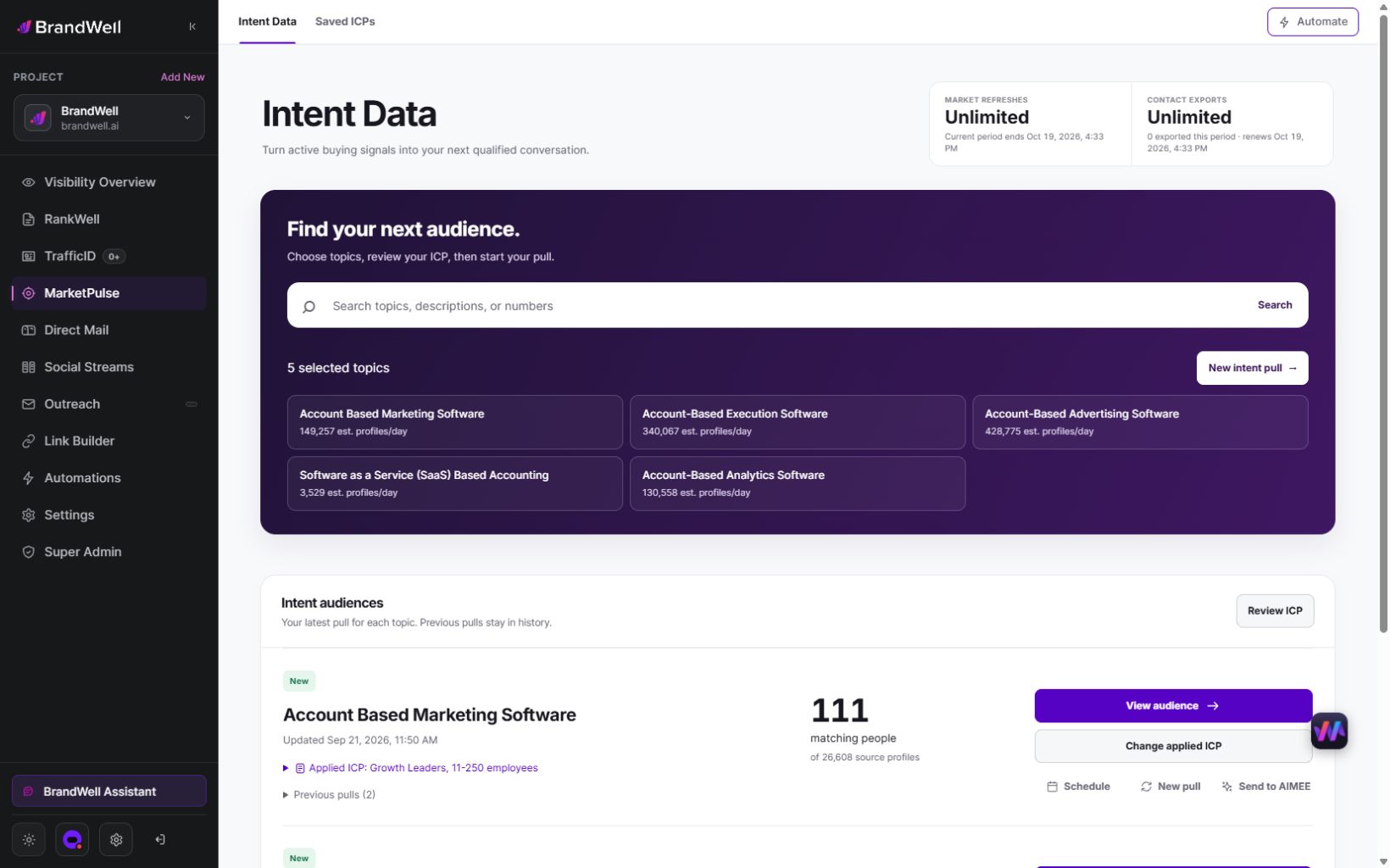
Starter includes one topic with weekly refreshes and 25,000 monthly exports. Growth includes three topics with daily refreshes and 100,000 exports. Scale includes ten topics with daily refreshes and unlimited exports. Growth and Scale include AIMEE for the initial user.
Use configured Automations and tools to support assigned work. Verify which action history, approvals and outcomes each connected system exposes. A subscription does not automatically provide a white-label portal, custom event export or every enterprise control your client requires.
Measure evidence quality before promising value
Track whether material actions have the required references, whether failed actions can be reconstructed, and how long investigations take. Report missing evidence alongside successful cases.
For an original example, if 90 of 100 sampled material actions have their required approval reference, completeness for that field is 90%. That does not establish that the approvals were valid or that all events were captured. Those are separate checks.
Evaluate service cost using actual review time, investigations and client requests. Auditability may reduce rework or improve explanations, but the existence of logs is not proof of incremental sales.
Audit-trail questions
Should we log everything?
No. Define the purpose and material events, then collect enough evidence for that purpose. Extra personal data and secrets create avoidable exposure without necessarily improving reconstruction.
Can logs establish that a prospect wanted to buy?
No. They can preserve what your workflow received and did. The interpretation of the signal and the eventual buying outcome require separate evidence.
What should we do first?
Map one client workflow and reconstruct an approved action and a failed action. Then review MarketPulse’s current plans and demo for the research input, confirming any special evidence requirements before committing to a client service.
Reviewed and updated October 2, 2026.

Written by

