


On this page
Build a Google Demand Gen campaign around a defined qualified outcome, eligible audience inputs, suitable creative, and a comparison you can interpret. In-market signals can inform a hypothesis; they do not establish that a particular person is ready to buy. Judge the campaign using reviewed downstream outcomes rather than clicks alone.
Current audience behavior matters: Google’s 2026 lookalike transition changes how a seed can influence delivery. Check the actual account’s settings and current documentation before describing an audience as a constrained intent cohort.
Eight setup and measurement steps
1. Define the business outcome
Choose an observable event such as an accepted inquiry, qualified opportunity, or confirmed sale. Document the CRM definition, event time, deduplication identifier, value basis, and owner. If a raw form submission is the only dependable event, acknowledge that limitation and plan the downstream feedback process.
Do not increase an event’s value simply because the input audience was labeled high intent. Independent sales and CRM evidence should determine quality.
2. Separate the audience sources
Google’s Demand Gen audience overview lists in-market and custom segments, your data, and AI-powered options. It describes audience characteristics as estimates. Review the options available in your account and keep their meanings distinct.
- Google in-market segment: a platform-estimated category.
- Custom segment: a configured input to the available audience feature, not a list of independently verified buyers.
- First-party data: eligible records of interaction or a relationship with your business.
- Lookalike or expansion: modeled reach informed by an input or seed.
- External topic research: a separate evidence source that does not automatically qualify for audience upload.
Document source, observation window, identity level, permitted use, suppressions, and refresh owner for each input. Do not describe account-level evidence as proof that every named employee researched a topic.
3. Verify rights and feature eligibility
Check the advertiser’s eligibility, data relationship, available identifiers, source terms, and intended use for the selected feature. Do not relabel third-party data as first-party data. A successful upload does not by itself establish that the collection or use is appropriate.
Keep a record of source rows, permitted rows, submitted rows, accepted rows, audience match, and campaign eligibility. Include rejection and suppression reasons. If you cannot establish an appropriate activation path, use the research for planning or account review instead.
4. Give each hypothesis a clear test
Compare a small number of meaningful approaches, such as an eligible baseline and a Google in-market audience. Keep the offer, landing page, geography, conversion definition, and creative concept as consistent as the question permits.
Separate groups when it supports distinct reporting, but do not assume separate ad groups eliminate all audience overlap or create a randomized experiment. Record overlap, expansion, and other material differences. With limited volume, fewer test groups can be more interpretable than many tiny cohorts.
5. Match creative to the evidence and placement
Use one audience problem, one supported benefit, one useful proof type, and one clear next action. Design image and video variants for the placements and formats the campaign actually supports.
Fictional IT-services example: an educational ad could offer a checklist for reviewing an outsourced IT support process. It should not claim “we know you researched IT services yesterday” or assume a platform audience estimate is a direct request to switch providers.
Make the landing page deliver the ad’s promise. Test the video, form, terms, and next action on mobile before launch. An audience signal cannot compensate for a confusing offer.
6. Check lookalike suggestion mode and expansion
Google’s current lookalike guidance describes a phased transition to suggestion mode during 2026. In that mode, the seed and chosen reach level guide the model rather than strictly limiting delivery to the former similarity thresholds. Delivery may extend beyond them.
The guidance also describes an opt-out route for maintaining constraint behavior. Verify the current account state and available controls; do not assume that selecting “narrow” establishes a fixed cohort. Record optimized-targeting settings separately and describe modeled reach accurately in the experiment brief.
If the test is meant to evaluate a tightly defined cohort, confirm whether the available setup can answer that question. Otherwise, change the question to reflect a seed-informed campaign rather than claiming isolated intent-audience performance.
7. Reconcile media reporting with business quality
Google’s Demand Gen reporting guidance covers campaign, channel, asset, audience, and conversion reporting. Use those views for diagnosis, then join them to the agreed CRM outcomes.
- Audience health: eligibility, acceptance, freshness, suppression, and overlap.
- Media health: impressions, clicks, spending, creative, and available channel reporting.
- Business quality: accepted inquiries, qualified opportunities, confirmed sales, and value basis.
- Operating cost: data, media, creative, review, integration, and account management.
Illustrative cost check: $2,000 of media produces 100 inquiries, of which 20 meet the defined qualification criteria. That is $20 per inquiry and $100 per qualified inquiry. Adding $500 of data, creative, and operating costs makes the total $125 per qualified inquiry. These fictional figures are not customer acquisition cost or proof of incremental pipeline.
8. Decide whether to expand, hold, or stop
Set the observation window, spending ceiling, outcome lag, quality criteria, and stop conditions before interpreting results. Preserve an appropriate comparison where feasible. If you use a pre/post comparison, explain that it cannot isolate the campaign change from every other influence.
Look for consistent business quality and viable total economics. More reported conversions can still mean more rejected inquiries. Document the decision and the next test rather than changing multiple audience, bidding, and creative variables at once.
Use MarketPulse for a research hypothesis
MarketPulse helps teams review people researching relevant topics, apply saved ICP filters, and inspect available people and company data. Use that evidence to research market questions and develop relevant messages. It does not certify eligibility for Google Ads or guarantee a native audience activation path.
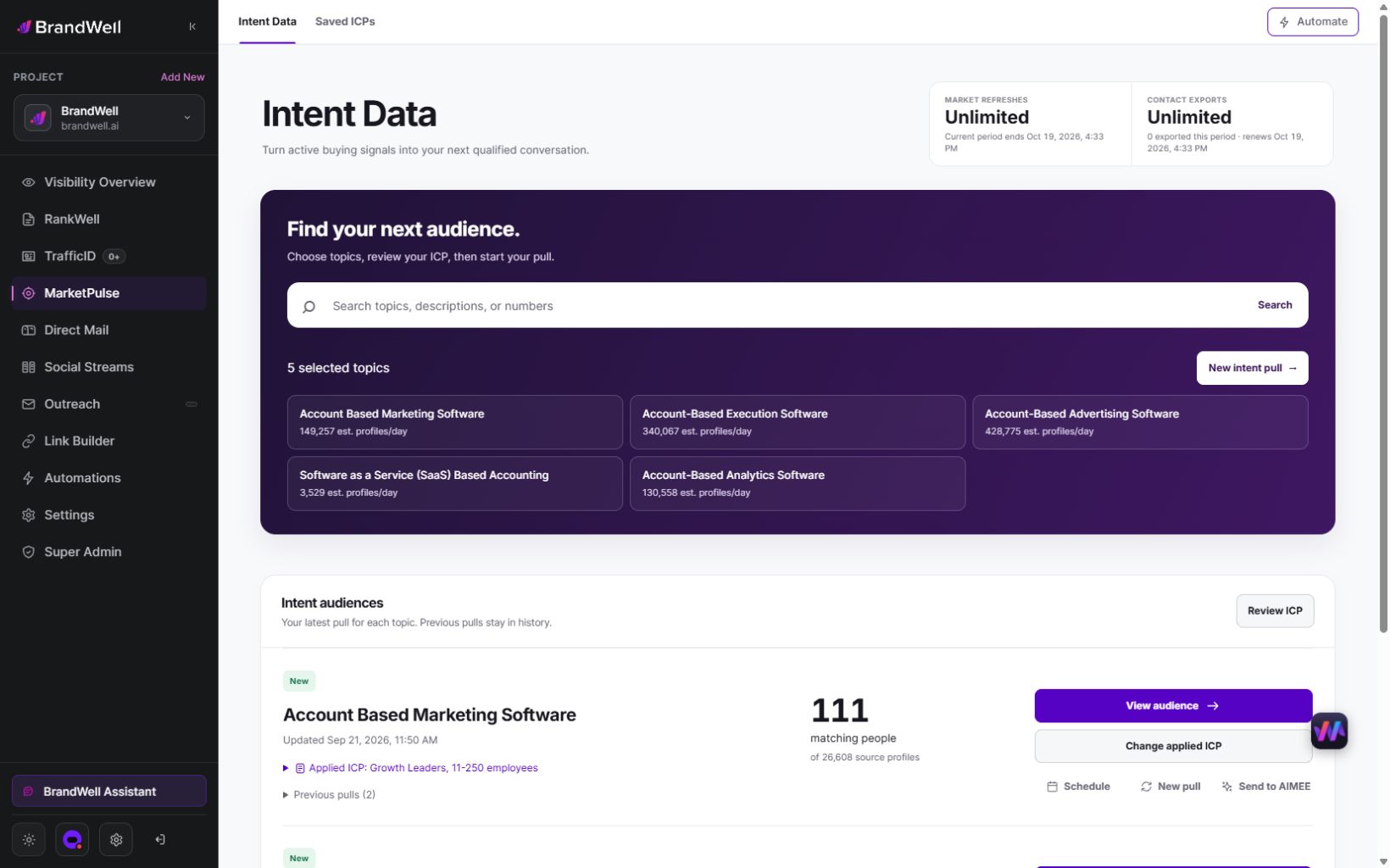
Standard plans are Starter includes one weekly topic and 25,000 monthly exports; Growth includes three daily topics and 100,000 exports; and Scale includes ten daily topics and unlimited exports. A pull retrieves available data from the previous 24 hours. Daily use across all topics gives 90 Growth or 300 Scale pulls in a 30-day month. Counts and fields vary and audiences can overlap; eligible early-access pricing is separate.
Growth and Scale include AIMEE for the initial user to help research and prepare assigned work through configured tools and approvals. Confirm the specific workflow, connected products, and costs before promising campaign execution or client delivery. A subscription does not automatically grant white-label branding or license resale.
When Demand Gen is the wrong next step
Fix missing conversion feedback, unclear source rights, weak creative, or an unresponsive sales handoff before expanding media. An extremely small audience or long outcome lag may make the proposed test impractical. Intent research can still inform content and account prioritization without paid activation.
Compare the job with other approaches. Search can address explicit queries; eligible first-party re-engagement addresses prior interaction; content can answer the buyer’s question before a sales request. Choose according to the evidence, audience, and economics rather than assuming one campaign type is universally better.
Common Demand Gen questions
Does in-market targeting identify known buyers?
No. Keep the platform’s estimated category separate from an explicit inquiry or independently qualified opportunity.
Does a narrow lookalike slider always limit reach?
No. Suggestion mode changes that interpretation. Verify the current configuration and the documented constraint or opt-out behavior.
Can every MarketPulse export be uploaded?
No. Check the selected platform feature’s requirements and permitted uses separately. A contact record is not automatic authorization for advertising or messaging.
What should an agency deliver?
A clear audience hypothesis, approved configuration, suitable creative, reviewed conversion feedback, bounded experiment, and qualified-outcome report. Explore MarketPulse’s current research workflow as one input to that process.
Reviewed and updated October 3, 2026.
MarketPulse plans are starting at $500/mo. Review current package scope, usage and any separate product or service costs before purchase.

Written by

