Automations example for HelpWell. HelpWell demo request. Form · HelpWell demo. Question · Help center migration. Destination · Research workflow.
Growth office / Getting it Done

Automations

Turn a buying signal into a workflow.

Build a workflow that researches a new lead, checks fit, and sends the right follow-up. Combine your bot’s capabilities with a library of 15,000+ tools, APIs, and endpoints.

Automations / Workflow trigger

Start when the buyer acts

Trigger a workflow when a form arrives, a new intent match appears, or a positive reply lands. Choose the signal that makes the next action timely.
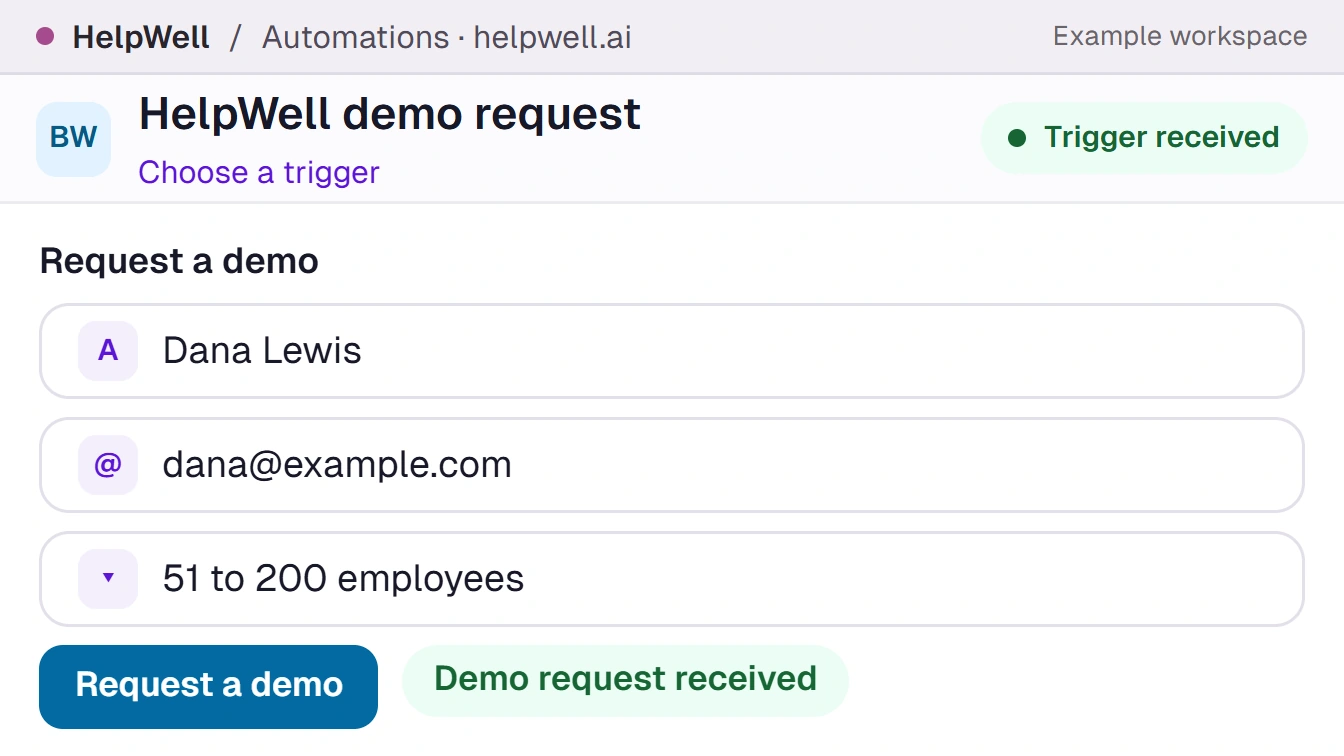

Automations example for HelpWell. HelpWell demo request. Form · HelpWell demo. Question · Help center migration. Destination · Research workflow.

Automations / Workflow branches

Branch on what you learn

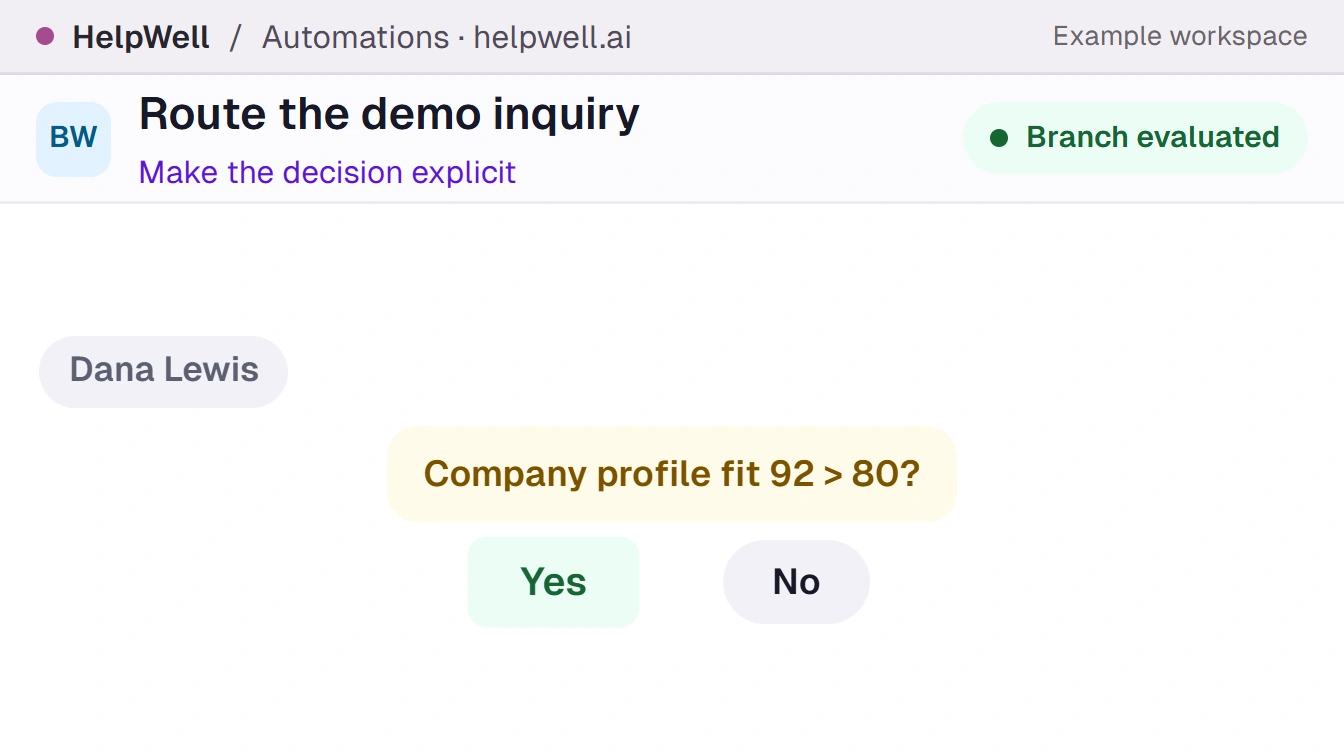
Research the account and test it against your buying criteria. A qualified lead can go to a rep while an incomplete record goes to enrichment.

Automations example for HelpWell. Route the demo inquiry. Event · Demo form. Condition · Software business. Action · Assign for follow-up.

Automations / Run history

Find the step that dropped the ball

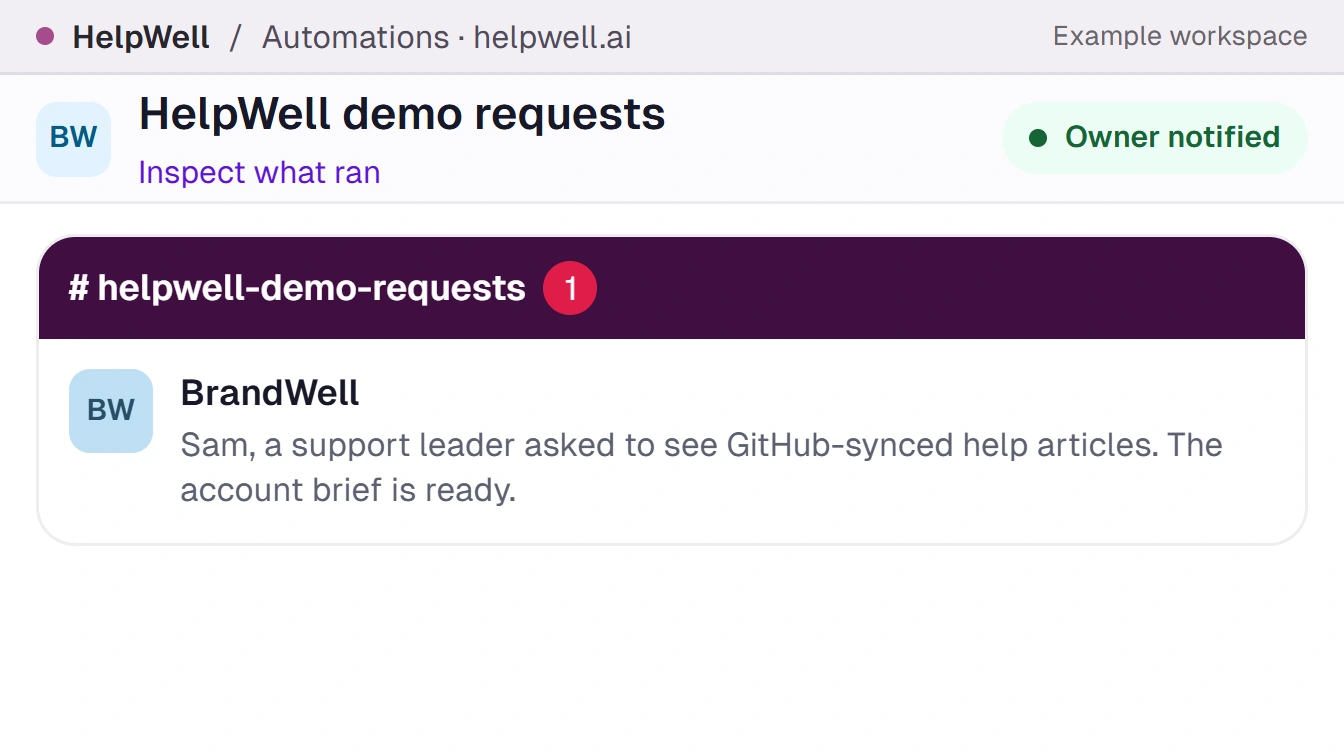
Open the run history to check what each step received and returned. Trace a missing detail back to the point where it should have reached the owner.

Automations example for HelpWell. HelpWell demo requests. Channel · Demo handoffs. Question · Help center migration. Owner · Sam.

Inside the workflow

What would AIMEE
do next?

Follow an inbound request through qualification and assignment. Inspect its run history to see exactly what reached your sales rep.

Qualify a demo request with the original question attached.

Signal
A buyer fills out your demo form and asks about a specific requirement.
Evidence
Read the submitted details and the question before researching the company.
Next action
Start the research workflow and carry the original question into qualification and assignment.
Visit this screen →

Enrich an incomplete inquiry before routing it.

Signal
A new inquiry includes a domain but leaves out the company’s industry.
Evidence
Check the company lookup and the fields your fit conditions require.
Next action
Route qualified accounts to sales. Send unresolved matches for review with their form context.
Visit this screen →

Trace a missed handoff to its source.

Signal
A rep receives a demo task without the question the buyer submitted.
Evidence
Inspect the workflow run, including the form input, the assignment step, and the receiving field.
Next action
Send the rep the missing context and correct the mapping for future runs.
Visit this screen →

Capability demos

Watch the work.

See the capability in action, then step onto the floor to watch the team work.

Automations

Workflow trigger

Trigger a workflow when a form arrives, a new intent match appears, or a positive reply lands. Choose the signal that makes the next action timely.

On this screen
Event, source record, and starting conditions

Automations

Workflow branches

Research the account and test it against your buying criteria. A qualified lead can go to a rep while an incomplete record goes to enrichment.
On this screen
Fit conditions, enrichment, and destinations

Automations

Run history

Open the run history to check what each step received and returned. Trace a missing detail back to the point where it should have reached the owner.
On this screen
Step inputs, results, and delivery status
Automations pricing and plans
  • Outcome Engine Solo costs $99/month for one member. Outcome Engine costs $197/month for three. Each includes the canvas, workflow library and a $50 monthly workflow data allowance.
  • All-in-One costs $500/month for one member, 10 scans, 10,000 lead exports, 25 articles, 250 identified visitors and 25,000 Outreach contacts per month.
  • All-in-One Growth costs $1,000/month for one member, 90 scans, 25,000 lead exports, 50 articles, 1,000 identified visitors and 50,000 Outreach contacts per month.
  • All-in-One Scale costs $1,500/month for one member, 300 scans, unlimited lead exports subject to fair use, 100 articles, 2,500 identified visitors and unlimited Outreach contacts. Growth and Scale include Link Builder. Placements are billed separately.
  • Each All-in-One plan includes $50 of monthly workflow data. Individual actions can consume wallet credit at different rates. Bundles and the configurable bot are separate offers.

The team behind the work

One company brain. Shared capabilities and data built-in.

Give your team Automations once. Each teammate’s AIMEE gets that capability, with a 250M-contact lead database, intent data, and more built in. Every teammate in sales and marketing can put it to work.

9:00 AMExample workday
Four workstations on the growth floor

Alex

Sales development
Expand
Call Center: Work the morning call queue
Call CenterWork the morning call queue

Paul

Demand generation
Expand
Lead Database: Find the buyer behind the account
Lead DatabaseFind the buyer behind the account

Mandy

Content
Expand
RankWell: Compare the adjacent search queries
RankWellCompare the adjacent search queries

Sam

Sales
Expand
LIVE Agent: Prepare the website discovery room
LIVE AgentPrepare the website discovery room
Company Brain

Sales questions reach the content desk. Every teammate can use the same account history.

Build your bot once. Give it to your team.

Every teammate gets their own AIMEE with your chosen capabilities, Lead Database, intent data, and company context built in. Add a teammate for $49/month on desktop or $149/month on a dedicated cloud computer.

Build a Growth Bot

Capability studio / Product screen

Automations

What AIMEE does with this screen

Product film