


On this page
- Start with the request rather than a channel ranking
- When a call can help
- When email can help
- Text only through an eligible, opted-in workflow
- Website activity is context, not a conclusion
- Original example: an early-access reminder
- Use current TrafficID and approved workflows
- Measure replies and outcomes honestly
Choose an outreach channel using the person’s request, recorded preferences, relationship and eligibility for that channel. Website behavior can suggest what to investigate, but does not grant permission to text or establish that a call will be welcome. A useful next step starts with the actual context.
Start with the request rather than a channel ranking
If a person asks for a call, respond through the agreed route. If they request information by email, provide it clearly. If they have not requested contact, review the applicable outreach rules, source and suppression status before preparing any message.
No universal “best time” or response-rate percentage applies to every audience. Role, region, relationship and the task can matter. Test your own eligible workflow instead of treating a broad statistic as a promise.
When a call can help
A scheduled conversation can help clarify a complex request or resolve questions interactively. Prepare a concise agenda and relevant questions. Respect the person’s availability and any request to stop.
Do not infer a preferred channel from age or job title alone. A senior role does not prove the person wants a phone call, and a pricing-page visit does not establish an agreed appointment.
When email can help
Email can provide requested detail, a reviewed resource or a meeting summary. Identify the sender accurately and explain the relevant purpose. Keep the subject line consistent with the content instead of inventing urgency.
The FTC’s CAN-SPAM guide makes clear that U.S. commercial-email requirements also apply to B2B messages. Review the required identification, postal address and opt-out process; a business address does not create an exemption.
Text only through an eligible, opted-in workflow
For a marketing reminder program, record the number the person supplied, their affirmative opt-in, the disclosure they saw and the program scope. An enriched mobile number or a website visit is not that consent record.
Keep reminders within the promised purpose and frequency. Process opt-outs, stop suppressed recipients and assign someone to handle replies. Do not interpret consent to one program as blanket permission for unrelated promotions.
Check current legal and provider requirements for the actual campaign, geography and sending technology. This operational checklist is not a legal determination that every message is permitted.
Website activity is context, not a conclusion
A repeat visit or watched video can suggest a topic for research. It does not prove budget, purchase authority, channel preference or agreement to contact. Verify identity and relevance rather than announcing that you know why a person visited.
Avoid intrusive opening lines that recite someone’s browsing history. Explain the useful offer or respond to their actual request. A reviewed example or helpful resource can be more relevant than a statement about tracking them.
Original example: an early-access reminder
A fictional prospect supplies a mobile number and checks an optional reminder checkbox for a stated program. The team records that opt-in and prepares a relevant reminder only while the offer remains active and the prospect remains eligible.
Another record has a phone number from enrichment but no reminder opt-in. The team keeps it out of the text workflow. This is an original permission-handling example, not an assurance about every applicable legal requirement.
Use current TrafficID and approved workflows
TrafficID surfaces identified visitors and available activity or profile fields. Review the correct project, filters and suppression controls. Identification and field coverage vary; neither constitutes a qualified sales opportunity automatically.
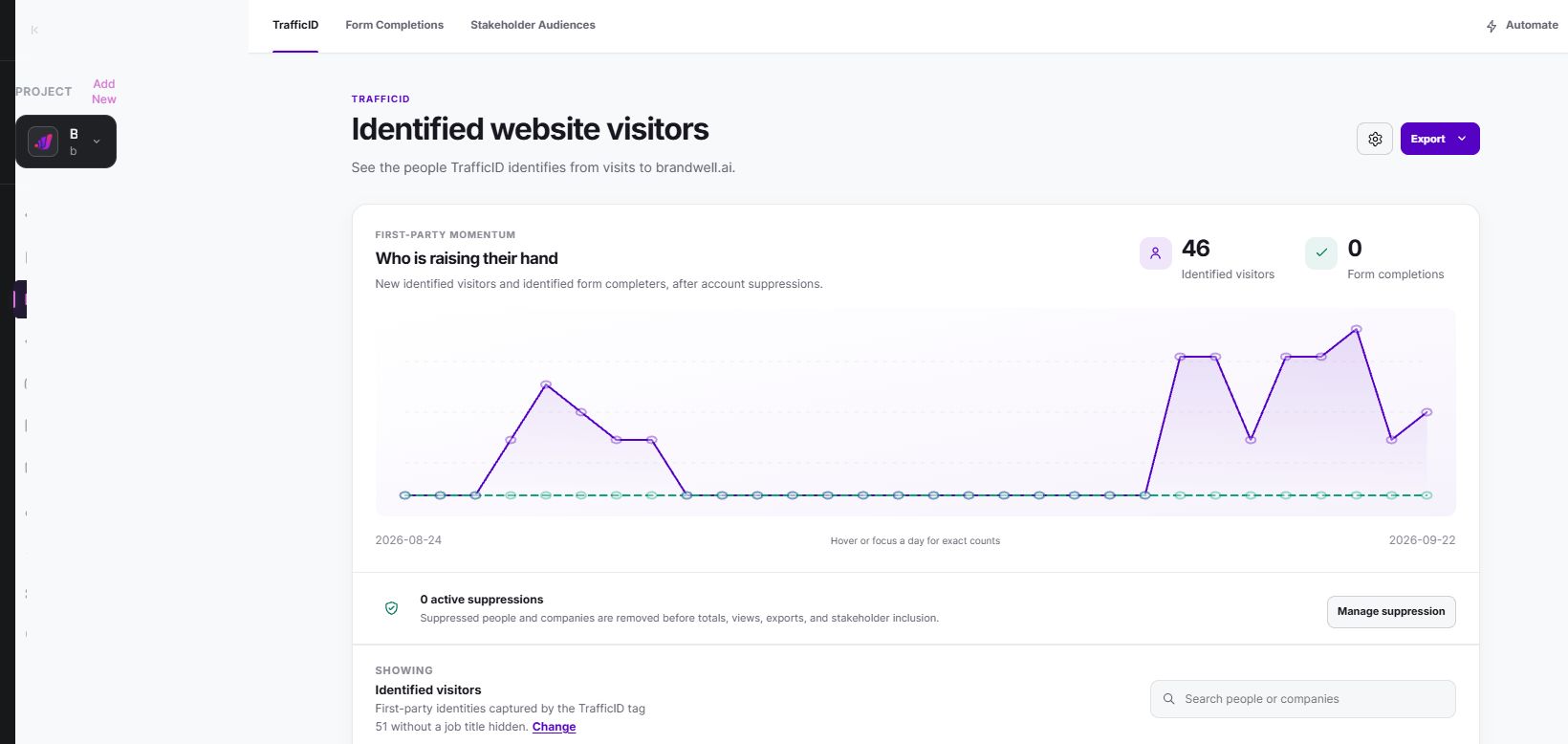
Use a relevant configured campaign or approved action after checking eligibility. AIMEE can help prepare work through configured tools. Do not assume every identified visitor is automatically enrolled in every channel.
Measure replies and outcomes honestly
Track sends, delivery, replies, opt-outs, meetings and purchases separately. Record the eligible audience, period and message version. Do not treat an email open as a confirmed conversation.
Apple’s Mail Privacy Protection guidance explains limits on sender-visible open activity. Use direct replies and agreed next steps as distinct evidence. A tracking metric is not permission or proof of interest.
Review the results and feedback, reduce unhelpful follow-ups and maintain suppression across all executing tools. Better outreach means a relevant, eligible conversation, not simply more messages.
Reviewed and updated October 2, 2026.

Written by

