


On this page
To write a useful email, identify the recipient, state the purpose early, include the information needed to act and finish with a clear next step. Then check the recipients, facts, links and attachments before sending. The right length and tone depend on the task and relationship.
A professional request, customer update and marketing invitation serve different purposes. This guide gives you a reusable structure, 15 practical checks and original examples for each. It does not assume that a particular subject-line length or phrase guarantees opens, replies or inbox placement.
A simple email structure
- Subject: accurately describe the message and any genuine action needed.
- Greeting: use the recipient’s correct name or a suitable team greeting.
- Purpose: explain why you are writing in the first paragraph.
- Details: provide the relevant dates, context and information in a readable order.
- Next step: say what response or action is needed, with a real deadline where applicable.
- Closing: identify yourself and the appropriate way to reply.
Purdue OWL’s email guidance emphasizes meaningful subjects, direct paragraphs and suitable contact information. These are useful communication principles, not a formula that establishes the performance of a marketing campaign.
15 checks for a clear, professional email
1. Define the purpose before drafting
Write down the decision or information the recipient needs. If you cannot explain the purpose in a sentence, separate unrelated topics or clarify the request before adding more copy.
2. Verify who should receive it
Check the address, role and distribution list. Use reply-all only when every recipient needs the response. A correctly written message can still cause a problem if it reaches the wrong person.
3. Make the subject match the body
Prefer a specific description such as “Approval needed: office-move checklist” over a vague claim that something is revolutionary. Use “last chance” only when the underlying opportunity really ends.
4. Put important words early
Inbox display varies by client and device. Put the essential topic near the beginning and preview the actual message on a phone. There is no universal character limit that ensures the whole subject will display.
5. Use a greeting that fits the relationship
Check the name rather than assuming a personalization field is correct. A simple “Hi Morgan” or “Hello implementation team” can be appropriate depending on the context. No single greeting is required for every business email.
6. Explain the reason for writing promptly
Give necessary context without a long promotional introduction. A customer should quickly understand whether the message concerns a request, update, invitation or problem.
7. Include the details needed to act
State the relevant order, project or reference information, dates and time zone when needed. Avoid putting sensitive details into the subject line, where they can appear in notifications.
8. Break parallel information into bullets
Use bullets for a short set of actions or benefits. Keep each one meaningful. Do not turn every sentence into a bullet or hide a critical condition in a long paragraph after the button.
9. Give one primary next step
Ask for the approval, reply or action the message requires. Explain what the link or button does. If the recipient must choose between options, make the choices and their consequences clear.
10. Keep the tone factual and respectful
For a problem, describe what happened, what is known and what you need next. Avoid blame, invented certainty or language that implies a recipient did something you have not verified.
11. Personalize with appropriate information
Use known context that helps the recipient. Do not imply that someone personally researched a topic just because an audience signal exists. A wrong name or unsupported assumption makes a message less useful.
12. Verify the offer and every claim
Check price, eligibility, dates, savings and product capabilities against the approved offer. Do not reuse a generic template’s invented discount code, customer count or benefit as if it were real.
13. Check links and attachments
Open the destination and confirm permissions. Mention an attachment when needed and include it. For sensitive material, use the organization’s approved sharing method rather than assuming ordinary email is a suitable channel.
14. Preview the actual message
Check readable text, button labels, layout and the plain-text alternative where applicable. Make important information understandable even if images do not load. Inspect both desktop and mobile rendering.
15. Review the send and follow-up rules
For marketing, confirm permission, suppression, opt-out and the applicable sending requirements. For an operational request, choose a reasonable follow-up based on the actual deadline. Stop following up when the recipient has answered or opted out of the relevant messages.
Three original email examples
These are illustrative drafts, not real messages or active offers. Replace the details with verified information and follow your organization’s rules.
A professional approval request
Subject: Approval needed: office-move checklist
Hi Morgan,
Please review the attached checklist before we finalize the move plan.
We need confirmation of the equipment owner, connectivity date and staff-access requirements. If an item is unresolved, please mark it so we can assign a follow-up owner.
Can you reply by Thursday at 3 p.m. Arizona time?
Thanks,
Alex
This request identifies the document, the decisions and a deadline. In a real project, verify the recipient, attachment and agreed timing before sending.
A customer status update
Subject: Update on your implementation request
Hi Morgan,
We have received your requirements and are reviewing the import setup.
The next step is to confirm the required fields with your project owner. We will send the reviewed plan after that check. No action is needed from you today.
If your requirements have changed, reply to this email and tell us what needs updating.
Thank you,
Alex
The status must reflect the actual project. Do not claim that a task is complete simply because a workflow was triggered.
An opted-in product invitation
Subject: Your requested product walkthrough is ready
Hi Morgan,
Here is the walkthrough you requested. It covers:
- The supported workflow and who it is for.
- The setup information you need.
- The available plans and important limits.
Use the link in this message to watch the walkthrough and review the current offer.
If you have a question about fit, reply and tell us what you want to accomplish.
Thanks,
Alex
A real marketing message also needs the required sender information and opt-out process. Verify any personalized links and offer deadlines. The example above does not supply a real campaign’s compliance footer or terms.
Prepare email work in current BrandWell
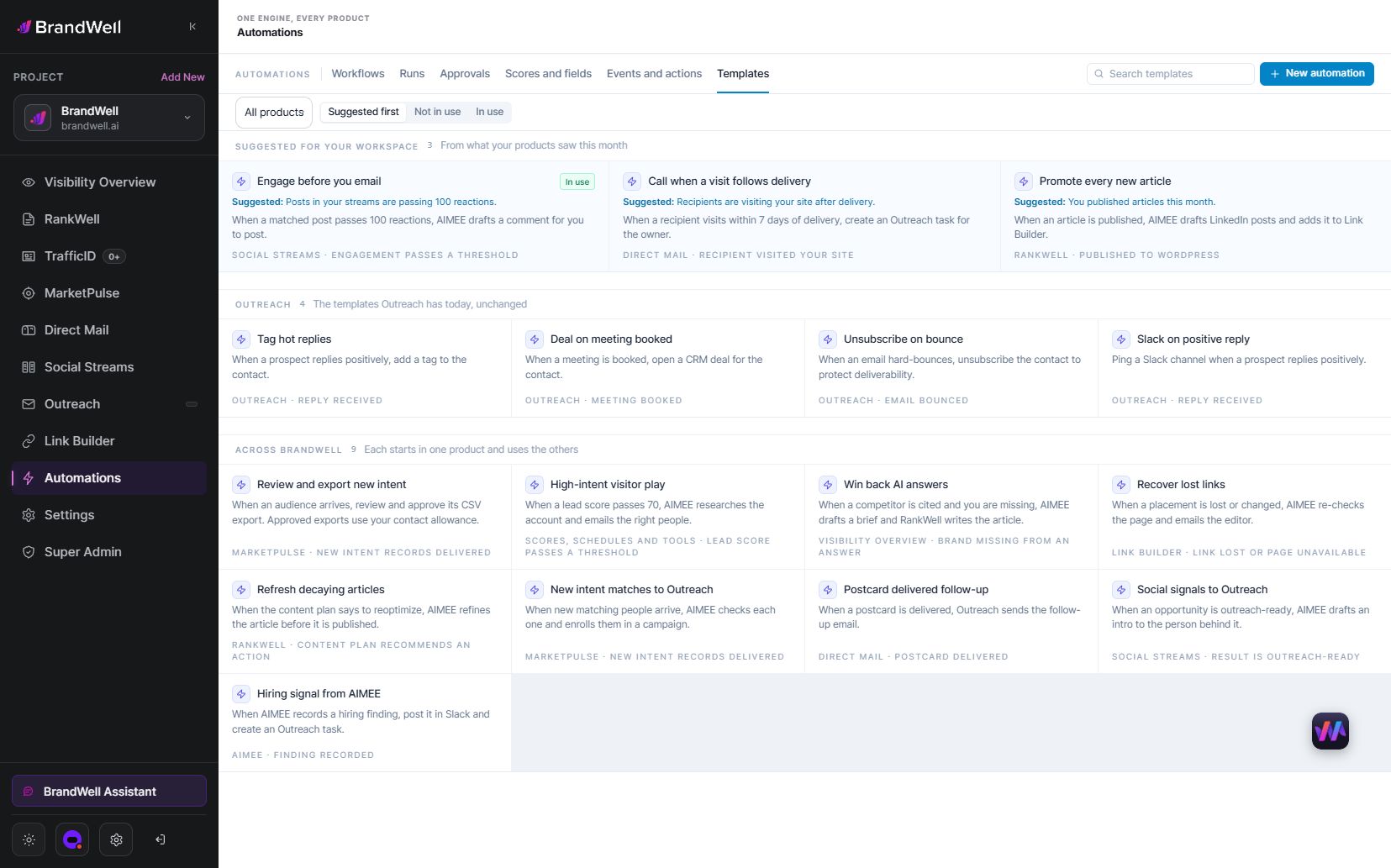
AIMEE can support work through configured tools in BrandWell. Provide an approved brief, verified product facts, brand guidance and the intended next action. Review the generated wording before it enters a connected tool. Available actions depend on the tools, access and workflow you configure.
Use Automations for configured triggers and handoffs with clear permissions and approval steps. For connected outreach, check the destination, audience and suppression process. Generating a draft does not authorize sending it.
Keep the review focused on the real message: the recipient, claims, timing, links and next step. AI assistance can organize wording, but it cannot supply missing evidence or recipient permission.
Measure the outcome that matters
For an approval request, the useful outcome is a correct, timely response. For a marketing invitation, distinguish delivery, link activity, qualified responses and purchases. Do not equate opens with confirmed reading.
Suppose an illustrative campaign delivers 500 messages and produces ten qualified requests. Its qualified-request rate is 2%. Another comparable campaign delivering 500 and producing 12 has a 2.4% rate. The 0.4 percentage-point difference is a descriptive calculation, not proof of significance or that a particular subject line caused it.
Frequently asked questions
How long should an email be?
Long enough to provide what the recipient needs, with unnecessary repetition removed. Complex updates can use a summary and a linked document; simple requests may only need a few sentences.
Should every email use the person’s name?
No. Use accurate, appropriate context. A team greeting can be better than guessing, and a name alone does not make a message relevant.
Can certain words guarantee inbox delivery?
No. Do not treat a word list as a delivery guarantee. Review your actual sending configuration, audience practices and mailbox-provider requirements separately from copy quality.
What is the most useful final check?
Read the message as the recipient: is the purpose clear, are the details correct and is the next action obvious? Then verify the actual recipients, links, attachments and sending permissions.
Write around the recipient’s task, then connect approved messages to a reviewed workflow. Explore BrandWell Automations for configured follow-up and handoffs.
Reviewed and updated October 3, 2026.

Written by
Julia McCoy has contributed articles to BrandWell on content marketing, writing, and search engine optimization. This archive retains her original bylines; individual articles may be updated by the BrandWell editorial team.

