On this page
Editing an AI-assisted draft starts with deciding what the reader needs, checking the evidence, and adding useful business context. This page replaces an older detector comparison with a guide to the current BrandWell content workflow.
Choose the job before choosing the software
A content editor helps you develop and revise the article. A source review checks whether a factual statement is supported. An originality review checks quotations, borrowed ideas, and attribution. Keep these jobs separate so that a label from one tool does not become a substitute for the work of another.
For a business article, write down the audience, intended next action, product facts, and questions the reader needs answered. Use that brief to guide the draft. If a proposed paragraph does not help the reader accomplish the task, remove it or make it more specific.
Use a review checklist you can explain
Check the title’s promise against the actual answer. Open the sources behind important claims. Test a product tutorial in the current workspace. Mark fictional examples as fictional, keep customer outcomes tied to their documented case studies, and describe limitations clearly.
Google’s guidance for generative AI content calls for manual review and fact-checking. Apply that review to the article body, title, description, and image text before publishing.
A practical review workflow in BrandWell
For business content, start with the audience and the job the article needs to do. Record the questions customers actually ask, the product facts you can substantiate, and the primary sources needed to support the answer. A finished article should help a reader make progress, whether or not AI assisted the draft.
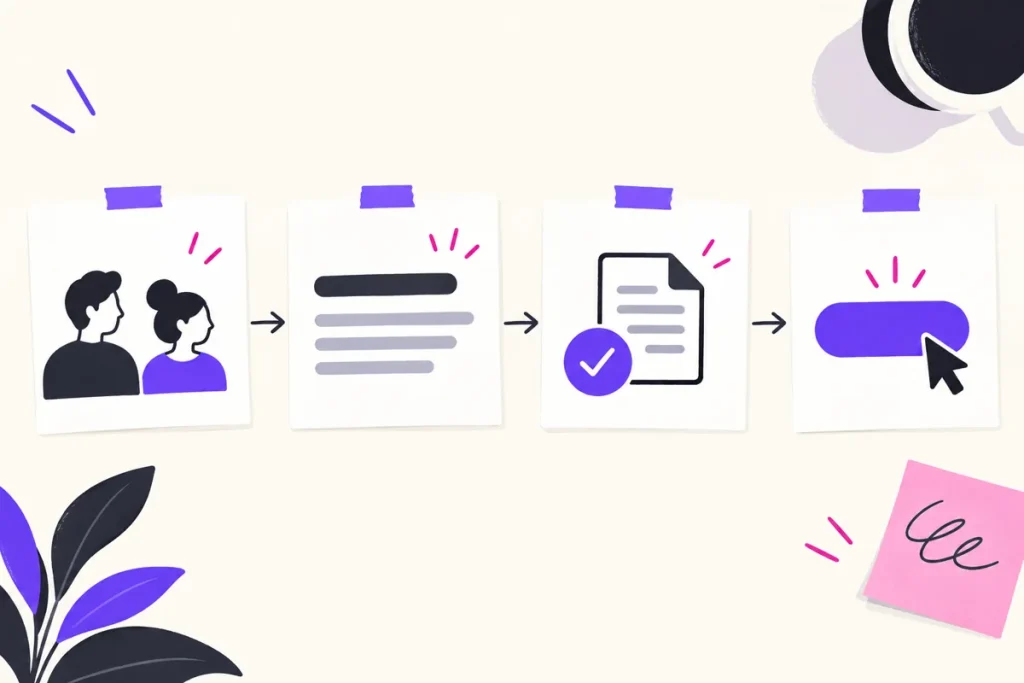
- Prepare a brief: define the audience, search question, useful examples, required sources, and review owner.
- Draft in RankWell: use your brief and approved materials to guide the content workflow.
- Verify the evidence: open each cited source, check the specific claim, and remove statistics that have no defensible source or date.
- Add business context: replace generic examples with your actual process, documented product behavior, or an explicitly fictional example.
- Review before publishing: check meaning, originality, permissions, links, images, formatting, and whether the article answers its stated question.
- Measure useful outcomes: use search impressions, clicks, relevant visits, and customer actions to identify the next revision.

AIMEE can help organize approved research and prepare work for review. Keep the source and the reviewer attached to each important assertion. Neither a fluent draft nor a software-generated score substitutes for evidence.
What to keep in the editorial record
Save the brief, source URLs, source dates, draft history, corrections, and the person who approved publication. For a product example, record which workspace and feature were used. If a step depends on an account setting or a paid plan, say so rather than presenting it as universal behavior.
A simple review note can contain the claim, its supporting passage, the date checked, and any limitation. For example, a customer outcome belongs to that named case study and time period; it is not a promise about what every customer will achieve. This makes later updates easier and gives a reader a clearer account of how the article was prepared.
Reviewed and updated October 2, 2026.

Written by
 Farnaz Kia