On this page
ChatGPT automation works best when you define a specific input, a useful output and a review point. A generated email draft is different from an automated workflow that reads a record, prepares a reply, obtains approval and sends it through an authorized connection.
Start with a small task you can check. Measure the time to reach an accepted result, including review and corrections. Faster generation alone does not show that the overall process is better.
Separate assistance, scheduling and execution
- Assistance: a person supplies context and requests an outline, summary or draft.
- Scheduling: a task runs at a defined time or supported trigger. OpenAI’s scheduled-task documentation describes availability and connections that depend on the plan, workspace and environment.
- Execution: the workflow acts in another system through configured access. Define which actions it may take and which need approval.
Do not assume a conversation has permission to change a CRM, email a customer or update a website. Document the actual connection, account scope and owner responsible for the outcome.
Five workplace tasks worth testing
1. Turn approved notes into a status update
Provide the completed work, open questions and owners. Ask for a short update that separates confirmed progress from unresolved items. The reviewer checks dates and responsibilities before sharing it.
2. Prepare a customer reply from policy
Supply the customer’s question and the relevant approved policy. Request a draft with source references for the reviewer. Escalate cases that need a decision or information missing from the policy. A model should not invent a refund, delivery date or entitlement.
3. Produce a first content outline
Give the intended reader, question, available evidence and desired next step. Review whether each proposed section helps the reader. Collect missing sources before treating the outline as a publication-ready draft.
4. Summarize meeting actions
Use notes you are authorized to process. Request actions, owners and dates separately, marking unknown fields as unknown. Have participants confirm assignments rather than accepting an inferred commitment.
5. Prepare a sales research brief
Use permitted company information and distinguish observed facts from hypotheses. Ask for questions a seller could investigate, not a claim that the prospect wants to buy. Review the source and freshness of each fact before using it in outreach.
A practical automation specification
This is an original example for an IT services company preparing replies to opted-in early-access questions. It is a workflow design, not a claim about a built-in template.
- Input: a new question from an opted-in prospect.
- Context: the approved offer, relevant product documentation and the prospect’s existing record.
- Prepared work: a short reply, the evidence supporting it and any unresolved question.
- Approval: a named person checks offer terms, recipient and factual statements.
- Action: the approved reply goes through the configured messaging connection.
- Record: retain the status, approver and destination so someone can investigate a failed or duplicate action.
A useful drafting prompt is: “Use only the supplied offer and documentation. Draft a concise answer to this question. List the supporting references for the reviewer. If the answer requires an exception or missing information, flag it instead of making a commitment.”
Measure accepted work, not just generated output
For a pilot, compare similar tasks and record preparation time, review time, correction time, accepted outputs and failures. Include connection costs and the effort needed to maintain the process.
In a hypothetical test, 20 replies previously took 10 minutes each, or 200 minutes total. An assisted process takes four minutes to prepare and four minutes to review each reply, or 160 minutes. It saves 40 minutes, a 20% reduction. If the pilot also takes an hour to configure, the first batch uses 220 minutes overall. That setup cost may be spread over later work, but it should not disappear from the calculation.
Compare factual errors, missing context and customer outcomes as well as time. Do not infer a company-wide productivity gain from a narrow test or count unreviewed drafts as completed work.
What research says about jobs
The ILO’s 2025 assessment estimates that one in four workers worldwide is in an occupation with some generative-AI exposure. Exposure describes potential task impact, not measured job losses. The report emphasizes transformation because human input remains necessary.
That distinction matters for workplace planning. Review the actual tasks in a role, involve the people doing them and test how responsibilities change. A broad exposure estimate cannot tell you that a specific job will disappear or that an entire team can be replaced.
Keep important decisions and data under control
- Use only information your organization allows in the chosen tool and account.
- Define a review point before external messages, financial commitments or public publishing.
- Limit access to the actions required for the workflow.
- Mark missing information explicitly and provide an escalation route.
- Keep records of successful and failed actions, then check the result at its destination.
- Recheck the process when source policies, connected tools or offer terms change.
These are practical operating checks. A fluent output does not establish correctness, authorization or compliance with your organization’s policies.
Connect the workflow in BrandWell
BrandWell’s current Automations workspace supports configured workflows. AIMEE helps prepare and carry out work through the tools and access you configure. Define the trigger, owner, evidence and approval point before expanding the process.
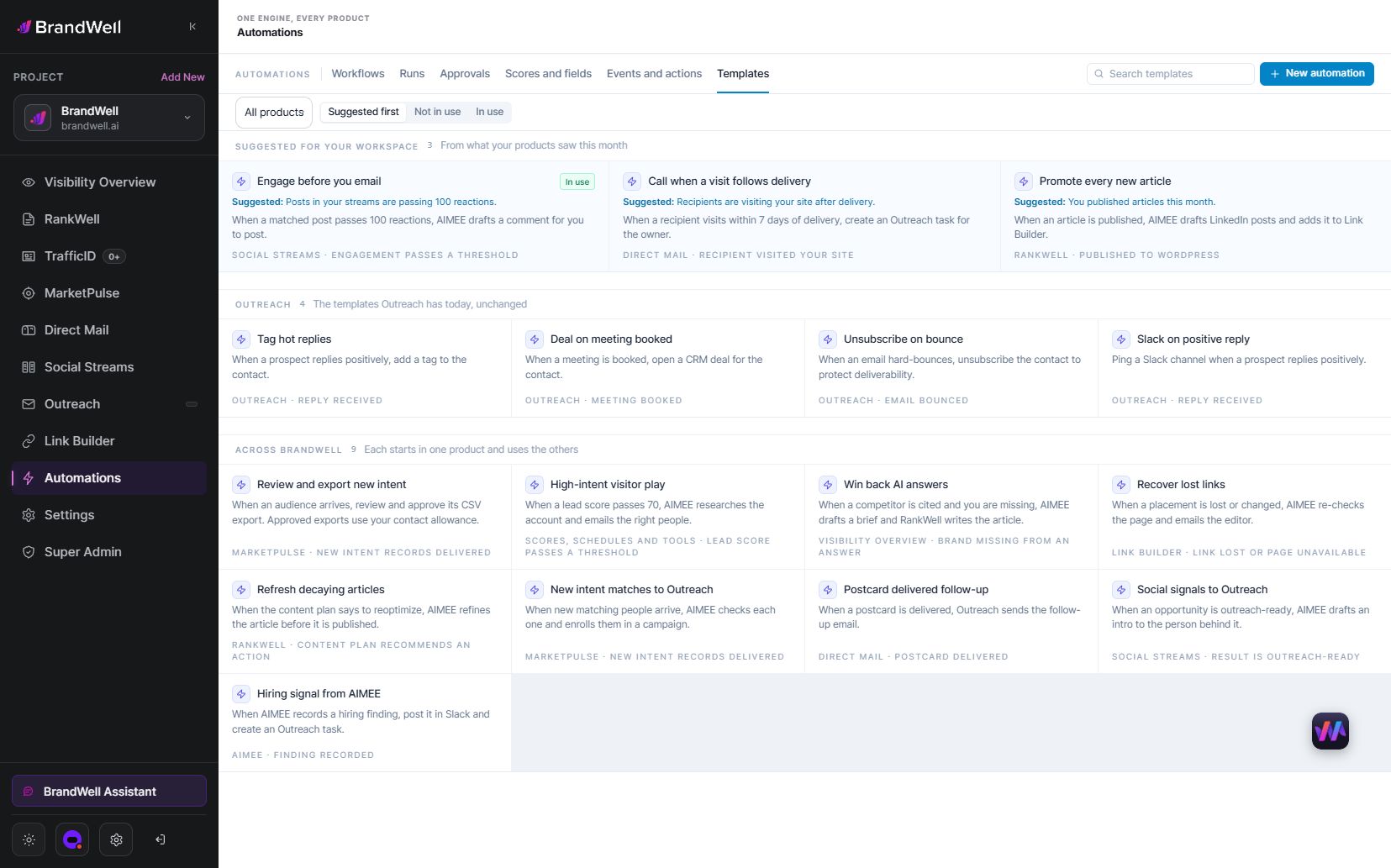
For marketing content, use Visibility for keyword research and RankWell for the brief and draft. If the input is buyer research, MarketPulse is starting at $500/mo. That is MarketPulse’s starting price, not the price of every BrandWell capability.
Frequently asked questions
Can I use ChatGPT for work?
Use it within your organization’s tool and information policies. Begin with a task that has a clear reviewer and an output you can verify.
Does it automatically reduce errors?
No. Compare the accepted results with your existing process. AI can introduce unsupported details even when its writing is clear.
How many jobs has ChatGPT replaced?
This guide does not provide a verified count. Occupational exposure research is not a tally of layoffs attributable to one product.
Explore BrandWell Automations and start with one workflow whose output, owner and review point you can explain.
Reviewed and updated October 3, 2026.

Written by
Julia McCoy has contributed articles to BrandWell on content marketing, writing, and search engine optimization. This archive retains her original bylines; individual articles may be updated by the BrandWell editorial team.

 Justin McGill