On this page
- Crawling, indexing and access are different
- Check the file Google actually uses
- Read rules rather than jokes or comments
- An original crawl-rule example
- Do not block access to an indexing instruction
- Investigate an apparent disappearance
- Keep the published article useful in BrandWell
- Frequently asked questions
A robots.txt file gives supported crawlers instructions about crawling. It is not a password, a complete indexing report or proof of why a website disappeared from search. To investigate an indexing issue, inspect the actual URL, applicable rules and search reports rather than inferring a cause from an unusual file or social-media discussion.
This guide explains the technical distinctions that matter when reviewing a crawl file. A story about another site’s search visibility does not replace evidence from your own site.
Crawling, indexing and access are different
Google’s robots.txt introduction explains that robots.txt manages crawling. A blocked URL can still appear in search results. The file also does not prevent a person or a crawler that ignores it from accessing a public resource.
Use actual access controls for private material. For a public page you want excluded from Google’s index, review the appropriate indexing instructions instead of assuming a crawl block will remove it.
Keep those goals explicit before changing anything: reducing unwanted crawling, excluding a public page from an index and protecting private information are separate tasks.
Check the file Google actually uses
Google’s robots.txt specification describes the file’s root location and rule interpretation. A file inside a subfolder is not a substitute for the site’s root robots.txt.
Inspect the correct host and protocol, the response status and the actual contents served. A file visible in your editor may differ from the one a request receives because of deployment, caching or server configuration.
Record the observation time and preserve the previous version before editing. That lets you review what changed and restore an accidental restriction.
Read rules rather than jokes or comments
In Google’s parser, comments are not crawl instructions, and valid rules are what matter. Its specification also states that Google ignores a Unicode byte order mark at the beginning of the file. An article should not claim that this character necessarily causes Google’s parser to misinterpret the rules.
Separate a surprising line, a comment and an applicable rule. Do not copy another site’s file as a template simply because it belongs to a well-known technical expert. Its purpose and environment may differ from yours.
An original crawl-rule example
The following illustrative file blocks supported crawlers from the /drafts/ path and lists a sitemap. It is a syntax example, not a recommended production configuration for every site.
User-agent: *
Disallow: /drafts/
Sitemap: https://example.com/sitemap.xml
Before applying a similar rule, check whether that path contains pages or resources your public site needs. Test representative URLs and review the intended scope. A short rule can affect many pages.
The sitemap line does not override a crawl restriction or guarantee indexing. Listing a URL and allowing access are different observations.
Do not block access to an indexing instruction
Google’s noindex documentation explains that Google must be able to crawl a page to discover its noindex instruction. A noindex rule placed in robots.txt itself is not supported.
Illustrative conflict: a public sample page has a noindex meta tag, but its path is also disallowed in robots.txt. Blocking the crawl can prevent Google from seeing the page-level instruction. Review the intended behavior and configuration together.
Do not use that example to expose a private page. If the material must be confidential, use access controls appropriate to the site. Indexing instructions are not a security boundary.
Investigate an apparent disappearance
- Confirm the exact URL and whether it still returns the intended page.
- Inspect the applicable crawl rules and any page-level indexing instructions.
- Review representative URLs in Search Console rather than treating a site search as a complete inventory.
- Check recent redirects, canonical changes, deployments and content removals.
- Record actual manual-action or indexing reports instead of assuming a penalty.
A public search observation can raise a useful question. It cannot, by itself, prove the cause. Keep the diagnosis tied to dated technical evidence and avoid inventing an explanation from an unrelated discussion transcript.
Keep the published article useful in BrandWell
For content explaining a technical workflow, use RankWell to prepare and review the article. The current Content Hub organizes articles, strategy, queue and calendar work.
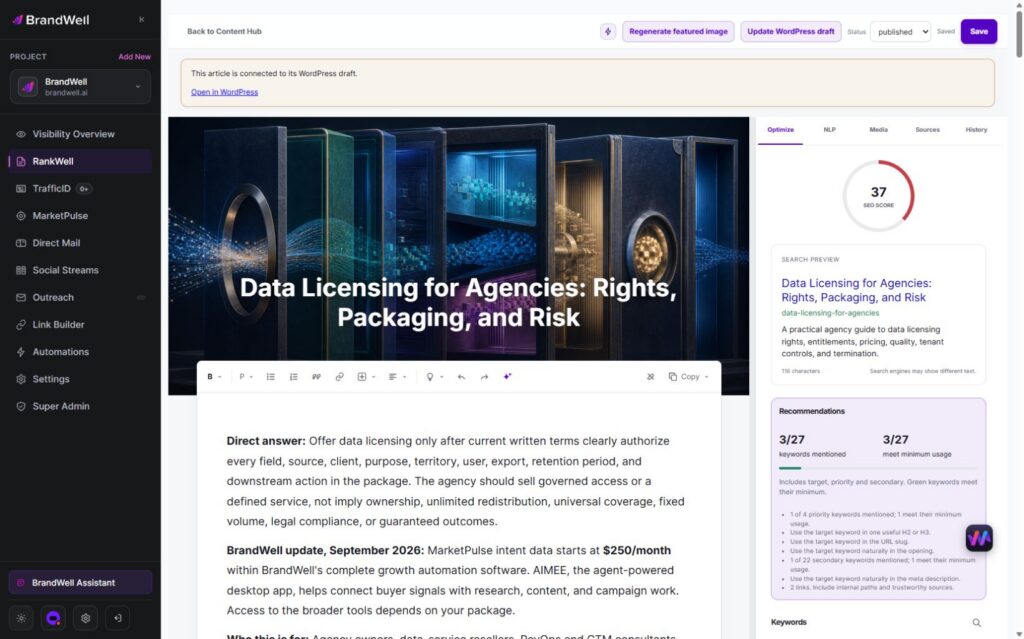
In the editor, check the draft, search preview, recommendations, media, sources and history. Retain short readable code examples, link technical statements to primary documentation and have an appropriate reviewer verify the instructions.
Use Visibility for relevant keyword research, then keep the explanation focused on the reader’s actual problem. RankWell’s article workflow does not automatically change your website’s crawl configuration or guarantee indexing.
Frequently asked questions
Does disallowing a page guarantee its removal from Google?
No. A crawl restriction and an indexing instruction are different. Review the actual URL and intended behavior.
Can robots.txt protect confidential files?
No. Use real access controls. Public crawl instructions do not keep an accessible resource private.
Does a byte order mark necessarily break Google’s parser?
No. Google’s specification says it ignores a BOM at the beginning of the file. Investigate valid rules and the actual response.
Should I copy another site’s robots.txt?
Use your own requirements and test the affected URLs. Another site’s file is not evidence that its rules are appropriate for yours.
Explore RankWell to organize sourced article work and technical review in the current BrandWell portal.
Reviewed and updated October 3, 2026.

Written by
Julia McCoy has contributed articles to BrandWell on content marketing, writing, and search engine optimization. This archive retains her original bylines; individual articles may be updated by the BrandWell editorial team.